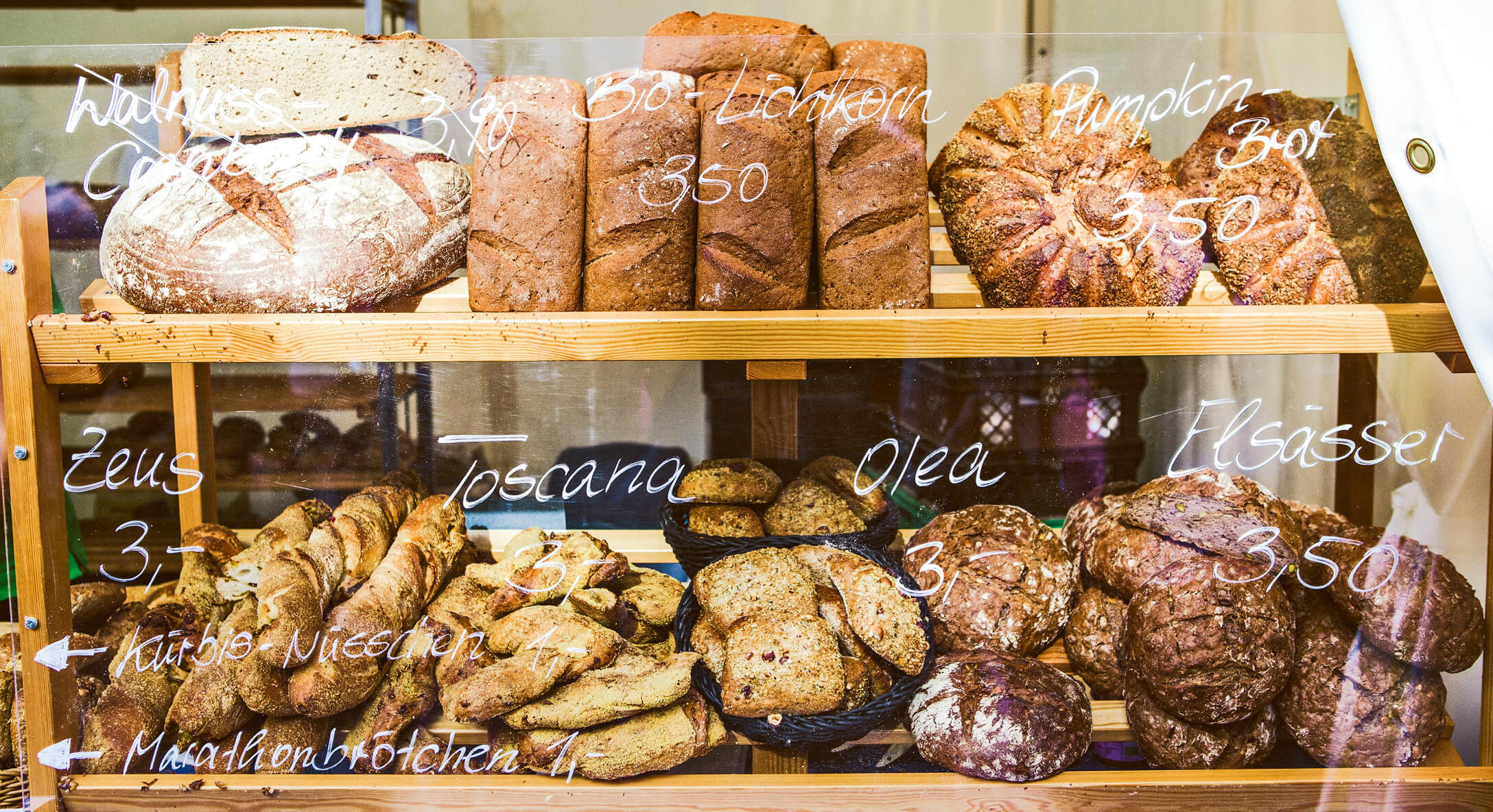
Your display case is filled with golden croissants, fresh-from-the-oven sourdough, and chocolate cake that makes customers pause mid-conversation. But somehow, your bakery menu isn’t converting browsers into buyers. The baked goods are exceptional—the menu presenting them? Not so much.
Creating a bakery menu involves more than listing your products with prices. A well-planned menu organizes your bakery offerings into logical categories, uses item descriptions that make customers crave your products, sets pricing that ensures profitability, and presents everything in a format that makes ordering effortless. Whether you run a home bakery, artisan bread shop, or bakery cafe, your menu serves as a powerful tool that communicates your bakery’s brand and drives sales.
With the global bakery market reaching USD 57.2B by 2026 (up from USD 52.24B in 2025), competition is growing. A strategically designed online menu for bakeries can set your successful bakery apart. Research shows that 71% of consumers prioritize texture in baked goods, making descriptive menus essential for connecting with customer preferences.
This guide covers everything you need for creating a bakery menu that sells:
Before building your menu, understand what separates a menu that sells from one that simply lists items. With 71% of consumers regarding texture as key to enjoyment and 67% seeking novelty through mouthfeels like crispy-chewy contrasts, your menu needs to connect products with what customers actually want.
Every successful bakery menu includes these essential elements:
These elements apply whether you’re designing a printed menu for your counter, a menu board, or a digital menu customers access on their phones. Think of this list as your checklist—every bakery menu design decision should support at least one of these goals.
Bakery menu planning happens before you open any design software. The strategic decisions you make here determine whether your menu drives profitability or just looks pretty.
Who walks through your door? Understanding your customers shapes every menu decision.
Consider these customer profiles:
A home bakery serving families will structure its menu differently than an artisan bread shop targeting food enthusiasts. With 46% of consumers seeking global fusion flavors (like yuzu matcha croissants), knowing whether your customers want tradition or adventure matters.
List everything you can make. Then get strategic.
Identify your:
Exercise: List your top 10 bestselling items right now. These form your menu’s foundation.
Not everything needs menu space. That elaborate seven-layer cake you make twice a year? Keep it for custom orders. Your menu should feature items you can consistently produce and that contribute to your bottom line.
More isn’t better. Too many options overwhelm customers and strain your kitchen.
Consider your production capacity. Can you actually make everything on your menu fresh daily? A focused menu with 20-30 items often outperforms a sprawling list of 60+ options.
Structure your offerings by availability:
For specialty bakeries (gluten-free, vegan), lead with your specialty. That’s why customers seek you out—make them stand right at the top.
With your products identified, organize them into categories that make sense to customers—not just to you.
Most bakery menus include some variation of these sections:
With sourdough leading trends (178% search rise), consider featuring health-forward items prominently. A dedicated category for artisan breads or made-from-scratch items can attract health-conscious buyers.
Category placement affects what customers order. Consider these approaches:
Lead with bestsellers: Put your most popular category first. If croissants fly out the door, start there.
Group by occasion:
Group by product type: Traditional approach—breads together, sweets together, beverages at the end.
Keep custom orders and celebration cakes separate from everyday items. These require different information (lead time, consultation process) and different customers.
Artisan Bread Bakery:
Pastry Shop/Patisserie:
Bakery Cafe:
Specialty Dietary Bakery:
Aim for 5-8 categories. More than that makes scanning difficult. Subcategories work when you have many items in one area (breads might have “sourdough,” “whole grain,” “white”), but use them sparingly.
This is where many bakery menus fall flat. Generic descriptions don’t sell. With 86% of consumers believing creamy fillings add indulgence, your words need to trigger sensory responses.
Effective item descriptions include:
Texture words (use these—customers crave texture):
Taste words:
Appearance words:
Words to avoid: “Delicious” (says nothing), “tasty” (weak), “good” (meaningless), “nice” (forgettable).
Before: Chocolate Croissant – $4.50
After: Double-Chocolate Croissant – Buttery, flaky layers wrapped around rich chocolate batons, finished with a golden glaze. – $4.50
Before: Sourdough Bread – $7.00
After: Country Sourdough Loaf – 24-hour fermented dough creates a tangy crumb and crackling crust. Perfect for sandwiches or served warm with butter. 1.5 lb loaf – $7.00
Before: Blueberry Muffin – $3.50
After: Bursting Blueberry Muffin – Tender, moist crumb loaded with fresh blueberries and crowned with a crunchy streusel top. – $3.50
Before: Chocolate Chip Cookie – $2.50
After: Brown Butter Chocolate Chip Cookie – Crispy edges give way to a chewy center packed with dark chocolate chunks. Made with browned butter for deep, caramel notes. – $2.50
Before: Cinnamon Roll – $4.00
After: Giant Cinnamon Roll – Soft, pillowy dough swirled with cinnamon-brown sugar filling, baked until golden and dripping with cream cheese frosting. Irresistible warm. – $4.00
Simple items: Name + 1-2 descriptors. “Butter Croissant – Classic French pastry, flaky and golden.”
Signature items: 1-2 sentences. These deserve more space—they’re why customers choose you.
Custom/celebration cakes: Longer descriptions acceptable. Include consultation process, lead times, size options.
Balance detail with scannability. Customers won’t read paragraphs for every cookie. Save longer descriptions for items that warrant storytelling—your signature items, complex creations, or items with interesting origins.
Digital menus allow more description space without cluttering the design. Photos of your products also reduce description length needed—customers can see what they’re getting.
Many business owners underprice to compete, then wonder why profitability suffers. Your bakery menu pricing needs to cover costs and generate profit while communicating the value of your products.
Before setting prices, know what each item costs to make.
Ingredient cost per item: Calculate the cost of every ingredient in your recipe, scaled to one serving.
Basic pricing formula:
Menu Price = Ingredient Cost ÷ Target Food Cost Percentage
Example: Your chocolate cake slice costs $1.50 in ingredients. With a target food cost of 30%:
$1.50 ÷ 0.30 = $5.00 menu price
Most bakeries target 25-35% food cost, meaning ingredients should represent 25-35% of the selling price. Artisan items with specialty ingredients or significant labor can command lower food cost percentages (meaning higher markup).
Don’t forget to factor in labor and overhead when assessing total cost. That 24-hour sourdough requires more than flour and water—it requires time and skill.
Cost-plus pricing: Calculate costs, add your desired markup. Most straightforward approach.
Competitive pricing: Price relative to similar bakeries in your area. Research what others charge, then position yourself appropriately.
Value-based pricing: Price based on perceived value, not just costs. Artisan, organic, local ingredients, or specialty dietary items (gluten-free, vegan) can command premium prices. The plant-based sector is projected to grow to USD 10.7B by 2033—premium pricing for vegan and high-protein items is viable.
Tiered pricing: Offer size options. Small/medium/large cookies, individual tarts vs. whole tarts, slices vs. whole cakes.
How you display prices affects customer behavior.
Costs change. Your prices should too.
Digital menus make price updates instant—change a number and it’s live. Printed menus require reprinting, making owners hesitant to adjust even when costs demand it.
You don’t need to be a designer to create an aesthetically pleasing menu. Understanding a few principles makes a significant difference.
With 75% of Gen Z and 80% of Millennials letting texture drive cravings, visual presentation matters—your design should highlight what makes each item appealing.
Visual hierarchy: Guide eyes to what matters most. Larger fonts for category names, medium for item names, smaller for descriptions. Your signature items should stand out.
White space: Crowded menus feel overwhelming. Give items room to breathe. White space actually helps customers focus.
Scanning patterns: Eyes typically move in an F-pattern (left to right, then down) or focus on the “golden triangle” (center, top right, top left). Place high-margin items and signature items in these zones.
Grouping and alignment: Items in the same category should align consistently. Inconsistent spacing looks amateur.
Readability comes first. That beautiful script font? Unreadable at small sizes.
Font guidelines:
Free options from Google Fonts: Playfair Display (elegant headers), Lato (clean body text), Merriweather (readable serif), Open Sans (modern and clear).
Colors affect appetite and mood.
Photos help customers visualize purchases, but bad photos hurt more than no photos.
When photos help:
When to skip photos:
Photo tips:
Digital menu platforms like Menubly allow unlimited high-quality photos without printing costs, letting you showcase every beautiful creation in your display case.
Make your best items impossible to miss.
If you’re not a designer, menu builder tools and templates handle layout automatically. Canva offers free templates for printed menus, while online menu builders like Menubly provide professional design without design skills.
Allergen labeling isn’t optional—it’s essential for customer safety and trust. With 54% of consumers buying plant-based products monthly and a 130% rise in “sweet vegan chocolate” chatter, dietary transparency matters more than ever.
Customer safety: Food allergies can be life-threatening. Clear information protects your customers.
Legal requirements: Many regions require allergen disclosure. Check local regulations for your area.
Customer loyalty: Customers with dietary restrictions remember bakeries that cater to their needs. Clear vegan and gluten-free labels build trust with this growing customer segment.
Bakery products commonly contain these allergens:
Cross-contamination disclaimer: If your kitchen processes tree nuts, peanuts, or wheat, include a statement: “Produced in a facility that handles [allergens]. Cross-contamination possible.”
Icon/symbol system: Small icons next to items indicating contains wheat, nuts, dairy, etc. Include a key explaining symbols.
Text indicators: “Contains: wheat, eggs, dairy” after each item description.
Allergen matrix: Separate chart listing all items and which allergens each contains. Works well for printed menus with many items.
Digital advantage: Digital menus can offer filtering by dietary need—customers tap “gluten-free” and see only safe options. This functionality is difficult to replicate in print.
Standard dietary labels:
Place labels consistently—typically after the item name or at the end of the description. Use the same format throughout your menu.
A dedicated gluten-free or vegan section works well when you have multiple items. Otherwise, marking items throughout with labels helps customers find options without segregating products unnecessarily.
With your content complete, decide how customers will view your menu. Each format has strengths.
Advantages:
Disadvantages:
Advantages:
Disadvantages:
Bakeries face unique challenges that digital menus solve:
Daily baking schedules: You bake fresh each morning. Items sell out. New items appear. A printed menu cannot keep up with this pace. Digital menus allow instant updates.
Sold-out tracking: Nothing frustrates customers more than ordering something unavailable. Digital menus let you mark items sold out in real-time.
Seasonal rotation: Pumpkin spice season, summer berry tarts, holiday cookies—seasonal items come and go. Digital menus embrace this flexibility without reprinting costs.
Visual products: Bakery products are beautiful. That golden croissant, the glossy chocolate cake—photos sell baked goods. Digital menus support unlimited images.
Pre-orders and custom inquiries: Digital menus can include ordering functionality or inquiry forms for custom cakes.
Commission-free direct ordering: Unlike third-party delivery apps that charge 15-30% commission on every order, digital menus with built-in ordering let you keep 100% of your revenue. Customers can browse your menu and place orders directly with you, and you get their contact information to send them deals and updates directly.
With mini formats and sampler boxes rising as consumers increasingly graze throughout the day, digital menus handle frequently changing offerings that printed menus struggle to communicate effectively.
Many bakeries combine formats effectively:
This hybrid approach gives in-person customers quick reference while providing comprehensive information through digital access.
Ready to go digital? Here’s how to create a professional bakery menu without technical skills or hiring a developer.
Look for a menu builder with:
Menubly is an affordable and easy-to-use online menu and ordering platform purpose-built for food businesses like bakeries, offering all these features with bakery-specific functionality. The platform handles design automatically, so you focus on your products, not technical details.
Add your business information:
Add the categories you planned earlier. Arrange them in the order you want customers to see them. With Menubly, you can drag and drop to reorder anytime.
For each item:
Select colors that match your bakery’s brand. Choose from font options. Adjust layout preferences. The platform ensures everything remains readable and professional.
Enable commission-free online ordering so customers can order ahead for dine-in, pickup, or takeaway—keeping 100% of every order value unlike third-party delivery apps that charge 15-30% fees. Accept orders through WhatsApp messaging. This functionality turns your menu into a sales tool, not just an information display.
Generate your unique QR code and share it:
With Menubly, your bakery menu becomes searchable online through SEO-optimized menu pages. When someone searches ‘[Your Bakery] menu,’ they’ll find it right away. Customers searching for ‘bakery near me’ can find your menu and see exactly what you offer before visiting. Plus, the QR code stays the same even when you update your menu—no need to reprint.
Get started with Menubly free and create your professional bakery menu in minutes.
Need inspiration? Here’s how different bakery types structure their menus effectively.
Menu Structure:
Why it works: Leads with daily availability (crucial for bread bakeries), highlights trending sourdough, includes pre-order process for dedicated customers.
Menu Structure:
Why it works: Photo-heavy design showcases beautiful creations. Signature items get top billing. Seasonal collection creates urgency and return visits.
Menu Structure:
Why it works: Organized by daypart and occasion. Combines baked goods with beverages and savory options. Caters to breakfast, lunch, and snack customers.
Menu Structure (Gluten-Free Bakery):
Why it works: Leads with the specialty that customers seek. Clear cross-labeling for multiple dietary needs. Builds trust by leading with safety information.
Menu Structure:
Why it works: Simple and scannable. Updates weekly for each market. Digital format handles the constantly changing inventory perfectly. Promotes pre-orders to build consistent sales.
Menubly offers customizable bakery menu templates for each of these bakery types, making it easy to adapt proven structures to your specific offerings.
Creating your menu is step one. Keeping it effective requires ongoing attention.
Mark items sold out in real-time: Digital menus make this instant. Your morning rush sold all the almond croissants by 9 AM? Mark it sold out immediately so later customers aren’t disappointed.
Rotate seasonal items quarterly: Spring brings fresh berries, fall brings apple and pumpkin, winter brings spiced and chocolate-forward items. Plan your seasonal menu changes and promote new items.
Add daily specials easily: Today’s experimental new recipe or a limited batch of something special? Digital menus let you add, feature, and remove specials without any hassle.
Review and remove underperforming items: Track what sells. Items that rarely move waste menu space and potentially ingredients. Remove them or reimagine them.
Update prices when costs change: Ingredient costs fluctuate. Don’t absorb margin loss because updating your printed menu feels like a hassle. Digital menus make price changes instant and free.
Refresh photos periodically: Are your photos still accurate? Better equipment or skills over time? Update images to keep your menu looking current and your products looking irresistible.
Digital menus transform all these updates from projects into quick tasks. What takes a print shop days and hundreds of dollars in reprinting costs becomes a two-minute edit on your phone. With tools like Menubly, you can update your menu instantly—change a price, mark something as sold out, or add a new special—and it appears immediately on your online menu for free.
Learn from others’ errors. These mistakes hurt bakery sales and customer satisfaction.
Most successful bakeries feature 20-40 items. Quality beats quantity. Consider your production capacity—every item on your menu should be something you can make consistently and well. New bakeries often succeed by starting with fewer items (15-25) and expanding based on customer demand.
Keep core items consistent—customers return for favorites. Rotate seasonal items quarterly (spring, summer, fall, winter collections). Add or remove daily specials as needed. Review your full menu every 6-12 months to assess what’s working and what’s not.
Yes. Price transparency builds trust and helps customers make decisions. Hidden prices create anxiety and may cause customers to order less (or leave). Display prices clearly and consistently throughout your menu.
Readable fonts work best. Serif fonts (like Playfair Display or Merriweather) convey classic elegance. Clean sans-serif fonts (like Lato or Open Sans) feel modern and fresh. Avoid highly decorative script fonts for anything except headers—they’re difficult to read at small sizes.
Professional photos are ideal but not required. Good smartphone photos with natural lighting and clean backgrounds work well. However, bad photos hurt more than no photos. If you can’t get quality images, focus on compelling descriptions instead until you can invest in better photography.
Digital menus allow instant sold-out marking—update from your phone in seconds. For printed menus, staff must communicate verbally when items sell out. Consider noting “available until sold out” on popular items that frequently run out early.
Requirements vary by location and business size. Some regions require calorie information for establishments above certain revenue thresholds. Beyond requirements, consider your brand positioning—some health-conscious bakeries include nutrition information as a selling point.
Beautiful photos, compelling descriptions, and clear brand personality differentiate your menu. Highlight what makes your bakery unique—local ingredients, family recipes, specific techniques. An easy-to-navigate design that showcases your best items helps customers understand why to choose you.
You now have everything needed to create a bakery menu that drives sales and reflects your bakery’s identity.
Here’s what we covered:
Creating a bakery menu can feel like a significant project, but you don’t have to tackle it alone. With tools like Menubly, you can create a professional bakery menu in minutes—no design skills or technical knowledge required. Add your items, upload photos, set prices, and generate your QR code. Done.
Your beautiful baked goods deserve a menu that does them justice. A menu that helps customers to find exactly what they want, understand what makes your bakery special, and order with confidence.
Create your free bakery menu with Menubly today.
Your croissants are golden, your sourdough is tangy, your chocolate cake is calling. Now give them a menu that matches.

