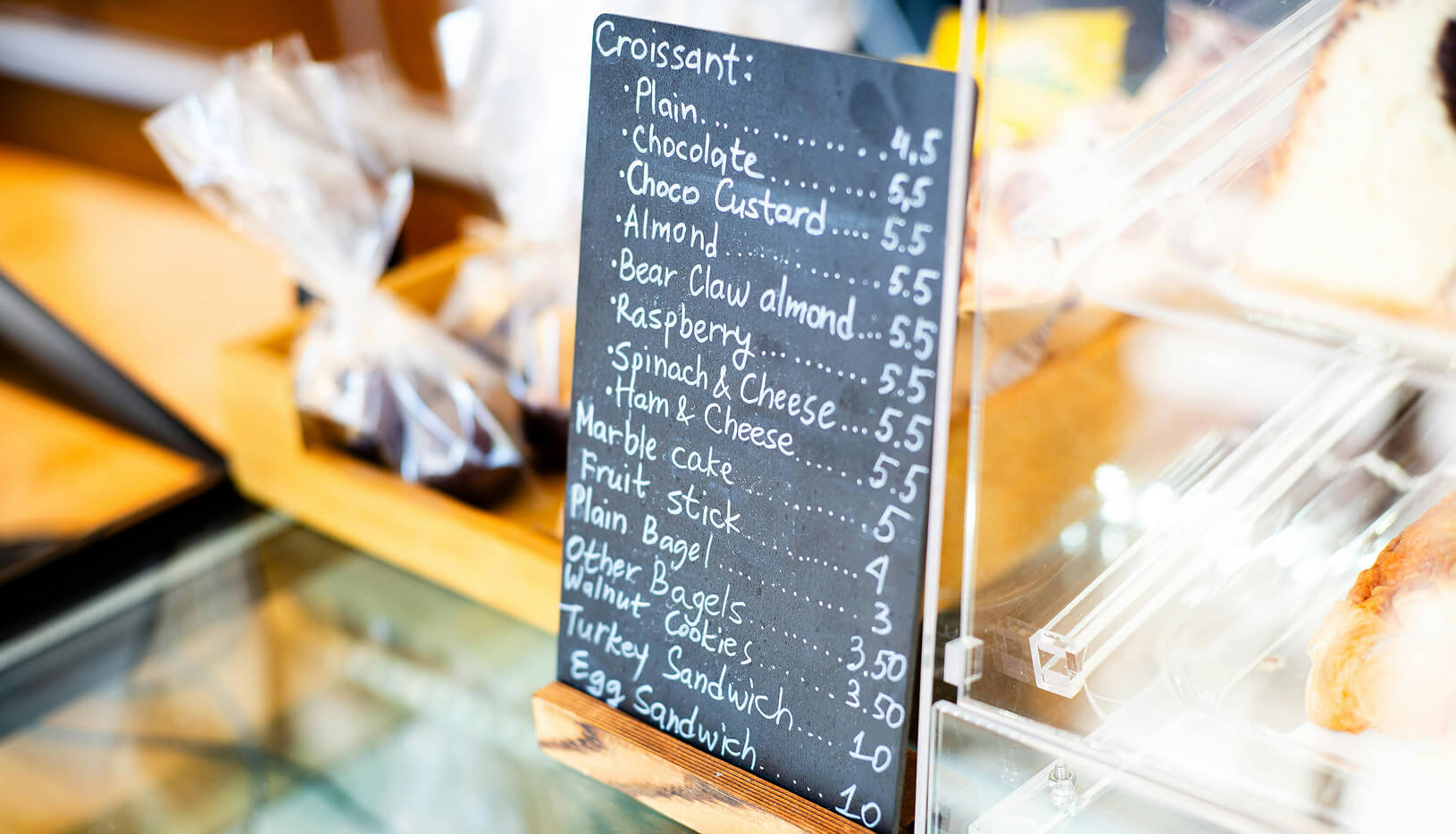
Your croissants sell out by 10 AM, your seasonal pumpkin loaf is only available in October, and your custom cake designs change monthly—yet your printed menu stays the same. For bakery owners managing fresh-baked items, daily specials, and rotating inventory, static menus create a constant disconnect between what’s available and what customers see.
An online menu for bakeries displays your complete product offerings—from artisan bread and pastries to custom celebration cakes—on an online menu platform that customers can access from any smartphone, tablet, or computer. Unlike third-party delivery apps that charge 15-30% commission on each order, commission-free platforms help bakeries keep full revenue while offering customers the same convenience. With 78% of adults now using food-related apps on their devices, bakeries that offer online menu solutions connect with customers the way they prefer to browse and order.
This guide covers everything bakery owners need to know about creating an effective bakery menu online: the different types of online menu formats available, why your bakery business needs one in 2026, the essential features to look for, step-by-step instructions to create a bakery menu, and best practices that help you attract more customers. Whether you run an artisan bakery, a custom cake shop, a gluten-free specialty bakery, or a home-based baking business, you’ll find practical guidance tailored to your needs.
An online menu for bakeries is an online menu system that displays a bakery’s complete product offerings—including breads, pastries, cakes, and seasonal items—on a web-based platform accessible via smartphones, tablets, or computers, allowing for instant updates, photo galleries, real-time availability status, and detailed allergen information.
Unlike restaurant menus that focus primarily on meal descriptions, a bakery menu requires strong visual presentation because baked goods sell through appearance. Modern menu platforms like Menubly support unlimited photo uploads, allowing you to create visual galleries that showcase your products from multiple angles—the golden crust on sourdough, the layers in a croissant, or the detailed decorations on custom cakes. When a customer can see the golden crust on your sourdough loaf or the intricate decorations on your custom cakes, they’re far more likely to visit or place an order. With 67% of restaurant revenue now coming from online and phone orders, bakeries need these visual, real-time digital displays to stay competitive.
An online menu for bakeries differs from traditional printed or chalkboard menus in several key ways. When your sourdough boule sells out by noon, Menubly’s one-click sold-out toggle shows “sold out” instantly—you can update availability in seconds, even while helping customers at the counter. When you add a new seasonal Danish, it appears on your menu page instantly. Compare this to PDF menus that require design software and weeks of back-and-forth with a designer, or printed menus that cost hundreds of dollars to reprint every time prices change. This real-time capability is essential for bakeries where freshness cycles and limited batches are part of daily operations.
Core components of an effective online bakery menu include:
Modern bakeries can choose from several online menu formats, and many easy to use platforms combine multiple options. QR code menus have become especially popular post-pandemic, with 60% of orders now coming from mobile devices.
Picture your typical weekday morning: a line of customers stretches to the door, each person asking “What’s fresh today?” or “Do you have anything gluten-free?” Meanwhile, your team tries to serve quickly while answering the same questions repeatedly. This scenario plays out in bakeries everywhere, but it doesn’t have to.
What if customers could browse your full selection before they reach the counter? With QR codes displayed at your counter or window, customers scan and see your entire menu—complete with photos, descriptions, and prices—while they’re in line or even before they walk in. This reduces counter time, eliminates repeated questions about ingredients, and helps customers make confident decisions.
The numbers tell a clear story. Online orders average 23% higher value than in-store purchases, and bakeries using independent online ordering systems see a 10% increase in sales. With 91% of consumers checking online reviews and information before making bakery purchases, your online visibility directly affects your bottom line.
Real-time menu updates eliminate the cost and hassle of reprinting menus every time prices change or items sell out. A typical bakery that reprints menus quarterly spends $400-800 annually. Online menu platforms like Menubly eliminates this cost entirely—update prices, add seasonal items, or remove discontinued products with zero printing expenses. One bakery owner reported saving over $1,200 in the first year by switching from printed menus to an online menu system.
Key operational advantages include:
Today’s customers expect to research before they visit. They want to know if you have vegan options, what your custom cake pricing looks like, and whether that chocolate croissant contains nuts. An online bakery menu answers these questions 24/7.
According to research, 70% of consumers prefer custom apps and direct platforms for support, and product photos significantly aid their decision-making process. For specialty bakeries, this is especially important—29% of consumers now check protein content, and demand for vegan and gluten-free options continues rising.
A user-friendly online menu lets customers:
Online ordering customers visit 67% more frequently than walk-in only customers. A well-optimized bakery menu helps you appear in local searches—especially valuable given that searches for terms like “sourdough” have increased 178%.
Growth advantages include:
Not all online menu solutions are created equal, especially for bakeries. A bakery menu has different requirements than a typical restaurant menu: your products sell visually, your inventory rotates daily, custom orders drive significant revenue, and allergen information is critical for customer safety. With 85% of consumers preferring mobile ordering, your menu must work flawlessly on smartphones.
Here’s what to look for when choosing or building your online bakery menu:
Bakery products sell through appearance first. With 91% of consumers reviewing images online before visiting and social media platforms like TikTok shaping food expectations, strong visuals are non-negotiable.
Essential visual features include:
Tip: Look for platforms that allow unlimited photo uploads so you can fully showcase your pastry selection and cake portfolio.
For bakeries with daily rotation and items that sell out, quick and easy updates are essential. The ability to instantly mark items as sold out saves customer frustration and staff time.
Key management features:
Allergen labeling isn’t just helpful—it’s a safety and legal requirement for many bakeries. This is especially important for gluten-free and vegan bakeries where customers rely on accurate information.
Must-have allergen features:
Custom cakes and catering orders often represent a bakery’s highest-margin business. Your online menu should make it easy for customers to inquire about special orders. Pre-orders also reduce waste—and research shows that customers with ordering capabilities order 21% more frequently.
Order features to look for:
Note the difference between a menu with inquiry forms versus a full online ordering system. Inquiry forms collect requests that you confirm manually, while ordering systems process transactions automatically. Many bakeries start with inquiry forms and add full ordering as they grow.
Your online menu should reflect your bakery’s artisan quality and help customers find you through Google search. Google Business Profile integration boosts visibility for “near me” searches.
Branding and SEO features:
Creating a professional online menu for your bakery is simpler than you might think. You don’t need technical skills, and most bakery owners can complete the process in under an hour. Here’s how to make a bakery online menu that works for your business:
Menu builder platforms: Services like Menubly, Toast, and others offer bakery-specific features with no technical setup required. These typically range from free basic plans to $9-30/month for professional features.
Website builders with menu features: Squarespace, Wix, and similar platforms offer menu templates as part of their broader website services. Best if you’re building a complete website.
QR menu generators: Simple tools that create scannable menu codes. Good for basic menu display without ordering.
What to prioritize for bakeries:
Most bakeries find that dedicated menu builders offer the best balance of bakery-specific features, ease of use, and cost-effectiveness. For the rest of this guide, we’ll walk through setting up your bakery menu with Menubly as an example.
Visit Menubly’s signup page and create your free account—no credit card required for the 30-day trial. During signup, you’ll enter your bakery name and choose your menu URL (this becomes your public menu link like app.menubly.com/p/your-bakery-name).
Already have a paper menu or PDF? Simply upload it and Menubly will convert it to a digital format within 24 hours, completely free. Contact them via live chat or email them at support@menubly.com for this service.
Categories help customers navigate your menu easily. Think of them as sections like “Breads,” “Pastries,” or “Cakes.”
Common bakery menu categories include: Artisan Bread, Pastries & Croissants, Cakes, Cookies, Seasonal Specials, Gluten-Free Options, Vegan Selections, Beverages.
Create a separate category for items with special dietary options to make filtering easy for customers with allergies or preferences.
In Menubly, click “Add Category” to create new categories. You can rename categories by clicking on the name, delete unwanted ones, and drag-and-drop to reorder them as needed.
Items are your individual products—each croissant, cake, or loaf of bread.
Add your products to each category by clicking the “Plus” icon next to the category name. For each item, simply click on it to open the editing screen where you can add:
Click “Save and Close” when finished with each item.
Options groups let customers personalize their orders—essential for custom cakes, sized items, or add-ons.
In Menubly, go to the “Option Groups” tab and click “+ Group” to create options like:
For each option group, you can set it as optional or mandatory, add individual options with price adjustments, then click “Apply to items” to select which products should have these choices.
This is especially useful for custom cake orders where customers specify their preferences upfront.
Go to the “Business Information” tab to add your bakery name, phone number, address, operating hours, and currency. You can also add a header note (like “Fresh baked daily” or “Pre-orders available for weekends”) and footer notes about allergen policies.
In the “Branding” tab, upload your logo and header image, then choose your brand colors for the theme, background, and text. This makes your digital menu match your bakery’s visual identity.
Menubly automatically creates your public menu URL and QR code. Download the QR code and place it where customers will see it:
The QR code stays the same forever, even when you update your menu—print it once and use it permanently.
Share your menu link on:
To accept orders through your menu, go to the “Order Setting” tab and select “Online” ordering mode. Enter your WhatsApp number to receive order notifications, then choose your shipping methods (pick-up or delivery) and add relevant details.
In the “Payment Setting” tab, click “+ New Payment Method” to add payment options like cash on delivery, bank transfer, or credit cards. Include payment instructions and upload any QR codes for bank transfers if needed.
WhatsApp ordering for custom cakes:
When customers place orders through your Menubly menu, they can contact you directly via WhatsApp to discuss custom cake details. This makes it easy to:
The beauty of online bakery menu is instant updates:
All changes appear on your public menu instantly—no waiting, no design costs, no reprinting expenses.
Creating your menu is just the start. These best practices help you maximize its effectiveness and keep customers coming back. With TikTok and Instagram shaping food expectations, presentation matters more than ever.
High-quality photos drive sharing and sales. Here’s how to capture your baked goods effectively:
Strong menu descriptions help customers choose and can increase sales:
Menu organization affects how customers browse and what they order:
A stale menu frustrates customers and hurts your credibility:
Different bakery types have unique needs. Here’s how online menus serve each segment:
Artisan bakeries benefit from menus that emphasize craftsmanship and limited availability. Highlight your fermentation processes, local ingredients, and daily bake schedules. Real-time sold-out features are essential since bread inventory changes throughout the day. Use your menu to educate customers about what makes your products special.
For cake shops, visual portfolio galleries are the priority. Customers need to see your design capabilities before inquiring about custom orders. Include inquiry forms that gather event dates, serving sizes, and design preferences. Display starting prices to pre-qualify inquiries and save time on quotes.
Specialty bakeries must communicate dietary information clearly and confidently. Use prominent allergen labels and dietary icons. Create dedicated sections for different dietary needs. Detailed ingredient lists build trust with customers who have health concerns or allergies.
Café-bakeries need menus that balance baked goods with beverages and potentially savory items. Organize categories to show pairings (pastries with coffee, sandwiches for lunch). Include photos that show items in context—a croissant with a latte creates an appetizing scene.
Home bakers often have limited production capacity and specific ordering windows. Your online menu should clearly communicate ordering deadlines, pickup times, and minimum orders. Pre-order features help you bake to demand and reduce waste. A professional online menu adds credibility that helps home-based businesses compete.
QR code menus have moved from pandemic necessity to permanent convenience. For bakeries, they offer specific advantages that printed menus can’t match.
What is a QR code menu? It’s a scannable code that opens your online menu directly on a customer’s smartphone. No app download required—they simply point their phone camera at the code.
Where to place QR codes in your bakery:
Platforms like Menubly automatically generates a QR code for your menu that never needs updating—even when you change your menu, the same QR code continues working. This means you can print it once and place them permanently on:
QR code best practices:
When customers search “bakery near me” or “fresh bread nearby,” you want your bakery to appear—with your menu visible. Here’s how to make that happen:
Set up Google Business Profile:
Optimize for local search:
Online menus on SEO-optimized platforms (like Menubly) are indexed by Google, helping you rank for product-specific searches. When someone searches “chocolate croissant [your city],” your menu can appear in results.
Online bakery menus range from free basic options to premium plans around $9-30 per month. Free plans typically include essential features, while paid plans add custom branding, multiple locations, and advanced features.
For example, Menubly offers a free forever plan for basic needs like setting up a simple one-page website, with their Pro plan at $9.99/month (or $7.99/month annually) including online menu and commission-free ordering. Compared to third-party ordering platforms that charge 15-30% commission on each order, even paid menu platforms save significant money—a bakery processing just $500 in monthly orders breaks even and keeps hundreds more in profit.
The savings are substantial. Third-party delivery platforms like Uber Eats, DoorDash, and others charge 15-30% commission on every order.
Example calculations:
Plus, you own your customer data, allowing you to market directly to them for repeat business—something you can’t do with delivery app customers.
Additional savings:
Most bakeries see ROI within the first month.
Yes, most modern menu platforms allow instant updates from any device. You can mark items as sold out from your phone in seconds, update prices, add daily specials, or remove seasonal items immediately. For example, Menubly’s lets you update availability even while helping customers at the counter—the change appears instantly on your online menu. This is one of the biggest advantages over printed menus, which require reprinting every time something changes.
No technical skills are required. User-friendly platforms like Menubly are designed for busy bakery owners, not web developers. If you can upload a photo and type a description, you can create a professional online menu. Most bakeries complete setup in a few minutes.
Customers can access your menu multiple ways: scanning a QR code you display in-store, clicking a link on your website or social media, finding you through Google search. The menu works on any smartphone, tablet, or computer without requiring an app download. With platforms like Menubly, your QR code never changes even when you update your menu content, so you can print it once on permanent signage, business cards, or packaging.
Absolutely—and you should. Photos are essential for bakeries since customers make decisions based on appearance. Quality platforms support multiple high-resolution photos per item, allowing you to create visual galleries that showcase your custom cakes, pastries, and bread.
Many bakeries start with an online menu that includes inquiry forms for custom orders, then add full online ordering capabilities as their business grows. With Menubly, both features are included—customers can browse your menu and place orders for pickup, takeaway, or delivery, with zero commission fees (you keep 100% of the order value).
Yes, this is a popular use case. Include a custom cake gallery showcasing your designs and display starting prices to give customers a clear idea of your capabilities and pricing range.
Menubly helps you handle custom cake orders by letting customers place orders via WhatsApp, where they can chat directly with you about their custom requirements—making it easy to discuss design details, flavors, fillings, and dietary needs in real-time without back-and-forth emails.
An online menu helps your bakery operate more efficiently, serve customers better, and grow your business. You’ve learned why online menus matter (23% higher order values, 67% more frequent visits from online customers), what features to look for (photos, real-time updates, allergen labels), and how to create one step by step.
The direct-to-consumer food channel now generates $71.9 billion annually, and bakeries with professional online menus capture more of that opportunity. Setup is straightforward, requires no technical skills, and can be completed in under an hour.
Menubly offers everything bakeries need:
The platform is designed specifically for food businesses like bakeries, making it easy to use even during your busiest days. Setup takes under an hour, requires zero technical skills, and bakeries typically see ROI within the first month through eliminated printing costs and increased order values.
Create your free bakery menu with Menubly and start taking commission-free orders today. Your customers will appreciate the convenience, and you’ll appreciate keeping 100% of your revenue.
👉 Start your 30-day free trial – No credit card required

