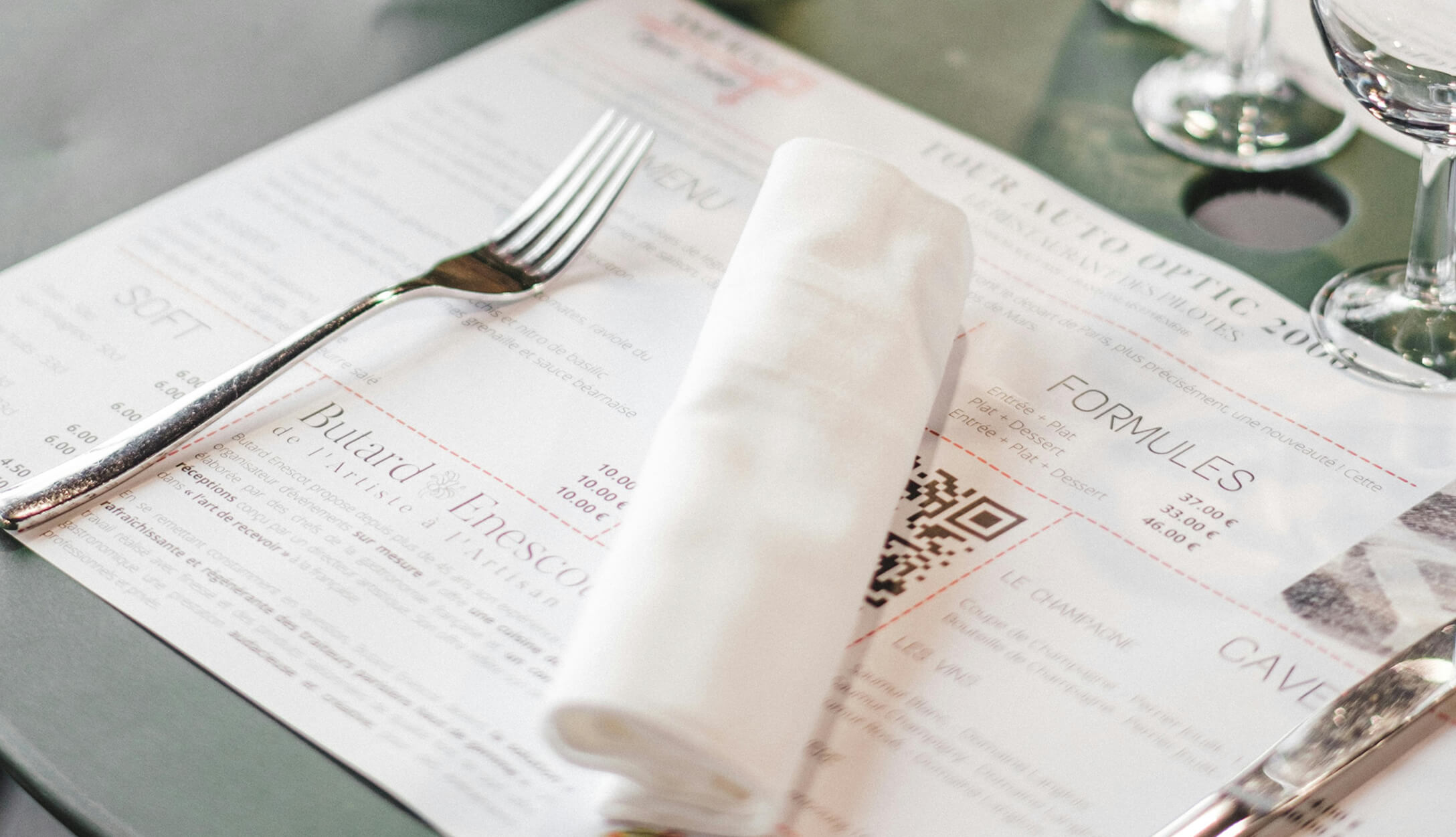
The average customer spends about 109 seconds reading a restaurant menu before making a decision. In that short window, the best fonts for your restaurant menu shape how customers perceive your food, your prices, and your brand. Research published in the Journal of Business and Psychology found that menus with more readable fonts lead to longer browsing time — and potentially higher sales.
Choosing the best fonts for your restaurant menu goes beyond decoration. The right typography communicates your restaurant’s personality, guides your customers’ attention toward high-margin dishes, and makes it easy to read your menu in any lighting. The wrong font choice can confuse customers, slow down ordering, and send the wrong message about your food.
This guide covers everything you need to know about menu fonts: the four main font types and when to use each one, how typography affects customer perception and ordering behavior, specific font recommendations by restaurant category, font pairing strategies, size and readability guidelines for both print and digital menus, and the most common mistakes to avoid. Whether you’re about to design a menu for a new restaurant, managing a busy kitchen, or refreshing an existing one, you’ll walk away knowing exactly which fonts fit your business and how to use them.
Your menu is a silent salesperson. Before a customer reads a single dish name or price, the font style sends a message about what kind of dining experience to expect. A serif typeface on heavy paper signals fine dining and sophistication. A clean, modern sans-serif on a bright menu board suggests a fast, casual spot. Fonts convey your brand identity in a split second.
This goes beyond gut feeling. Studies show that well-designed menus can increase restaurant sales by up to 20%. Typography is one of the biggest design elements driving that number. The typeface you select affects how customers perceive the quality and value of your food — a dish described in an elegant font feels more premium than the same dish in a basic typeface.
Font choice also affects readability, which directly impacts ordering speed and customer satisfaction. If guests struggle to read your menu, they default to familiar items or ask the server for help, slowing down table turnover. Menus that are legible and well-organized encourage customers to browse more sections, try new dishes, and spend more per visit.
Typography also supports menu psychology — the practice of guiding attention through visual hierarchy. Bold headings, weight variations, and font size differences direct the eye toward the dishes you want to sell most. If you’re keeping up with menu trends, you’ll notice that top-performing restaurants treat typography as a strategic tool for both branding and revenue, not just an afterthought. Here’s the bottom line: choosing the best menu fonts is one of the highest-impact, lowest-cost changes you can make to your restaurant’s bottom line.
Before you choose a font for your restaurant menu, it helps to understand the four main font categories. Each has different characteristics, sets a different mood, and works better for certain types of restaurants. Here’s a quick breakdown.
Serif fonts have small decorative strokes (called serifs) at the ends of each letter. Playfair Display, Baskerville, and Garamond are popular examples. These typefaces feel traditional, trustworthy, and elegant. They’re a natural fit for fine dining restaurants, upscale bistros, and any brand that wants to communicate sophistication. The Roman-style letterforms that characterize serif fonts have been used in print materials for centuries, giving them a timeless quality.
Sans-serif fonts (meaning “without serifs”) have clean, straight lines with no decorative strokes. Helvetica, Open Sans, Montserrat, and Lato are popular picks. These fonts feel modern, approachable, and easy to scan. They work well for casual dining, fast-casual spots, cafés, and digital menus. A modern sans-serif font is also the most legible option for body text on screens, making it ideal for online menus and menu boards.
Script fonts mimic handwriting or calligraphy, with flowing, connected letterforms. Examples include Dancing Script and Great Vibes. They add elegance, warmth, and a personal touch to any menu. But there’s a catch — script fonts are hard to read at small sizes or in large blocks of text. Use them only for section headings, titles, or accent elements. Never use a script font for dish descriptions or prices.
Display fonts are decorative typefaces designed to grab attention at large sizes. They include everything from bold slab serifs to themed novelty fonts. A display font works well for your restaurant name, logo, or header, but it’s too distracting for body text. These fonts set the mood quickly — a retro display font says “classic diner,” while a sleek geometric one says “modern lounge.”
| Font Type | Characteristics | Mood | Best For | Readability |
|---|---|---|---|---|
| Serif | Decorative strokes on letters | Traditional, elegant, trustworthy | Fine dining, upscale restaurants | High (print), moderate (screens) |
| Sans-Serif | Clean lines, no decorative strokes | Modern, approachable, clean | Casual dining, cafés, digital menus | High (print and screens) |
| Script | Flowing, connected letterforms | Elegant, personal, artistic | Headers and accents only | Low (body text), moderate (headers) |
| Display | Decorative, bold, themed | Bold, attention-grabbing, branded | Restaurant names, logos, headers | Low (body text), high (large sizes) |
Typography does more than make a menu look good — it changes how customers perceive your food, your prices, and your restaurant’s identity. Understanding the menu design tips grounded in font psychology can give your restaurant a measurable edge.
Customers form an opinion about your restaurant within seconds of looking at your menu. Serif fonts signal tradition and quality — a classic serif typeface makes a dish feel more refined and worth a higher price. Sans-serif fonts feel efficient and approachable — they signal a casual, no-fuss dining experience. Script fonts create a personal, handcrafted perception, while display fonts build a strong visual identity tied to your theme or cuisine.
Research in sensory psychology shows a link between the shape of letterforms and how people perceive flavor. Round, curved typefaces (like Nunito or Quicksand) are associated with sweetness — making them a strong choice for bakeries, dessert shops, and coffeehouses. Angular, sharp typefaces (like Oswald or Impact) are associated with savory, bitter, or sour flavors — better suited for steakhouses, barbecue joints, or craft breweries. The distinction is subtle, but it affects how customers perceive your dishes before they even take a bite.
A study from Ohio State University found that handwritten fonts on menus make food seem healthier and more carefully prepared. Customers associate handwriting with human effort and craft, which makes them perceive the food as less processed. This insight is especially useful for farm-to-table restaurants, organic cafés, and health-focused brands that want their menu to reflect the care that goes into every dish.
Font size, weight, and style control where the eye goes first. Bold, larger headings pull attention before smaller body text. Restaurants that use menu engineering principles often pair specific font hierarchies with strategic item placement to guide customers toward high-margin dishes. A clear hierarchy between your section headers and dish descriptions reduces decision fatigue and speeds up ordering — especially on busy menus with many items.
The right font depends on your restaurant’s personality and the dining experience you want to create. Below are specific font recommendations for different restaurant types, so you can find the best menu fonts that match your brand. Whether you’re planning to create a restaurant menu from scratch or update an existing one, these picks will point you in the right direction.
Fine dining menus should reflect elegance, sophistication, and attention to detail. The best fonts for this category are refined serif typefaces with clear contrast between thick and thin strokes.
Casual restaurants need fonts that feel friendly, easy to scan, and approachable. Clean sans-serif fonts work best here — they keep the focus on the food and make it simple for customers to browse through hamburger, pizza, and french fries options without slowing down.
Cafés and coffeehouses need fonts that feel warm, inviting, and slightly artsy. The goal is to reflect a relaxed mood while keeping the menu easy to scan — especially for customers making quick decisions at the counter. If you’re building a coffee shop menu, these fonts are solid starting points.
Restaurants serving specific cuisines can use typography to reinforce their cultural identity — but with an important consideration. The font should suggest the cuisine’s origin without becoming a cliché or sacrificing legibility. Here’s how to handle it for some popular cuisine types:
Food trucks need fonts that are bold, readable from a distance, and quick to scan. Customers are often reading your menu board while standing outside in bright sunlight, so high contrast and thick weight are key.
| Restaurant Type | Recommended Fonts | Font Style |
|---|---|---|
| Fine Dining | Playfair Display, Baskerville, Cormorant Garamond | Serif |
| Casual / Fast-Casual | Helvetica, Montserrat, Open Sans | Sans-Serif |
| Café / Coffeehouse | Lato, Nunito Sans, Josefin Sans | Sans-Serif |
| Ethnic / Themed | Cormorant Garamond, Josefin Sans, Noto Sans | Varies by cuisine |
| Food Truck / Quick Service | Oswald, Rubik, Barlow | Sans-Serif (bold weight) |
Choosing fonts for your restaurant menu isn’t just about picking a single typeface. You need at least two fonts that work together — one for headings and one for body text. A strong font pairing creates contrast, builds hierarchy, and keeps your menu visually appealing without looking cluttered. Good pairing is a core element of strong components of a menu design.
Follow these rules to get your pairing right:
Here are specific font combinations that work well for different restaurant types:
| Header Font | Body Font | Best For |
|---|---|---|
| Playfair Display (Serif) | Open Sans (Sans-Serif) | Fine dining, upscale bistro |
| Montserrat (Sans-Serif) | PT Serif (Serif) | Modern bistro, gastropub |
| Oswald (Sans-Serif) | Nunito Sans (Sans-Serif) | Steakhouse, BBQ, casual dining |
| Roboto Slab (Slab Serif) | Rubik (Sans-Serif) | Sports bar, pub, diner |
| Cormorant Garamond (Serif) | Lato (Sans-Serif) | Mediterranean, European, Italian |
| Josefin Sans (Sans-Serif) | Lora (Serif) | Café, bakery, brunch spot |
Each pairing balances a distinctive header font with a highly readable body font. The header grabs attention and sets the brand tone, while the body font ensures every dish description, price, and modifier is easy to read. A good pairing is what makes the difference between a menu that looks thrown together and one that looks professionally crafted.
Now that you know which fonts work for different restaurant types and how to pair them, let’s get into the practical side — how to choose the right font for your specific situation, what sizes to use for print and digital menus, and the most frequent mistakes to avoid.
Choosing the best fonts for your restaurant doesn’t need to be complicated. Follow these five steps to select the right font with confidence.
Start by describing your restaurant’s personality in three to five words. Is it elegant and refined? Casual and playful? Bold and rustic? Your brand personality narrows down your font options immediately. A fine dining spot serving Italian cuisine will lean toward traditional serif fonts, while a trendy café with a youthful demographic might go with a sleek, geometric sans-serif. Your font should reflect the same mood as your décor, your logo, your plating, and your service style.
It’s important to remember that a menu’s primary job is to be read. No matter how attractive a font looks on screen, it fails if customers can’t easily read your menu in your restaurant’s lighting conditions. For body text (dish names, descriptions, prices), always choose a legible sans-serif or simple serif font. Save decorative, script, and display fonts for headings, section titles, or accent text only. If a font requires your customers to squint, skip it.
Based on your brand personality and readability needs, select one font for headings and one for body text. Use the pairing strategies and examples from the previous section. Make sure your heading font communicates the right mood, while your body font keeps everything accessible and easy to scan. Adjust weight (bold vs. regular) and size to build a clear hierarchy between headers, item names, and descriptions.
Before committing to any font, print a sample page and check it under your restaurant’s actual lighting. Dim restaurant lighting can make thin fonts and low-contrast colors nearly impossible to read. Also test your font on a phone screen — if you have a digital or online menu, most customers will view it on a mobile device. Fonts that look great in a graphic design program can look very different on paper or a small screen.
Your chosen fonts should appear on every customer-facing format: printed menus, menu boards, your website, social media graphics, and your online menu. Consistency builds brand recognition and trust. Customers who see the same typography on your Instagram, your printed menu, and your digital ordering page perceive a more professional, put-together business.
This is where many restaurants hit a wall — keeping fonts consistent across print and digital takes design tools, time, and technical know-how. Menubly removes that barrier. With Menubly, you get a professionally formatted digital menu with clean, mobile-friendly typography that looks polished on any device. You can update your menu items, descriptions, and formatting instantly — no reprinting, no designer needed. Your online menu stays consistent with your brand, and you can share it through a link or QR code. All for $9.99/month, with no graphic design experience required.
Choosing the right font is only half the equation. Font size, spacing, and contrast affect legibility just as much as the typeface itself. Here are the guidelines for print and digital menus.
For printed menus on paper, follow these size recommendations. Body text (dish names and descriptions) should be at least 12–14 points. Section headers should be 18–24 points or noticeably larger than the body text. If your restaurant has dim lighting, go one or two sizes bigger and choose fonts with thicker strokes for better visibility. Always use high contrast between text and background — dark text on light paper is the easiest to read. Check out these menu printing tips for more guidance on getting your print materials right.
For digital menus displayed on screens or accessed through phones, the minimum body text size should be 14–16 pixels. Headers should follow a clear hierarchy (H1 for the menu title, H2 for sections, H3 for subcategories). Sans-serif fonts are generally easier to read on screens than serif fonts, especially at smaller sizes. Ensure your menu text can be resized to at least 200% without breaking the layout — this is both good practice and an accessibility requirement under Section 508 accessibility standards.
Accessible menu design matters for all customers — not just those with disabilities. The Web Content Accessibility Guidelines (WCAG) recommend a minimum contrast ratio of 4.5:1 between normal text and its background, and 3:1 for large text (18pt and above). Avoid italic or decorative fonts for body text, as they reduce readability for customers with visual impairments. If a large portion of your demographic includes seniors, use a minimum of 14pt body text — struggling to read a menu is one of the most frequent complaints from older guests. Your menu also needs to cater to children with clear, simple fonts if your restaurant serves a family audience.
| Element | Print Menu | Digital Menu |
|---|---|---|
| Body text | 12–14pt minimum | 14–16px minimum |
| Section headers | 18–24pt | Hierarchical (H1–H3) |
| Preferred font style | Serif or Sans-Serif | Sans-Serif preferred |
| Contrast ratio | High contrast, low glare | 4.5:1 (normal text), 3:1 (large text) |
| Resizability | N/A | Up to 200% zoom |
Even a great font can undermine your menu if used incorrectly. Here are the most common typography mistakes restaurants make — and how to fix them. Avoiding these will also help you steer clear of some of the worst menu design mistakes that cost restaurants sales.
Helvetica is one of the most widely used fonts for restaurant menus because of its clean legibility and neutral character. For fine dining, Playfair Display and Baskerville are popular serif choices. The best font depends on your restaurant type and brand — there’s no single option that works for every business.
Use two fonts: one for headings and one for body text. You can add a third for accents (like a script font for your restaurant name), but never use more than three. Too many fonts create visual confusion and make your menu harder to read.
Both work well, but for different purposes. Serif fonts are better for fine dining and traditional restaurants where you want to communicate elegance. Sans-serif fonts are better for casual dining, digital menus, and any format where quick scanning and modern readability matter most. Many strong menus use both serif and sans serif together — one for headers, one for body text.
Yes. Many of the best menu fonts are free through Google Fonts, including Playfair Display, Montserrat, Open Sans, Lato, Oswald, and Cormorant Garamond. These fonts are licensed for commercial use, so you can put them on printed menus, websites, and digital menus without paying a fee.
For printed menus, use 12–14pt for body text and 18–24pt for section headers. For digital menus, use 14–16px minimum for body text. If your restaurant has dim lighting or an older customer base, go larger. Always prioritize legibility over fitting more items on the page.
Ideally, yes. Using the same fonts across your printed menu, digital menu, and website builds a consistent brand identity. If your print font isn’t available as a web font, choose a close match from Google Fonts. Consistency helps customers recognize and trust your brand across every touchpoint.
Yes. Research shows that readable fonts encourage customers to browse longer and consider more items. Font hierarchy guides the eye to specific dishes, and font style influences perceived food quality and value. Round fonts suggest sweetness, while angular fonts suggest bold, savory flavors — a finding backed by sensory psychology research.
Avoid Comic Sans, Papyrus, and any novelty fonts that sacrifice legibility for style. Also avoid using all-caps body text, thin font weights, and italic text for long descriptions. These choices slow down reading and can make your restaurant look unprofessional.
Choosing the best fonts for your restaurant menu comes down to three things: match the font to your brand, prioritize readability, and keep it consistent across print and digital. A strong font pairing — with clear hierarchy and proper sizing — makes your menu easier to scan, more attractive, and more effective at driving sales.
The smartest move is pairing good typography with a format that’s easy to update and view on any device.
Ready to create a professional restaurant menu with clean, readable typography? Menubly gives you a mobile-friendly online menu with polished formatting, instant updates, and commission-free ordering — all for $9.99/month. Try Menubly free for 30 days, no credit card required.

