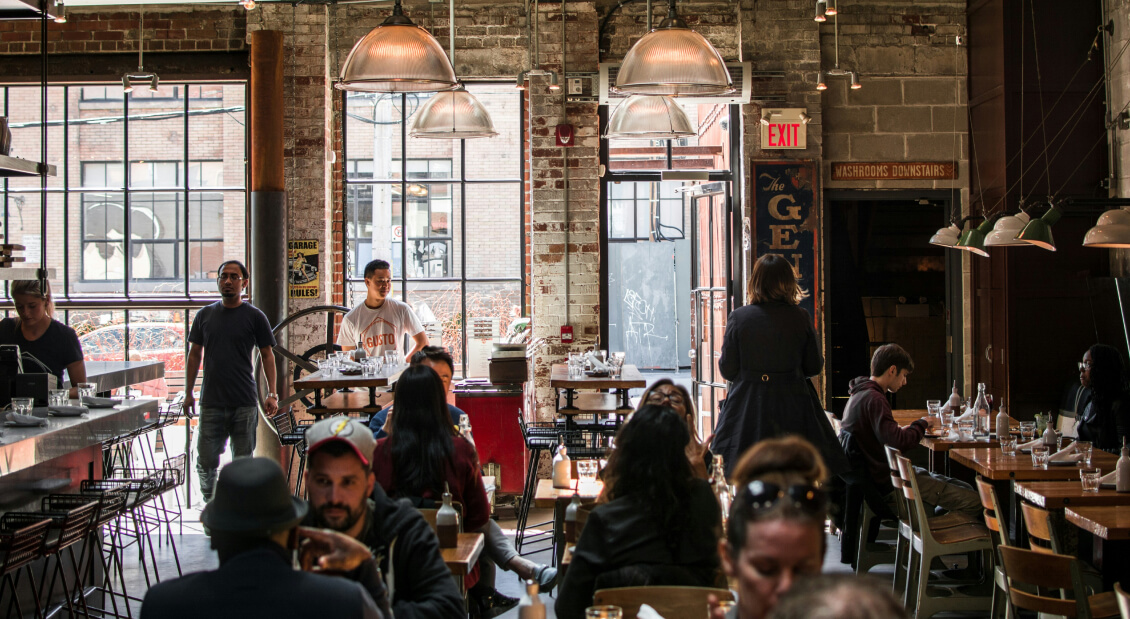
According to the National Coffee Association, 66% of American adults drink coffee every day — a 20-year high. Specialty coffee consumption alone has reached a record 48% of adults. And the global specialty coffee market is projected to reach $183 billion by 2030, growing at over 10% per year.
With that kind of demand, your coffee shop menu is one of the most important tools you have to turn walk-ins into regulars and first-time visitors into loyal customers. But a great menu isn’t just a list of drinks and prices. It’s a reflection of your brand, a driver of profitability, and often the first thing a customer interacts with — whether on your counter, on their phone, or posted in your window.
This guide walks you through how to create a coffee shop menu from scratch in 8 clear steps. You’ll learn how to pick the right categories, build your drink and food lineup, price each menu item for profit, design for sales, and set up a digital menu that keeps customers coming back. Whether you’re opening a new café or refreshing an existing menu, these steps will help you build a menu that supports your business goals from day one.
Before you start building, it helps to understand what separates a menu that sells from one that just sits on the counter. Here are the five qualities that matter most:
A coffee shop menu that checks all five boxes doesn’t just list your products — it shapes how customers experience your business and directly affects your bottom line.
Every menu decision starts with one question: what kind of coffee shop are you running?
A specialty third-wave café will feature single-origin pour overs, detailed tasting notes, and a shorter drink list focused on craft. A cozy neighborhood café might lean into comfort drinks, flavored lattes, and a full pastry case. A grab-and-go spot near an office park needs speed — batch brew, a few espresso options, and pre-made food.
Your concept shapes everything: which drinks to offer, how many items to include, what food makes sense, how you describe each listing, and how you price the entire menu. Before you write a single menu item, get clear on who your target customer is and what experience you’re building for them.
Your brand identity carries through to the menu too. The fonts, colors, and language you use should align with the atmosphere of your space. A playful café can use casual descriptions and bold colors. A high-end espresso bar should keep things clean, minimal, and direct.
If you haven’t locked down your direction yet, start with a solid coffee shop business plan. Your menu will be much easier to build once your brand and concept are clear. The most focused menus come from coffee shops that know exactly who they’re serving and why.
Once your concept is set, the next step is deciding what sections your coffee shop menu will include. Clear categories help customers scan quickly, reduce wait times, and make your beverage and food selection feel organized rather than overwhelming.
Here are the core categories most coffee shops should consider:
| Category | What to Include | Examples |
|---|---|---|
| Hot Coffee | Drip/batch brew, pour over | House blend, single origin, dark roast, decaf |
| Espresso Drinks | Espresso-based beverages | Latte, cappuccino, americano, macchiato, mocha |
| Cold Coffee | Chilled and iced coffee drinks | Iced latte, cold brew, nitro cold brew, iced mocha |
| Tea | Hot and iced teas | Green tea, chai latte, matcha latte, herbal blends |
| Non-Coffee Drinks | Caffeine-free and alternative beverages | Hot chocolate, steamers, Italian sodas, fresh juices |
| Food | Baked goods, sandwiches, snacks | Croissants, muffins, breakfast sandwiches, wraps |
| Seasonal Specials | Limited-time offers tied to seasons or trends | Pumpkin spice latte, lavender cold brew, peppermint mocha |
Not every café needs every category. A small espresso bar might skip food entirely. A full-service café might add separate breakfast and lunch sections. Match your categories to your concept and the amount of space, staff, and equipment you have to work with.
The key is keeping categories distinct and easy to scan. Customers shouldn’t need to hunt through a long, unstructured list. For a deeper look at what belongs in each section, see our guide on menu components. And if you want to see what other cafés are doing right now, take a look at the latest menu trends.
Your drink list is the core of your coffee shop menu. This is where most of your sales will come from, so it’s worth spending time getting the selection right. Here’s what to consider for each major drink category:
For every drink, decide on your size options and available add-ons (extra shot, alternative milks, flavor syrups). These customizations are a simple way to boost your average order without adding new menu items. They also let customers tailor drinks to their preferences, which builds satisfaction and repeat business.
A food menu isn’t just a nice-to-have — it increases average ticket size and gives customers a reason to stay longer. But the key is keeping your food selection simple and strategic.
Pair your food items with specific drinks on the menu. A simple “Pairs well with our house chai” note next to a cinnamon scone can boost sales on both items and help indecisive customers decide faster. These small prompts guide menu decisions without feeling pushy.
Pricing is where many coffee shop owners and entrepreneurs struggle. Set prices too high and you lose customers. Set them too low and you erode your margin. The solution is straightforward: start with your actual costs and work from there.
Calculate your cost per serving. For every menu item, add up the cost of each ingredient plus packaging. Here’s a real-world example for a 12 oz latte:
Apply the pricing formula. Divide your total cost by your target food cost percentage (aim for 25–35% for beverages). Using 30% as a target: $0.83 ÷ 0.30 = $2.77 minimum price. In practice, most coffee shops price a standard latte between $4.50 and $6.00, depending on location, competition, and the quality of their ingredients.
Use a drink pricing calculator or food cost calculator to run these numbers quickly across your entire menu.
Pricing strategies to consider:
Review your prices at least once a year. Ingredient costs change, wholesale prices shift, and labor costs rise. If you haven’t adjusted prices in over 12 months, you’re likely leaving money on the table. For a deeper breakdown of pricing strategies, read our guide on menu pricing.
Even a great drink list can underperform with a poor layout. How you present your coffee shop menu directly affects what customers order and how quickly they decide.
A physical menu board is still important for in-store customers. But if your coffee shop doesn’t also have a digital menu, you’re missing a big opportunity.
More customers search for café menus online before they visit. They check Google, social media, and your website to see what you serve and what you charge. If your menu isn’t easy to find online — or if it’s a blurry PDF that’s painful to read on a phone — you’re losing potential customers before they walk through your door.
A digital menu also solves one of the biggest headaches of physical menus: keeping them current. With a printed menu or chalkboard, every price change, new seasonal drink, or sold-out item means erasing, reprinting, or rewriting. With a digital menu, you make the change once and it updates instantly — on your website, your QR code, and your online ordering page.
This is where a tool like Menubly comes in. Menubly is an online menu builder designed for cafés and coffee shops. You can create a professional, mobile-friendly menu in minutes — no design skills needed. Add your categories, drinks, descriptions, and photos, then share it with a link or generate a QR code for your tables, counter, or window. When you need to update a price or mark a drink as sold out, it happens instantly.
Menubly also includes commission-free online ordering, so customers can browse your menu and place orders directly — no 15–30% fees from third-party delivery apps. All of this runs at $9.99/month, making it one of the most affordable ways to take your coffee shop menu digital and start accepting orders without giving up a cut of every sale.
Your first menu won’t be your final menu — and it shouldn’t be. The best coffee shop menus are built through testing and adjustment over time.
If you’re launching a new café, consider a soft opening where you serve a limited group of customers and collect feedback before your official launch. Pay attention to which drinks people order most, which ones they skip, and where they seem confused or hesitant.
Once you’re open, track your sales data regularly. Your POS system should tell you which items are your stars (high popularity and high profit) and which are dragging down your menu. This process is called menu engineering, and it’s one of the most effective ways to improve profitability without raising prices.
Ask your customers directly too. Short surveys, casual conversations, or a simple “What would you like to see on our menu?” prompt on social media can surface ideas you wouldn’t have thought of on your own. Use that feedback to adjust your selection, introduce new items, and remove the ones that don’t sell.
Plan to review and update your coffee shop menu at least once per quarter. Customer preferences shift, ingredient availability changes, and new trends pop up. A static menu that never changes is a menu that falls behind the competition.
Now that you know how to create a coffee shop menu step by step, let’s look at some design tips, seasonal strategies, and common mistakes that can make the difference between a menu that’s good and one that truly performs.
Good design doesn’t just make your menu look nice — it guides customers toward the items you want them to order. Here are the tips that have the biggest impact on sales:
Lead with your best items. The first item in each category gets the most attention. Place your highest-margin drink at the top of each section, not buried in the middle. This is basic menu psychology, and it works.
Use descriptive names. “Cold Brew” is fine. “24-Hour Cold Brew — Smooth, low-acidity, lightly sweet” is better. Descriptive names help customers understand what they’re getting and make items feel more valuable. You don’t need a full paragraph — just a few words about the flavor, method, or source of the ingredient.
Limit your options per category. Research on decision fatigue shows that too many choices can overwhelm customers and actually reduce orders. If a category has more than 8–10 items, consider trimming it. Focused menus perform better than long ones.
Highlight signature items. Use a bold label, a small icon, or a “Staff Pick” tag next to your 2–3 best drinks. This draws the eye and gives indecisive customers an easy choice. It also helps you steer orders toward your most profitable items.
Drop the dollar signs. Studies in menu psychology suggest that removing the “$” symbol from prices can reduce the “pain of paying” and encourage customers to spend more. Instead of “$4.99,” list it as “4.99” — a small detail that can influence menu decisions over time.
Create visual anchors. Place a premium-priced item (like a $7 specialty drink) near more moderately priced options. The higher price makes the mid-range drinks feel like better value — even if you don’t sell many of the premium item. This is called price anchoring, and cafés and restaurants worldwide use it to lift average order size.
Limited-time offers tied to seasons are one of the most effective ways to boost repeat business and create buzz around your coffee shop. When customers know their favorite seasonal drink is only available for a few months, they’re more likely to visit before it’s gone. Here are ideas organized by season:
Fall (September – November). This is when pumpkin spice takes over, and for good reason — it drives serious demand. Add a pumpkin spice latte, apple cider chai, or maple brown sugar cold brew. Use warm spices like cinnamon, nutmeg, and clove across multiple drinks to keep ingredient costs predictable.
Winter (December – February). Peppermint mochas, gingerbread lattes, and eggnog-flavored drinks are proven sellers. Hot chocolate variations with seasonal toppings (crushed candy cane, toasted marshmallow) also perform well, especially with families. Consider offering a winter warmer menu with slightly larger portion sizes.
Spring (March – May). Lighter flavors work best as the weather warms up. Lavender lattes, honey oat milk lattes, and fruit-forward iced teas appeal to customers looking for something fresh. This is a good time to introduce floral or botanical flavors that stand out from the heavier winter menu.
Summer (June – August). Cold drinks dominate. Tropical cold brews, fruit smoothies, iced matcha, and lemonade-espresso fusions are popular choices. Seasonal fruit like mango, peach, or berry can add appeal without high ingredient costs.
Keep your seasonal menu focused — 3–5 new items per season is enough. More than that and you risk overcomplicating your prep and confusing customers. Promote your seasonal drinks on social media and with in-store signage to build demand. And monitor what sells: if a seasonal item becomes a year-round favorite, consider making it permanent. For more ideas on getting the word out, see our guide on café marketing strategies.
Even experienced café owners make these errors. Avoid them and your menu will perform better from the start:
For a closer look at what goes wrong, check out our full breakdown of common menu design mistakes.
Most successful coffee shops offer 15–25 drinks and 8–12 food items. This gives customers enough selection to find something they like without creating decision fatigue. Start on the smaller side and add items as you learn what your customer base actually orders.
Batch brew (drip coffee) has the highest margins because the ingredient cost per cup is low. Among espresso drinks, lattes and mochas tend to be the most profitable since they use relatively inexpensive ingredients (milk, syrups) but command higher prices. Cold brew is also a strong margin item — a large batch costs little to make and can be sold at a premium. For more on café profitability, read our guide on how much coffee shops make.
Focus on items that pair well with coffee and require minimal kitchen equipment. Pastries, muffins, scones, and croissants are staples. If you have prep space, add a breakfast sandwich, wraps, or a simple salad for lunch traffic. Keep the food menu small and built around shared ingredients to avoid waste and maintain lower food costs.
Group items into clear categories: hot coffee, espresso drinks, cold coffee, tea, non-coffee drinks, and food. Within each category, list items from most popular to least popular — or from highest margin to lowest. Use clear headings and enough spacing between sections so customers can scan quickly without confusion.
A standard latte costs about $0.80–$1.00 to make (including cup, espresso, and milk). With a 25–30% food cost target, the minimum price lands around $2.70–$4.00. Market prices typically range from $4.50 to $6.50 depending on your location and the competition. Check what nearby coffee shops charge to stay competitive while protecting your margin.
Yes. A digital menu makes your offerings visible to customers searching online, cuts printing costs, and lets you update prices, seasonal items, and availability instantly. It also supports online ordering and QR code access for dine-in customers — features that most customers now expect.
Review your menu at least once per quarter. Add seasonal specials 3–4 times per year, update prices annually (or whenever ingredient costs shift noticeably), and remove items that consistently underperform. Regular updates keep your menu fresh and ensure your menu reflects current customer preferences and trends.
Three things: signature drinks that customers can’t get anywhere else, a clean design that’s easy to read, and a brand personality that comes through in the item names and descriptions. The cafés that do best aren’t the ones with the longest menus — they’re the ones with a clear, focused selection and a strong point of view that aligns with their customer base.
Creating a coffee shop menu takes a structured approach — part art, part math, and part listening to your customers. Start with a clear concept, build your categories and drink list around what your audience wants, price every item with real numbers, and design a layout that guides customers toward your best sellers.
The menus that perform best are the ones that get updated regularly — with seasonal drinks, refined pricing, and adjustments based on what actually sells. Don’t wait until every detail is exactly right. Launch it, test it, collect feedback, and improve it over time.
Ready to create your coffee shop menu? Menubly gives you an easy-to-use online menu builder, instant updates, QR code access, and commission-free online ordering — all for $9.99/month. Try Menubly free for 30 days, no credit card required.

