SpotOn sounds like a great deal until you sit down and tally the real numbers. The free Quick Start plan charges 2.89% + $0.25 on every card swipe. The hardware runs $500–$850 per terminal. Cancel within year one and you owe the full list price on all that equipment. Switch payment processors and you pay a $995 conversion fee on top of a doubled software license. What looked like an affordable POS quickly becomes one of the most expensive commitments in the restaurant industry.
If you’re shopping for SpotOn alternatives, you’re not alone. Whether you need something cheaper, simpler, or just less locked-in, there are better options for every type of food business. This guide covers 10 of the best, from free tools that handle online ordering with zero commissions to full-featured POS systems that rival SpotOn’s depth without the billing headaches.
Quick Picks
Best for commission-free online ordering on a budget:Menubly — $9.99/month, no hardware, no commissions
Best free POS with no contracts: Square for Restaurants — $0/month, works on existing iPads
Best for full-service restaurants: Toast POS — deep restaurant features, widely adopted
Best free online ordering system: GloriaFood — genuinely free, unlimited orders, zero commissions
Best free POS for cafes and food trucks: Loyverse — free on any iOS/Android device
Best for multi-location and analytics: Lightspeed Restaurant — best-in-class reporting
Best for full-service sit-down dining: TouchBistro — outstanding table management
Best hardware flexibility and app ecosystem: Clover POS — 500+ app marketplace
Best for mid-size restaurants with kitchen needs: Lavu POS — strong kitchen tools, offline mode
Best budget full-service alternative: SkyTab POS — $29.99/month with free hardware
What Is SpotOn — and Why Do Restaurants Look for Alternatives?
SpotOn is a full-service restaurant POS platform used by 30,000+ restaurants across the US. It combines point-of-sale, online ordering, loyalty, marketing, table management, reservations, and labor management into one ecosystem. In G2’s Fall 2025 Grid Report, SpotOn ranked #1 in Restaurant POS, outperforming Toast on support and satisfaction scores.
So why are so many restaurant owners searching for SpotOn alternatives? The short answer: the total cost of ownership is much higher than the advertised pricing suggests, and getting out is harder than getting in.
SpotOn Pricing Reality Check
Quick Start: $0/month software — but 2.89% + $0.25 processing (the highest in-person rate in this comparison)
Plus $3/month per employee, a $75/month minimum on paid plans, and hardware at $500–$850 per terminal
The Contract Traps Most Reviews Don’t Mention
Hardware cancellation penalty: Cancel SpotOn within your first year and you owe the difference between the discounted hardware price you paid and the full list price for every terminal
Processor switch fee: Switch to a third-party payment processor and you pay a $995 one-time fee plus your software license doubles
Multi-app complexity: Running SpotOn means logging into multiple separate apps — menu edits are back-end only and can’t be made from the POS front end
Billing discrepancies: The single most-reported complaint on Capterra — users report unauthorized charges that don’t match their contracted rates
If any of those sound familiar, keep reading. Here’s what the better options look like.
What to Look for in a SpotOn Alternative
1. Transparent Pricing
Can you see the full cost before signing up? The best alternatives publish all tiers, processing rates, and add-on costs openly. Hidden per-employee fees, annual fees buried in contracts, and add-on costs for basic features (like loyalty or online ordering) are all red flags.
2. Processing Fees
Processing fees compound fast. At 2.89% on $50,000/month in card sales, you’re paying $1,445/month — just in processing. The alternatives below range from 1.99% to 2.9% in-person. For online ordering, look for platforms that charge zero commission on direct orders.
3. Hardware Requirements
Does the system require proprietary hardware you can’t resell? Some alternatives (Menubly, GloriaFood, Loyverse) need no hardware at all. Others (Square, Lightspeed, Lavu) work on standard iPads you can reuse if you switch. Avoid platforms that lock you into hardware you’ll owe money on if you cancel.
4. Contract Terms
Month-to-month flexibility is a significant advantage. SpotOn’s hardware lock-in and processor switch fees are the primary reasons restaurants feel trapped. Prioritize alternatives with no contracts or clear, fair exit terms.
5. Online Ordering
Is online ordering included, or is it an expensive add-on? Toast charges $75/month extra. TouchBistro adds $50/month. For restaurants focused on digital orders, look for platforms where commission-free online ordering is built in from day one.
6. Ease of Setup
SpotOn’s onboarding involves multiple apps, hardware installation, and staff training across different systems. The best alternatives for independent restaurants get you live in hours, not weeks. Look for platforms with free onboarding assistance and simple admin dashboards.
7. Support Quality
SpotOn markets 24/7 live support, but user reviews describe inconsistency — support that’s excellent when it works, but slow to escalate on weekends. Check recent reviews on Capterra and G2 before committing to any platform.
Top SpotOn Alternatives: Quick Comparison
Platform
Best For
Starting Price
Processing Fees
Hardware Required
Contract
Online Ordering
Menubly
Commission-free online ordering on a budget
$9.99/month
None (no POS)
None
Month-to-month
Included, commission-free
Square for Restaurants
Free POS, no contracts
$0/month
2.6% + $0.15
Optional ($0–$799)
None
Included, commission-free
Toast POS
Full-service restaurants
$0/month (PAYG)
2.49%–3.09% + $0.15
Yes, proprietary ($800–$8,000+)
2–3 years
Add-on ($75/month)
Clover POS
Hardware flexibility + apps
$14.95/month
2.3% + $0.10
Yes, proprietary ($599–$1,799+)
36 months
Included free
Lightspeed Restaurant
Multi-location + analytics
$69/month
2.6% + $0.10
Yes, iPad (flexible)
1+ year
$189/month plan
TouchBistro
Full-service sit-down dining
$69/month
~2.6% + $0.10
Yes, iPad ($500–$1,500+)
Annual
Add-on ($50/month)
GloriaFood
Free online ordering
Free
Varies by processor
None
None
Included, commission-free
Loyverse
Free POS for cafes & food trucks
Free
Varies by processor
Any iOS/Android
None
Via 3rd party
Lavu POS
Mid-size restaurants with kitchen needs
~$99/month
2.6% + $0.10
Yes, iPad ($499+)
3 years
$149/month plan
SkyTab POS
Budget full-service alternative
$29.99/month
2.75% + $0.15
Yes, proprietary (included free)
30 months
Included, commission-free
The 10 Best SpotOn Alternatives for Restaurants
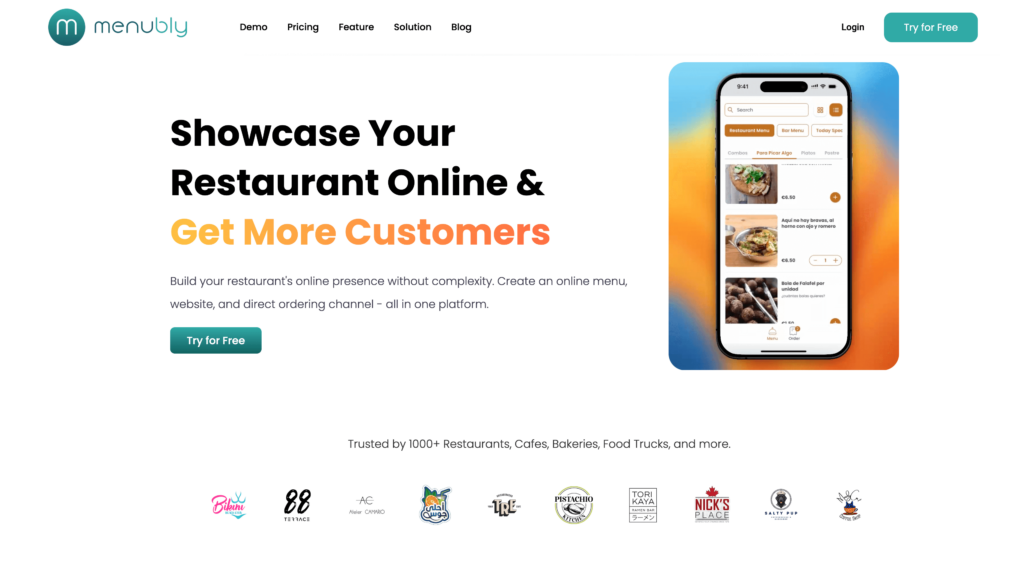
#1 Menubly — Best for Commission-Free Online Ordering on a Budget
SpotOn locks you into $500–$850 hardware terminals, 2.89% processing on the free plan, and an ecosystem of apps that requires multiple logins just to run a single restaurant. Menubly takes the opposite approach: $9.99/month flat, no hardware to buy, no commissions on any order, and your restaurant online menu live in under 30 minutes. It is not a full POS system — there’s no in-person payment terminal, no table management, and no employee scheduling. But for restaurants, cafes, food trucks, and bakeries that want a direct commission-free online ordering channel without the cost and complexity of a full POS replacement, Menubly is the most affordable path. Over 1,000 food businesses use it to cut delivery app commissions and own their customer relationships directly.
Key Features
Commission-free online ordering — dine-in, takeaway, and delivery, all in one system
Zero transaction fees — keep 100% of every order value
Interactive, mobile-optimized digital menu with category filtering and search
Instant menu updates — change a price or mark an item sold out; it appears immediately
100+ payment methods worldwide, including digital wallets and cash on delivery
WhatsApp ordering integration for direct customer engagement
QR code menu and shareable link — the QR code never changes even when you update your menu
Free menu conversion service — upload your PDF or photo and Menubly builds it within 24 hours
Bulk menu import from Excel or CSV
SEO-optimized menu pages so customers find you on Google
Not a full POS system — no in-person payment terminal or cash register
No table management, floor plan, or kitchen display system
No inventory management or employee scheduling
Not the right fit for restaurants that need a complete all-in-one POS to replace SpotOn’s full feature set
Pricing
Free trial: 30 days, no credit card required
Monthly: $9.99/month
Annual: $95.99/year (save 20%)
Custom: Available for businesses with special requirements
Best For
Restaurants, cafes, food trucks, bakeries, and bars that want a standalone commission-free online ordering system without the cost or complexity of a full POS. If you need both online ordering and in-person payment processing, pair Menubly ($9.99/month) with Square’s free plan for a complete solution at a fraction of SpotOn’s total cost. Use the restaurant profit margin calculator to see how much you’d save on commissions.
#2 Square for Restaurants — Best Free POS with No Contracts
Square for Restaurants is the most popular choice for new and small operators who need a working in-person POS without a monthly bill. The free plan gives you a functional POS, commission-free online ordering, basic inventory tracking, and staff management — all at zero cost per month, with no contract and no early termination fees. You can use a free Square Reader, or upgrade to a full counter setup for $149–$799.
Compared to SpotOn, Square offers far more pricing transparency. There are no hardware penalties, no processor lock-in fees, and no multi-app complexity. The tradeoff is processing rate: Square’s free plan charges 2.6% + $0.15 per transaction, higher than SpotOn Essentials’ 1.99% + $0.25. And Square’s Plus plan jumped to $49/month in October 2025 (from $29). But for restaurants that want to escape SpotOn’s contracts entirely, Square’s month-to-month model is the lowest-risk switch.
Key Features
Free POS with unlimited items, basic reporting, and customer management
Commission-free online ordering included on all plans at no extra cost
Kitchen display system (Plus plan and above)
Table and floor plan management (Plus plan and above)
Menu management with modifiers and combos
Team management with shift scheduling and timeclock
Inventory tracking with low-stock alerts
DoorDash and Uber Eats integration via Square Online
Square Online website builder for pickup and delivery pages
Customer loyalty program ($45/month add-on)
Contactless and mobile payment support (Tap to Pay on iPhone/Android)
Real-time reporting and sales analytics
Pros
Free plan is genuinely functional — not a stripped-down trial
No contracts and no early termination fees
Transparent flat-rate processing — what you see is what you pay
Works on existing iPads and iPhones — no proprietary hardware lock-in
Commission-free online ordering on every plan including free
Easy setup with a short learning curve
Large integration ecosystem with hundreds of third-party apps
Cons
Processing rates are not negotiable on lower plans
Must use Square’s payment processing — no third-party processor option
Free plan has no floor plan management or advanced reporting
Plus plan price increased to $49/month in October 2025
Loyalty program costs an additional $45/month
Less restaurant-specialized than Toast or SpotOn for complex full-service operations
Limited offline functionality compared to some competitors
New restaurants, small cafes, coffee trucks, food trucks, and counter-service operations that want a functional free POS with online ordering and no contract risk. Square pairs well with Menubly for restaurants that need both direct digital ordering and an in-person POS.
#3 Toast POS — Best for Full-Service Restaurants
Toast is the benchmark POS for full-service restaurants in the US, used by 120,000+ restaurant locations. It’s purpose-built for food and beverage — the hardware runs SpotOn-resistant Android (not iOS), the kitchen tools are deep, and the integration ecosystem spans 200+ third-party apps including all major delivery platforms. If your team already knows Toast, that alone reduces training time significantly.
Compared to SpotOn, Toast is similar in overall cost but more entrenched. The Starter plan ($0/month) sounds appealing, but it requires proprietary hardware ($800–$8,000+), a 2–3 year contract, and charges 3.09% + $0.15 per transaction — more than SpotOn’s Quick Start. Online ordering is a $75/month add-on, not included. The full picture for a single-location full-service restaurant lands somewhere between $150–$400/month before add-ons. Toast is a better choice than SpotOn if you need a larger integration ecosystem or prefer Android hardware; it’s not a cost-saving move.
Key Features
Cloud-based POS on proprietary Android hardware
Online ordering with pickup and delivery support ($75/month add-on)
Kitchen display system
Table management, floor plans, and coursing
Menu management with modifiers, combos, and timed pricing
Employee management, scheduling, and payroll (Toast Payroll)
Real-time reporting and analytics
Toast Loyalty and gift cards
Multi-location management from a single dashboard
DoorDash, Uber Eats, Grubhub integration
CRM and Toast Marketing for email campaigns
Toast IQ (AI-powered insights, launched 2025)
Pros
All-in-one restaurant ecosystem covering POS, payroll, ordering, and marketing
Purpose-built for restaurants with deep industry-specific features
Large integration network with 200+ third-party apps
Widely adopted — trained staff are easier to find than for SpotOn
Strong kitchen tools including KDS and coursing
24/7 customer support
Cons
Proprietary hardware required — cannot use existing iPads or Android devices
2–3 year contracts with early termination fees
Payment processor lock-in: must use Toast Payments
Online ordering is a $75/month add-on — not included in any base plan
High total cost: $150–$400+/month for a single location when hardware, software, and add-ons are included
Processing fees can increase mid-contract
Controversial fee practices: Toast added a customer surcharge to receipts in 2023
Mid-to-large full-service restaurants that need a comprehensive restaurant management platform and are willing to commit to multi-year contracts and higher all-in costs. If you’re switching from SpotOn specifically because of billing issues, verify Toast’s contract terms carefully — the same multi-year commitment applies.
#4 Clover POS — Best for Hardware Flexibility and App Ecosystem
Clover’s biggest differentiator is its 500+ app marketplace and its mix-and-match hardware lineup — from a $49 card reader to a full dual-screen station at $1,799. Unlike SpotOn’s vertically integrated ecosystem, Clover lets you add functionality through apps: loyalty, online ordering, reservations, accounting integrations, and more. For multi-concept businesses running a restaurant and retail counter out of the same location, Clover handles both.
The catch: Clover is sold through resellers (banks, payment processors, merchant services companies), and reseller quality varies wildly. Your pricing, support experience, and contract terms depend entirely on who you buy from. Buying directly through Clover.com gives you the most predictable experience. Processing runs 2.3% + $0.10 in-person, better than SpotOn’s Quick Start rate. But the 36-month contract through most resellers means exit is as difficult as SpotOn’s — just for different reasons.
Key Features
500+ app marketplace for deep customization
Multiple hardware form factors: Go, Flex, Mini, Station Duo
Menu management with modifiers and combos
Table management and floor plan configuration
Employee management with shift tracking
Inventory tracking across items and variants
Online ordering via Clover Online (included free)
Customer loyalty and gift card programs
QuickBooks and Xero accounting integration
Contactless and mobile payments including NFC
QR code ordering and open tab management
DoorDash and other delivery app integrations via marketplace
Pros
Largest app marketplace of any POS in this comparison — 500+ apps for custom functionality
Well-designed, attractive hardware with multiple form factors for different setups
Flexible for multi-concept businesses: restaurant and retail from one system
Backed by Fiserv — financial stability and global scale
Free online ordering included without an add-on subscription
Processing fees lower than SpotOn Quick Start (2.3% vs 2.89% in-person)
Cons
Reseller model creates wildly inconsistent pricing, support quality, and contract terms
Proprietary hardware — cannot reuse if you switch processors or platforms
Total cost can reach $300–$1,800/month depending on reseller and hardware bundle
Not as restaurant-specialized as Toast or SpotOn for complex full-service operations
Additional staff logins cost $15/month each — adds up for larger teams
36-month contracts through most resellers — early exit is expensive
Pricing
Software (through Clover direct): from $14.95/month (software only)
Note: Reseller pricing varies significantly — always verify directly with Clover before signing
Best For
Multi-concept businesses, bars with retail elements, and restaurants that need deep customization through a large app marketplace. Only buy directly from Clover.com or a verified reseller — never through a third-party bank that can’t fully support the product.
#5 Lightspeed Restaurant — Best for Multi-Location and Advanced Analytics
Lightspeed Restaurant offers the strongest reporting and inventory management of any platform in this comparison. Its cloud-based dashboard gives multi-location operators a single view across all venues, with ingredient-level COGS tracking, labor-vs-revenue reporting, and the Lightspeed AI predictive insights tool launched in January 2026. For data-driven operators who want to know their actual food cost to the gram, Lightspeed’s analytics are in a different league.
Compared to SpotOn, Lightspeed’s reporting is more sophisticated, its hardware setup is more flexible (standard iPads rather than proprietary terminals), and there’s no processor switch fee. The tradeoff: online ordering requires the $189/month Essential plan, annual contracts are the norm, and there’s a $99/month penalty if you don’t use Lightspeed Payments. For smaller single-location restaurants, the price-to-value ratio is harder to justify. But for growing restaurant groups, Lightspeed’s analytics pay for themselves.
Key Features
Cloud-based iPad POS with customizable interface and offline mode
Industry-leading reporting and analytics with labor-vs-revenue dashboards
Ingredient-level inventory management with COGS tracking
Commission-free online ordering included on Essential plan ($189/month) and above
QR code contactless ordering and pay-at-table
Multi-location management from a single dashboard
Kitchen display system integration
CRM with guest profiles and visit history
Tableside ordering via iPad
Raw API access for custom integrations (Premium plan)
QuickBooks and Xero accounting integration
Lightspeed AI for predictive insights (launched January 2026)
Tempo kitchen pacing tool (launched November 2025)
Pros
Best-in-class reporting and analytics in this comparison
Excellent ingredient-level inventory with COGS analysis
Strong multi-location management — scales cleanly across venues
iPad-based — uses existing iPads, no proprietary hardware lock-in
24/7 customer support on all plans
Commission-free online ordering with pay-at-table on Essential+
Active product development: AI insights, Tempo pacing, and expanded Android support all released in 2025–2026
Cons
Online ordering requires the $189/month Essential plan — expensive for small restaurants
Third-party delivery integrations (DoorDash, Uber Eats) reported as unreliable by users
Annual contracts with early termination fees that can equal the remaining contract value
No built-in employee scheduling or payroll — requires third-party integrations
$99/month surcharge for not using Lightspeed Payments
Pricing
Starter: $69/month
Essential: $189/month (includes online ordering)
Premium: $399/month (includes API access and custom processing rates)
Full-service restaurants, bars, and multi-location groups with 2+ venues that prioritize data-driven management and are willing to pay for deep inventory and analytics. If you’re running a bar or managing multiple locations, Lightspeed’s reporting tools justify the higher price point.
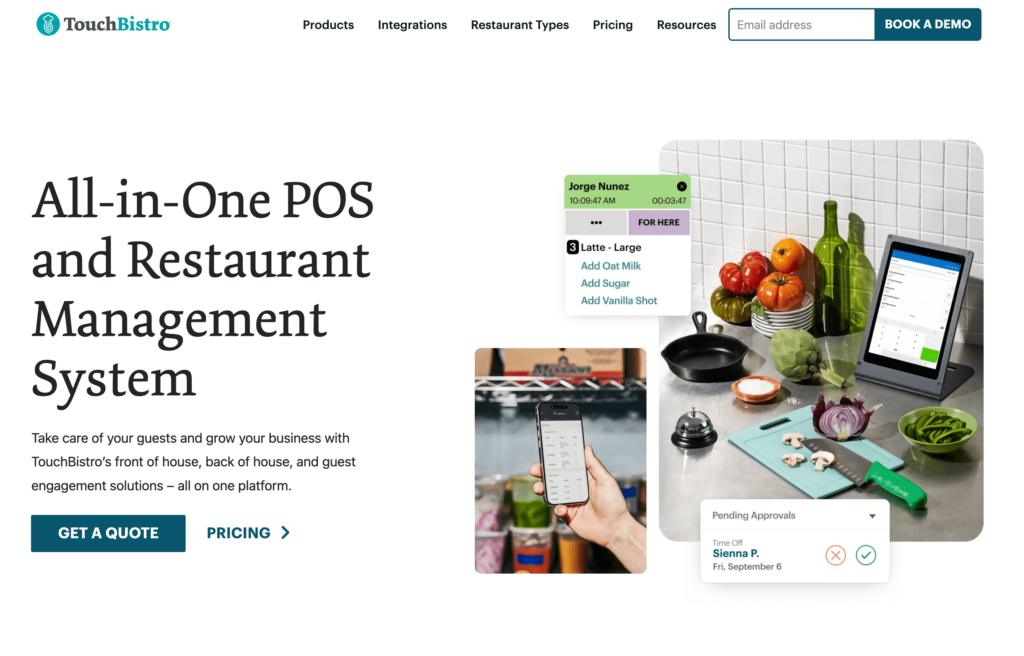
#6 TouchBistro — Best for Full-Service Sit-Down Dining
TouchBistro is purpose-built for full-service restaurants and has some of the best table management tools in this comparison — color-coded floor plans with table timers, section management, and forced modifier prompts to reduce order errors. Its hybrid local/cloud architecture is a standout: even during a complete internet outage, your POS keeps running on the local network without interruption. That matters in busy dinner service when connectivity is unpredictable.
Compared to SpotOn, TouchBistro avoids payment processor lock-in (you can bring your own processor) and has a simpler single-app interface. But the pricing structure is deceptive: the $69/month base is POS only — add online ordering ($50/month), reservations ($229/month), and loyalty ($99/month) and you’re at $447+/month before hardware. Multi-year contracts with aggressive renewal terms are a recurring user complaint. Check recent Capterra reviews before signing.
Key Features
Hybrid local/cloud iPad POS with best-in-class offline mode
Color-coded floor plans with table timers and section management
Menu management with forced modifiers and automatic upsell prompts
Tableside ordering via handheld iPads
Staff scheduling and labor management
Kitchen display system
Reservation and waitlist management (add-on)
Customer loyalty program (add-on)
Cloud-accessible reporting and analytics
Inventory management with waste tracking
Payment processor flexibility — not locked to TouchBistro’s processor
Delivery platform integrations
Pros
Among the best table management systems available — color-coded, timer-based, section-aware
Best offline mode in this comparison — full local operation during internet outages
Payment processor flexibility — bring your own processor for competitive rates
Purpose-built for restaurants with an intuitive, low-training-time interface
Available internationally — not US-only like SpotOn
Cons
Essential features are expensive add-ons: online ordering ($50/month), reservations ($229/month), loyalty ($99/month)
Multi-year contracts with aggressive renewal tactics reported by users
System crashes and outages documented in recent reviews
BBB “F” rating as of 2025
Online ordering ($50/month add-on) is less mature than dedicated platforms like GloriaFood or Menubly
iPad-only — no Android support
Pricing
Core POS: $69/month
Online Ordering: +$50/month
Reservations: +$229/month
Loyalty: +$99/month
Marketing: +$99/month
KDS: +$19/month per screen
Processing: ~2.6% + $0.10 (TouchBistro Payments) or bring your own processor
Best For
Full-service restaurants, bars, and nightclubs that prioritize table management and offline reliability. TouchBistro’s floor plan tools are the strongest in this comparison. For restaurants that also want strong online sales, pair it with Menubly or GloriaFood for a dedicated online ordering channel at a lower add-on cost than TouchBistro’s own solution.
#7 GloriaFood — Best Free Online Ordering System
GloriaFood (owned by Oracle since 2021) offers something genuinely rare: a free online ordering system with unlimited orders, zero commissions, and no contracts. You embed it directly on your website, share the link on social media, and customers order straight to you. No middleman, no monthly fee for the core system, no setup costs. For restaurants that already have a POS but want to add a direct ordering channel without paying for SpotOn’s integrated ordering system, GloriaFood is the most cost-effective starting point.
The main limitation isn’t the product — it’s support. Since early 2025, multiple users have reported support tickets going unanswered for weeks. If you need responsive customer support, factor that into your decision. The Oracle acquisition also creates some uncertainty about the long-term free-tier commitment, though nothing has changed yet as of early 2026.
Key Features
Commission-free online ordering embedded on your website or Facebook page — free, unlimited orders
Small independent restaurants, ghost kitchens, and food businesses that need a zero-commission online ordering solution with no upfront investment. Ideal as a layer on top of an existing POS, or for restaurants that want to test direct ordering before committing to a paid platform.
#8 Loyverse — Best Free POS for Cafes and Food Trucks
Loyverse gives you a fully functional free POS, kitchen display system, and customer loyalty program on any iOS or Android device — no new hardware to buy, no contracts, no processor lock-in. The core system handles unlimited sales, basic inventory, and customer management at zero cost. If you need employee management or advanced inventory tracking, those are affordable monthly add-ons. The only meaningful gap: there’s no native online ordering, so you’d need a third-party integration (like Otter) or a separate platform like Menubly to handle digital orders.
For cafes, food trucks, and counter-service restaurants that primarily serve walk-in customers and want a capable free in-person POS, Loyverse is one of the best options available. It runs on the Android phone already in your pocket. That’s a hard offer to beat when you’re watching costs.
Key Features
Free POS app for iOS and Android — works on existing devices
Kitchen display system (KDS) included free
Customer-facing display included free
Built-in customer loyalty program and CRM (free)
Basic inventory management with real-time stock tracking (free)
Advanced inventory with variants, purchase orders, and cost tracking (paid add-on)
Employee management with role-based permissions (paid add-on)
Offline mode — records sales locally and syncs when connection returns
Integration with Otter (connects to UberEats, DoorDash, Grubhub), Xero, and QuickBooks
Multi-store management from a single account
Loyverse API for custom integrations
Pros
Core POS, KDS, and customer display are completely free with no transaction limits
No processor lock-in — choose your own processor for competitive rates
No contracts — cancel or change add-ons at any time
Works on existing iOS and Android devices — no hardware purchase required
Offline mode keeps operations running during internet outages
Simple, clean UI with a short staff onboarding time
Cons
No native online ordering — requires a third-party integration
No table mapping or floor plan management — not suited for full-service dine-in
No credit card pre-authorization — significant limitation for bars running open tabs
Employee management costs $5/month per employee — adds up for larger teams
Advanced reporting and COGS tracking require the paid Advanced Inventory add-on ($25/month)
Limited support for complex modifier combinations and catering workflows
Pricing
Core POS: Free (no credit card required)
Employee Management: $5/month per employee
Advanced Inventory: $25/month per store
Integrations: $9/month per store
Processing: Set by your chosen third-party processor (no lock-in)
Best For
Small quick-service restaurants, cafes, bakeries, and food trucks that need a capable free in-person POS without long-term commitments. Pair Loyverse with Menubly for a complete low-cost stack: free in-person POS + $9.99/month commission-free online ordering.
#9 Lavu POS — Best for Mid-Size Restaurants with Kitchen Needs
Lavu is a deeply restaurant-specific iPad POS designed for food and beverage operations that need strong kitchen tools. Its dedicated staff training mode — a sandbox environment where new employees can practice without affecting live data — is a standout feature that Square and Clover don’t offer. A local server option keeps the system processing payments even during a complete internet outage. For mid-size restaurants that need SpotOn’s kitchen depth but want to avoid SpotOn’s billing issues, Lavu is worth evaluating.
The significant caveats: Lavu removed public pricing from its website in late 2025, so you need a direct sales call to get any numbers. The standard contract is 3 years, with early termination fees that can be substantial. Online ordering (via MenuDrive) is only available on the Growth plan (~$149/month) and above. Go in with your eyes open on contract terms before committing.
Key Features
Customizable iPad-based POS designed specifically for food and beverage
MenuDrive commission-free online ordering (Growth plan and above)
DoorDash delivery integration (Growth plan and above)
Tableside ordering with handheld iPads (Optimize plan)
Kitchen display system (Optimize plan)
Dual pricing/cash discount program to significantly reduce or eliminate processing fees
Staff training mode — dedicated sandbox without affecting live data
Offline mode with local server support for uninterrupted operation during outages
Self-ordering kiosk mode
Xero and QuickBooks accounting integration (Optimize plan)
Loyalty and gift card features
Bar tab management and open tab tracking
Pros
Staff training mode — dedicated sandbox not offered by Square or Clover
Robust offline capability with local server — processes credit cards during internet outages
Dual pricing/cash discount program can reduce or eliminate processing fees
MenuDrive online ordering provides commission-free digital orders with DoorDash delivery
0% interest hardware financing with 3-year contract
Strong kitchen workflow tools: KDS, kitchen printers, and portion control scale support
Cons
3-year contract required — early termination fees can be crippling
No public pricing — requires a direct sales call, which limits your ability to compare
Online ordering not available on the Starter plan — requires the Growth plan (~$149/month)
Interface reported as dated and less intuitive compared to Square or Toast
Customer service inconsistent — long hold times and overseas support agents reported
MenuDrive status unclear in current plan structure (removed from public listing in late 2025)
Pricing
Starter: ~$99/month (pricing requires direct quote)
Processing: 2.6% + $0.10 (Lavu Pay); dual pricing/cash discount available
Contract: 3 years required
Note: Lavu removed public pricing in late 2025 — all numbers above are estimates from review sources. Verify current pricing directly with Lavu before signing.
Best For
Mid-size to large independent restaurants, full-service establishments, and multi-concept operators that need a deeply restaurant-specific POS with strong kitchen tools, offline reliability, and are willing to commit to a 3-year contract in exchange for lower monthly rates and hardware financing.
#10 SkyTab POS — Best Budget Full-Service Alternative
SkyTab (by Shift4 Payments) offers a compelling entry-level promise: $29.99/month per workstation with $0 upfront hardware, commission-free online ordering included, and a lifetime hardware warranty. For restaurants that want a full-featured POS — loyalty, reservations, waitlist, tableside ordering — without the $800–$8,000 upfront hardware cost of Toast or SpotOn, SkyTab looks attractive on paper. Its G2 ratings are strong and its active product development — including the Winter 2026 release with auto-split by seat and a redesigned order entry — shows a platform that’s improving fast.
But the contract structure is one of the most restrictive in this comparison. SkyTab’s 30-month initial term auto-renews in 1-year increments. Early termination fees are calculated based on the anticipated profit Shift4 expected to earn over the remaining contract — a model that has resulted in documented five-figure cancellation fees, including cases where merchants were charged within their advertised 30-day trial period. There are also hidden annual fees (Program Fee ~$250 and Regulatory Assurance Fee ~$189–$325 per device) that significantly increase the true yearly cost. Read the full service agreement before signing.
Key Features
Commission-free online ordering with direct POS and kitchen sync, menu sync, and order throttling
Tableside mobile ordering and payment via SkyTab Air handhelds (4G LTE, integrated printer)
Built-in loyalty and marketing program: tiered rewards, email campaigns, SMS notifications, and gift cards
Reservations and waitlist management with SMS guest alerts — included in base plan
Real-time reporting via cloud-based Lighthouse back-office; SkyTab BI platform for multi-location reporting
Table and floor plan management with tab management and seat-based check splitting
Labor management: scheduling, built-in timeclock, and labor cost tracking
Self-ordering kiosk support
50+ third-party integrations including QuickBooks, Xero, DoorDash, Uber Eats, OpenTable, and 7shifts
Offline mode with transaction queuing during internet outages
Free AI-powered restaurant website builder included
Professional on-site installation and training included
Pros
Low advertised entry cost ($29.99/month) with $0 upfront hardware — accessible for independent restaurants
Commission-free online ordering included in base price (unlike Toast’s $75/month add-on)
Comprehensive feature set out of the box: loyalty, reservations, waitlist, and reporting all included
24/7 US-based customer support with professional on-site installation
Lifetime hardware warranty with free replacement — no ongoing hardware cost uncertainty
Strong tableside and bar functionality: tab management and pay-at-table are mature
Active product development: Winter 2026 release added auto-split by seat, pre-modifiers, and redesigned order entry
Cons
Mandatory Shift4 payment processing — no ability to use a competing processor
30-month contract with ETF calculated on anticipated processor profits — documented five-figure cancellation fees even within the 30-day trial period
Hidden annual fees: Program Fee (~$250/device) and Regulatory Assurance Fee (~$189–$325/device) significantly increase true yearly cost
Proprietary hardware only — no iOS/iPad option; fully locked into Shift4’s hardware ecosystem
Modifier setup reported as cumbersome for restaurants with complex menus
Add-on costs for handhelds, KDS, and multi-location features are not publicly listed
Pricing
Restaurant/Bar POS: $29.99/month per workstation
Hardware: Included at $0 upfront with processing agreement (lifetime warranty)
Processing: 2.75% + $0.15 standard; 2.49% + $0.15 with Advantage/dual pricing program
Annual add-on fees: Program Fee ~$250/device; Regulatory Assurance Fee ~$189–$325/device
Contract: 30 months, auto-renewing; 30-day trial period
Note: Always read the full SkyTab service agreement before signing. ETF terms are significantly more punishing than the marketing suggests.
Best For
Independent and small-to-mid-size full-service restaurants, bars, and fast-casual concepts that want a feature-rich POS with no upfront hardware cost and are comfortable committing to a long-term processing relationship with Shift4. Strong for operations prioritizing tableside ordering and tab management. Not recommended if you’re specifically leaving SpotOn to escape a long-term contract — SkyTab’s contract structure carries similar or greater risks.
How to Choose the Right SpotOn Alternative
By Budget
Under $10/month: Menubly ($9.99/month for commission-free online ordering), Square Free (in-person POS), GloriaFood (free online ordering), Loyverse (free in-person POS)
Bars and breweries: TouchBistro (tab management), SkyTab (tableside), Clover, or pair a bar menu with any POS + Menubly for digital ordering
Ghost kitchens and cloud kitchens: Menubly or GloriaFood (no hardware needed, digital-first ordering)
Multi-location: Lightspeed (Essential+), Toast, SkyTab BI
By Primary Need
Need commission-free online ordering without a full POS: Menubly (#1 pick), GloriaFood (free)
Need a free in-person POS with no contracts: Square for Restaurants, Loyverse
Want to escape SpotOn’s hardware contract without new hardware costs: Menubly (no hardware at all), Square (no hardware penalties), GloriaFood (web-based)
Need full-service table management: Toast, TouchBistro, Lightspeed (Essential+)
Need advanced inventory and COGS tracking: Lightspeed, Lavu (Optimize plan)
Need tableside ordering and tab management: SkyTab, TouchBistro, Toast
Frequently Asked Questions
What is the best alternative to SpotOn for restaurants?
It depends on what you need. For commission-free online ordering at the lowest cost: Menubly at $9.99/month. For a free in-person POS with no contracts: Square for Restaurants. For a full-service POS with comparable depth to SpotOn: Toast or TouchBistro. For free online ordering on top of an existing POS: GloriaFood.
How much does SpotOn actually cost per month?
SpotOn’s Quick Start plan is $0/month in software, but the 2.89% + $0.25 processing rate on a restaurant doing $50,000/month in card sales adds up to $1,470/month in fees alone. Add hardware ($500–$850/terminal), the $3/month per employee fee, and any add-ons (loyalty, marketing, reservations) and a realistic all-in cost for a single-location full-service restaurant is $500–$1,000+/month.
Can I leave SpotOn without paying a penalty?
It depends on where you are in your contract. SpotOn’s software is month-to-month, but the hardware comes with a catch: if you cancel within year one of installation, you owe SpotOn the difference between the discounted hardware price you paid and the full list price for all equipment. After year one, you own the hardware outright and can cancel with notice. Additionally, switching payment processors while staying on SpotOn costs $995 plus a doubled software license fee.
What is the cheapest SpotOn alternative?
For online ordering only: Menubly at $9.99/month (or free for 30 days). For in-person POS: Square for Restaurants and Loyverse are both free. For free online ordering: GloriaFood. For a full-featured POS with the lowest all-in monthly cost: SkyTab at $29.99/month (but factor in the annual fees and 30-month contract before deciding).
Does SpotOn charge commission on online orders?
No, SpotOn’s built-in online ordering (SpotOn Order) is commission-free. But payment processing fees still apply to every online transaction at the same rates as in-person. On the Quick Start plan, that’s 2.89% + $0.25 per online order. Menubly and GloriaFood are also commission-free on direct orders — the same zero-commission model without requiring SpotOn’s full POS system.
SpotOn vs. Clover — which is better?
For full-service restaurants with complex needs: SpotOn offers more restaurant-specific depth (integrated reservations, labor management, AI-powered reporting). For hardware flexibility and app customization: Clover’s 500+ app marketplace and multiple hardware form factors give you more options. Both have significant contract issues — SpotOn’s hardware cancellation penalty and Clover’s 36-month reseller agreements. Neither is a clear winner; it depends on which tradeoffs you can live with.
What SpotOn alternatives work without any hardware?
Three options require zero hardware: Menubly (runs in any browser, handles online ordering and digital menus), GloriaFood (web-based online ordering embedded on your website), and Loyverse (works on any iOS or Android device you already own — your phone counts). If you just need to accept in-person payments without a dedicated terminal, Square also supports Tap to Pay on iPhone or Android with no additional hardware.
Is there a SpotOn alternative that doesn’t require a long-term contract?
Yes — several. Menubly, Square for Restaurants, GloriaFood, and Loyverse are all month-to-month with no long-term commitment. Square and Loyverse have zero early termination fees. If you want a full-featured POS on a shorter commitment, Square Plus ($49/month) is the strongest no-contract option in this comparison.
The Bottom Line on SpotOn Alternatives
SpotOn is a capable restaurant platform — it ranked #1 on G2 in Fall 2025 for good reason. But the hardware cancellation trap, the $995 processor switch fee, the multi-app complexity, and the billing inconsistencies reported by users make it one of the harder POS platforms to leave. When you’re evaluating alternatives, focus less on the advertised monthly software cost and more on the total picture: processing fees, hardware costs, contract terms, and add-on pricing for features you actually need.
Here’s a quick summary of the best picks by use case:
Commission-free online ordering on a budget: Menubly ($9.99/month, no hardware, no contract)
Free in-person POS: Square for Restaurants (no contracts, works on existing iPads)
Free online ordering layer: GloriaFood (unlimited orders, zero commissions)
Multi-location and analytics: Lightspeed Restaurant (best-in-class reporting)
If you’re primarily looking to add a commission-free online ordering channel without replacing your entire POS, Menubly is the most affordable and fastest path. Most restaurants have their digital menu live within 30 minutes of signing up.
To provide the best experiences, we use technologies like cookies to store and/or access device information. Consenting to these technologies will allow us to process data such as browsing behavior or unique IDs on this site. Not consenting or withdrawing consent, may adversely affect certain features and functions.
Functional
Always active
The technical storage or access is strictly necessary for the legitimate purpose of enabling the use of a specific service explicitly requested by the subscriber or user, or for the sole purpose of carrying out the transmission of a communication over an electronic communications network.
Preferences
The technical storage or access is necessary for the legitimate purpose of storing preferences that are not requested by the subscriber or user.
Statistics
The technical storage or access that is used exclusively for statistical purposes.The technical storage or access that is used exclusively for anonymous statistical purposes. Without a subpoena, voluntary compliance on the part of your Internet Service Provider, or additional records from a third party, information stored or retrieved for this purpose alone cannot usually be used to identify you.
Marketing
The technical storage or access is required to create user profiles to send advertising, or to track the user on a website or across several websites for similar marketing purposes.