The average restaurant reprints its menus 4 to 6 times per year, spending $150 to $400 each time. That adds up to $600–$2,400 annually just on paper menus — and that’s before you factor in storage, labor, and the wasted menus sitting in a box after a price change.
iMenuPro has helped over 10,000 restaurants create professional menus with its drag-and-drop editor and patented Live-Sync technology. It’s a solid tool for what it does. But if you’ve been using iMenuPro and hitting its limits — no online ordering, no website builder, a dated interface, and no POS integrations — you’re not alone in looking for something more.
We researched and compared 10 iMenuPro alternatives, from traditional menu design tools to modern digital-first platforms. Whether you want a better design tool, a free option, or a complete digital menu system with built-in ordering, this guide covers pricing, features, and honest pros and cons for each.
Quick picks:
Best for affordable digital menus with ordering: Menubly ($9.99/mo, commission-free ordering)
Best for professional print menu design: MustHaveMenus ($24/mo, 25,000+ templates)
Best for free menu design: Canva (free tier with thousands of templates)
What Is iMenuPro?
iMenuPro is an online menu design software made by SoftCafe, a company based in Cabin John, Maryland. It’s built specifically for restaurants that need to create, update, and publish menus across print, QR codes, and digital TV displays — all from one editor.
What sets iMenuPro apart from generic design tools is its patented auto-formatting engine. You add your menu items, and the software handles spacing, alignment, and layout automatically. Its Live-Sync technology means a single edit updates your printed menu, QR code menu, and digital signage at the same time. For restaurants that still rely heavily on physical menus, this saves real time.
But iMenuPro is a design and display tool only. There’s no online ordering, no POS integration, and no website builder. If you want customers to do more than just look at your menu — like actually place an order from it — you’ll need a separate platform for that. The interface also feels dated compared to newer tools, and support is limited to email only.
iMenuPro Features
Drag-and-drop menu maker with patented auto-formatting
3,500+ graphics library with custom upload support
Patented Live-Sync technology — edit once, updates print, QR, and digital TV simultaneously
QR code menu generation (unlimited scans, no extra charge)
Digital TV signage menus included at no extra cost
Digital signage is basic compared to dedicated platforms
Limited modern templates compared to newer competitors
Editing workflow can be time-consuming for frequent menu updates
What to Look For in an iMenuPro Alternative
Before picking a replacement, think about what you actually need versus what iMenuPro gives you. Here are the criteria that matter most:
Digital vs. Print Focus — Do you need professional printed menus, or are you ready to go digital-first with online menus and QR codes? This determines whether you need a design tool or a digital menu platform.
Online Ordering Integration — iMenuPro is design-only. If you want customers to order from your menu (not just view it), look for platforms with built-in ordering.
Pricing Transparency — iMenuPro’s single-tier pricing is refreshingly simple. When comparing alternatives, check for hidden costs like per-screen fees, order commissions, or paid add-ons that inflate the monthly total.
Ease of Use & Setup Time — iMenuPro’s interface has a learning curve. Look for tools where you can create a restaurant menu or update one in minutes, not hours.
QR Code & Mobile Experience — Most platforms now offer QR codes, but quality varies. Check whether QR menus are view-only or support ordering, and whether they load fast on mobile devices.
Template Quality & Quantity — If design matters to you, compare template libraries. iMenuPro has 3,500+ graphics but limited modern templates. Some alternatives offer 15,000–25,000+ restaurant-specific designs.
Multi-Channel Support — Consider whether you need your menu across print, web, QR, digital signage, social media, or a restaurant website builder.
Quick Comparison: iMenuPro Alternatives at a Glance
Platform
Best For
Starting Price
Online Ordering
QR Code Menus
Print Menus
Free Plan
Menubly
Digital menus + ordering
$9.99/mo
Yes (commission-free)
Yes
No
30-day trial
MustHaveMenus
Professional menu design
$24/mo
No
Yes (Pro)
Yes
No
Canva
Free DIY menu design
Free
No
No
Yes (PDF)
Yes
PosterMyWall
Budget design + marketing
Free
No
No
Yes
Yes
Menu Tiger
QR code ordering
Free
Yes (commission-free)
Yes
No
Yes (limited)
GloriaFood
Free online ordering
Free
Yes (commission-free)
Yes
No
Yes
UpMenu
Marketing + loyalty
$49/mo
Yes (commission-free)
Yes
No
Free trial
Wix
Restaurant website + menu
$29/mo
Yes
Yes
No
Yes (branded)
Flipsnack
Interactive digital menus
$35/mo
No
Yes (via link)
Yes (PDF)
Yes (limited)
Express Menu
Offline desktop menu design
Free
No
No
Yes
Yes
10 Best iMenuPro Alternatives for Restaurants
1. Menubly — Best for Affordable Digital Menus with Built-in Ordering
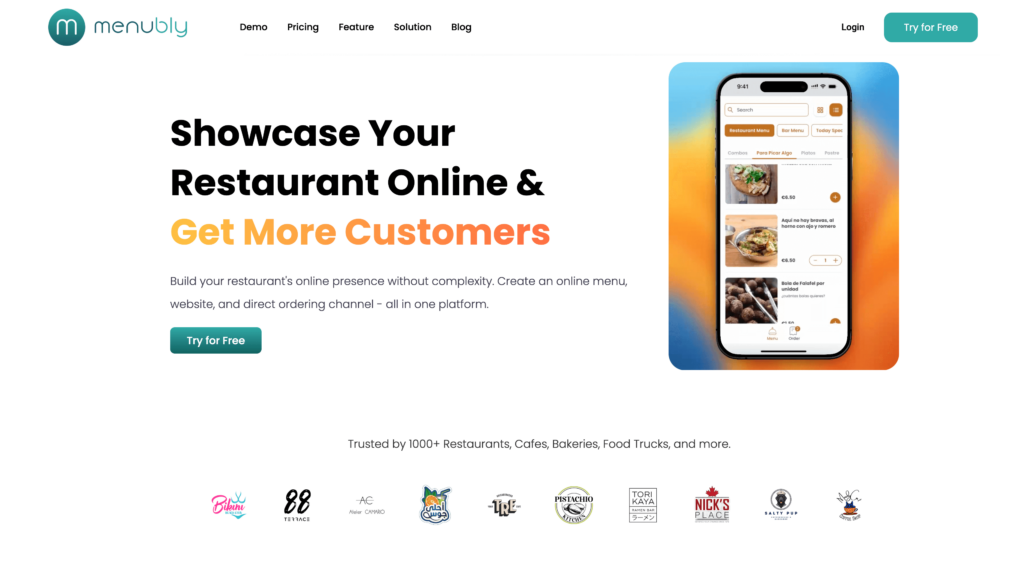
If your main frustration with iMenuPro is that it creates menus customers can look at but not order from, Menubly fixes that in one platform. For $9.99/month, you get a digital menu, QR codes, commission-free online ordering, and a simple restaurant website — all without needing design skills or separate software.
Unlike iMenuPro’s print-first approach, Menubly is built for the digital-first restaurant. You won’t get print-ready PDF designs or thousands of design templates. Instead, you get a live online menu that updates instantly, takes orders directly from customers, and works on any device. For restaurants spending $11.25–$16/month on iMenuPro’s design-only tool, Menubly delivers more functionality at a lower price.
Key Features
Interactive, mobile-friendly online menu with search and category filtering
Custom plan: Available for businesses with special requirements
Commissions: Zero — keep 100% of every order
Best For
Restaurants, cafes, food trucks, bars, and bakeries that want to move beyond print menus to a digital system where customers can browse and order. Ideal for owners who want to stop paying delivery app commissions and own their customer relationships directly.
2. MustHaveMenus — Best for Professional Print & Digital Menu Design
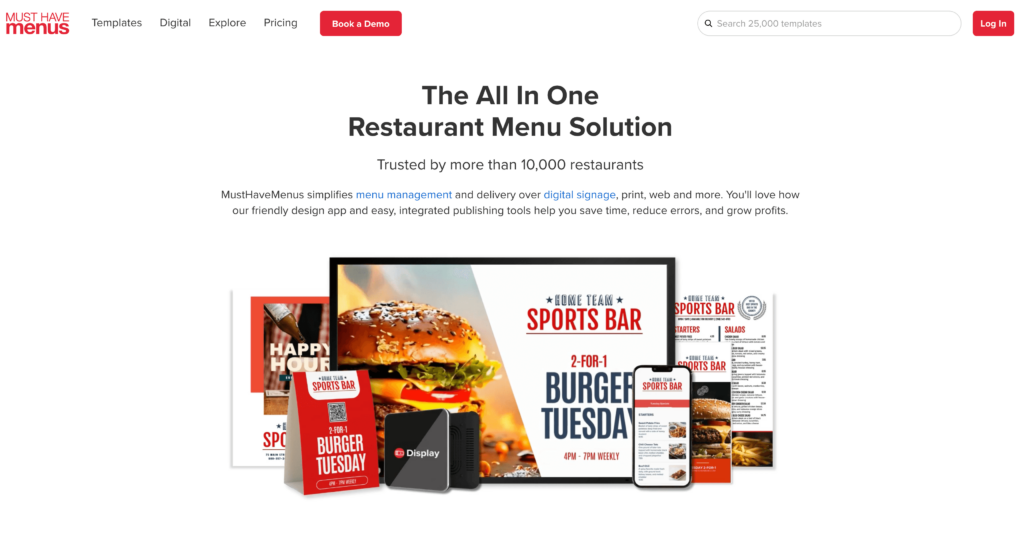
MustHaveMenus is the closest direct competitor to iMenuPro, and it’s a clear upgrade in template variety and modern design. Where iMenuPro offers 3,500+ graphics, MustHaveMenus gives you access to 25,000+ restaurant-specific templates covering menus, flyers, posters, business cards, and digital signage — all designed specifically for food businesses.
The biggest difference is integration. MustHaveMenus connects to Toast and Square POS systems, so when you update a price in your POS, the change syncs automatically across all your menus. iMenuPro doesn’t offer any POS integration. MustHaveMenus also includes a digital signage manager with scheduling, playlists, and 4K video support — far more capable than iMenuPro’s basic TV display feature.
Features
25,000+ restaurant-specific templates (menus, flyers, posters, digital signage)
Drag-and-drop menu editor — no design skills required
POS integration with Square and Toast for automatic menu/price updates
Digital signage manager with scheduling, playlists, and 4K video support
AI Copilot for faster menu creation (Pro plan)
Online menu builder with link pages
QR code generation and management (unlimited on Pro)
Brand kit customization per location
Print ordering directly through the platform
Item library for consistent menu data across all channels
Pros
Largest restaurant-specific template library (25,000+)
True all-in-one for menu design: print + web + QR + digital signage
Print ordering built in — design and order prints without leaving the platform
Item library keeps data consistent across all channels
Cons
No online ordering — design and display only, just like iMenuPro
Digital signage requires Pro plan ($49/month) plus $20/screen add-on
Some reviewers report inconsistent customer service
QR codes provide view-only menus (no ordering through QR)
Image uploads and asset management could be improved
More expensive than iMenuPro for the same core function (menu design)
Pricing
Design:$24/month ($19/month billed annually) — menu creation, templates, printing, PDF downloads, single location
Pro: $49/month ($41/month billed annually) per location — everything in Design + digital signage, POS sync, AI Copilot, QR codes, unlimited team members
Display add-on: $20/month per screen (requires Pro plan)
Best For
Restaurants that need professional menu design across print, web, QR code, and TV screens from one platform. A strong choice for restaurant groups managing menus across multiple locations with POS integration. Not for restaurants whose primary need is online ordering.
3. Canva — Best for Free DIY Menu Design
Canva isn’t built specifically for restaurants, but its free menu maker is hard to beat on price. With thousands of customizable menu templates and a drag-and-drop editor that most people already know how to use, it’s the fastest way to create a good-looking menu without spending a dollar.
The tradeoff is that Canva is a general design tool, not a restaurant platform. There’s no Live-Sync between print and digital formats, no QR code ordering, and no menu management system. You design a menu, download a PDF, and print it or share it. For restaurants that just need a clean printed menu and don’t want to pay $11–$16/month for iMenuPro, Canva is the obvious free option. Just know it won’t help you manage or update menus across channels automatically.
Features
15,000+ menu templates (restaurant, cafe, bar, bakery, and more)
Drag-and-drop editor with fonts, colors, images, and layout control
1 million+ stock images and graphics (many free, premium at $1 each)
Teams: $10/month per person (billed annually) — team collaboration, brand controls
Enterprise: Custom pricing
Best For
Small restaurants, cafes, and food trucks that want to design a restaurant menu for free without learning specialized software. Great for one-time or occasional menu updates. Not suitable if you need ongoing menu management, QR ordering, or automated syncing.
4. PosterMyWall — Best for Budget-Friendly Menu Design & Marketing
PosterMyWall sits in a sweet spot between Canva’s general design approach and MustHaveMenus’ restaurant focus. It offers over 250,000 customizable templates — including a solid collection of restaurant menus, menu boards, and food-related marketing materials — plus built-in tools for social media scheduling, email campaigns, and digital signage.
What makes PosterMyWall stand out for restaurant owners is its Square POS integration, which lets you import menu items directly into your designs. The free tier includes unlimited social media image downloads (with watermark), and Premium starts at just $9.95/month. It’s not a menu management platform like iMenuPro, but for restaurants that need to create marketing materials alongside their menus, it covers both at a low price.
Features
250,000+ customizable templates including restaurant menus and menu boards
Drag-and-drop editor with AI-powered tools (background remover, photo enhancer)
Square POS integration to import menu items into designs
Social media scheduling and publishing (Facebook, X, Instagram)
Email marketing campaigns (3,000+ free emails/month on Premium)
One-click resize for different formats (print, social, digital display)
Millions of stock images, 100+ fonts, stickers, and animations
Brand Kits for consistent branding across all materials
Video menu creation and animation tools
High-resolution downloads for print
Pros
Free tier is usable for basic menu design (watermark on downloads)
Premium at $9.95/month is cheaper than both iMenuPro and MustHaveMenus
Square POS integration for importing menu items
Combined menu design + marketing tools (social, email) in one platform
AI editing tools included at no extra cost
Large template library with regular additions
Cons
No online ordering or QR code menu functionality
No menu management system — each design is a standalone file
Free tier downloads have watermarks
Mobile app reported as unstable by some users
Not restaurant-specific — templates span all industries
Credit costs for extras (email sends, background removals) can add up
Pricing
Free: $0 — unlimited templates, social media image downloads (with watermark)
Premium:$9.95/month ($8.33/month billed annually) — no watermarks, 3 social accounts, 3,000 emails/month
Budget-conscious restaurant owners who need both menu design and marketing materials (social media graphics, flyers, email campaigns) from one platform. Good for restaurants already using Square POS. Not ideal if you need menu management or online ordering.
5. Menu Tiger — Best for QR Code Ordering Menus
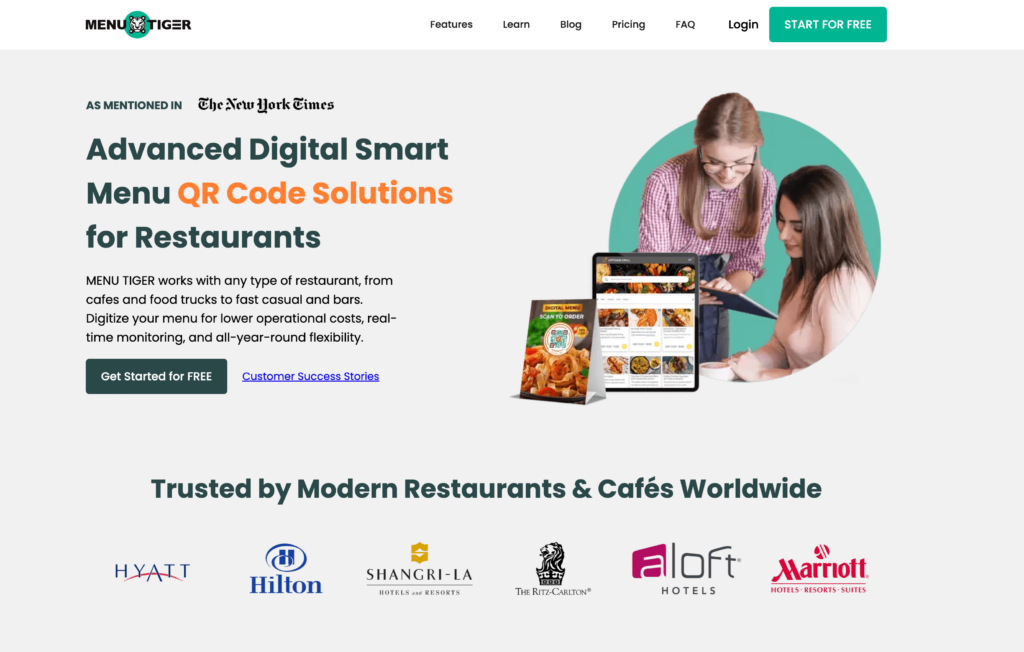
If you like iMenuPro’s QR code feature but wish customers could actually order through it, Menu Tiger is worth a look. Built by QRTIGER (a global QR code company used by Hilton, Hyatt, and Ritz Carlton), Menu Tiger creates table-specific QR codes that let guests scan, browse, order, and pay — all from their phone.
Unlike iMenuPro’s view-only QR menus, Menu Tiger turns QR codes into a full ordering channel. It also supports multi-location management (up to 5 stores), which iMenuPro handles for QR codes but not for ordering. The free plan is limited but lets you test the platform, and paid plans start at $17/month with unlimited orders and zero commissions.
Features
Table-specific QR codes with kitchen display system (KDS) integration
Online ordering through QR codes and restaurant website
Multi-location management (up to 5 stores on Premium)
QR code customization: logo, colors, eye patterns, CTA overlays
Multi-language menu translation (30+ languages)
Zapier and Canva integrations (Advanced plan and above)
Sales, revenue, and best-selling item analytics
Built-in drag-and-drop website builder
White-label with custom domain (Premium)
Payment via Stripe and PayPal (Apple Pay, Google Pay through Stripe)
Pros
QR codes that customers can order through — not just view
Strong multi-location support from a single dashboard
Zero commissions on all plans
QR code customization is among the best available (logo, patterns, CTAs)
Free plan available for testing
Unlimited orders on all paid plans
Cons
Free plan is very limited (7 categories, 7 items per category, 200 orders/month)
Limited POS integrations (Loyverse only)
Email-only support (no live chat or phone)
Pricing scales up with additional locations
Payment limited to Stripe and PayPal
No native mobile admin app (web-based only)
Pricing
Freemium: $0 — 10 tables, 1 store, 200 QR orders/month, Menu Tiger branding
Restaurants that want their QR code menus to do more than display items. Strong for multi-location operations and dine-in ordering. Single-location restaurants on a tight budget may find cheaper options.
6. GloriaFood — Best for Free Online Ordering
GloriaFood takes a completely different approach from iMenuPro. Instead of designing menus for print, it gives you a functional digital ordering menu that customers can order from directly — and the core platform is completely free. No commissions, no per-order fees, no contracts, unlimited orders.
Now owned by Oracle, GloriaFood is used by thousands of restaurants worldwide. It won’t help you create a beautiful printed menu (that’s not what it’s for), but it eliminates the need for one in many cases. Customers view your menu online, place their order, and you get it on your phone or tablet. For restaurants ready to skip print entirely and go straight to digital ordering, it’s hard to argue with free.
Features
Commission-free online ordering (unlimited orders on free plan)
QR code table ordering for dine-in (table-specific or shared codes)
Not a menu design tool — your menu is a functional list, not a designed layout
Limited customization of the online ordering widget
Can’t manage full menu changes from the mobile app
Advanced features (promotions, online payments, branded app) are paid add-ons
Oracle ownership creates uncertainty about the long-term free tier
Pricing
Core ordering:Free (no commissions, unlimited orders)
Sales-optimized website: $9/month per location
Advanced promotions: $19/month per location
Online payment processing: $29/month per location
Branded mobile app: $59/month per location
Best For
Restaurants that don’t need a menu design tool at all and just want a free way for customers to order online. Ideal for restaurants already using a POS that want to add a direct ordering channel without commissions. Also strong as a free QR code ordering system for dine-in.
7. UpMenu — Best for Restaurant Marketing & Loyalty Programs
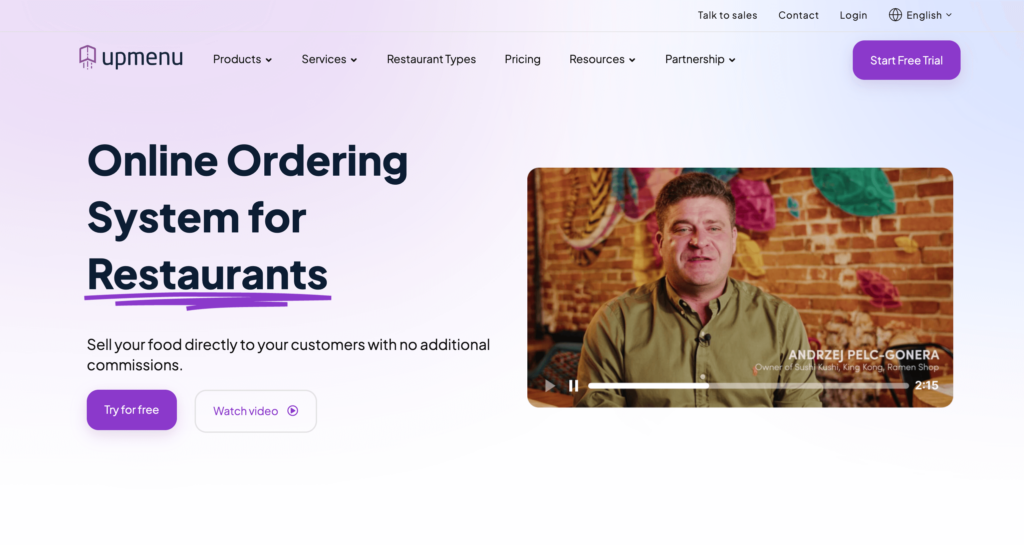
UpMenu goes far beyond what iMenuPro offers — but it’s also solving a different problem. Where iMenuPro helps you design and display menus, UpMenu gives you commission-free online ordering, a branded mobile app, loyalty programs, SMS campaigns, and a full CRM for tracking customer behavior. It’s a restaurant marketing platform that happens to include menu management.
The price reflects the scope: UpMenu starts at $49/month for the Starter plan, compared to iMenuPro’s $11.25–$16/month. But if you’re spending money on separate tools for ordering, loyalty, email marketing, and a mobile app, UpMenu can actually cost less than juggling multiple subscriptions. One pizzeria case study reports 27% sales growth after switching to UpMenu’s direct ordering.
SMS, push notification, and email marketing campaigns
Promo codes and discount tools
Table reservations
QR code menu for dine-in ordering
Customer CRM and purchase history
Multi-location management (Pro plan)
POS integrations
Delivery management with driver app and live tracking
Pros
Full marketing suite built in: loyalty, SMS, push, email — no third-party tools needed
Commission-free direct ordering
Branded mobile app available without enterprise pricing
Real reported results: 17% cost reduction vs. delivery apps; 27% sales growth
Clean, intuitive interface — easy to learn
Free trial available (no credit card required)
Cons
Starting at $49/month, it’s 3–4x the cost of iMenuPro
Starter plan limits monthly order volume — high-volume restaurants need Pro ($149/month)
More than smaller restaurants need if marketing automation isn’t a priority
SMS credits and additional locations add extra costs over time
No free plan — only a free trial
Not a menu design tool — won’t help you create print-ready PDFs
Pricing
Starter:~$49/month — online ordering, website, CRM, marketing tools, up to 1,000 orders/month
Pro: ~$149/month — everything in Starter + multi-location, API access, up to 2,500 orders/month
Enterprise: Custom pricing — unlimited orders, dedicated support
Best For
Mid-size restaurants with an existing customer base that want to run their own digital marketing — loyalty programs, SMS campaigns, repeat customer promotions — alongside commission-free online ordering. Overkill for restaurants that just need basic menu design or display.
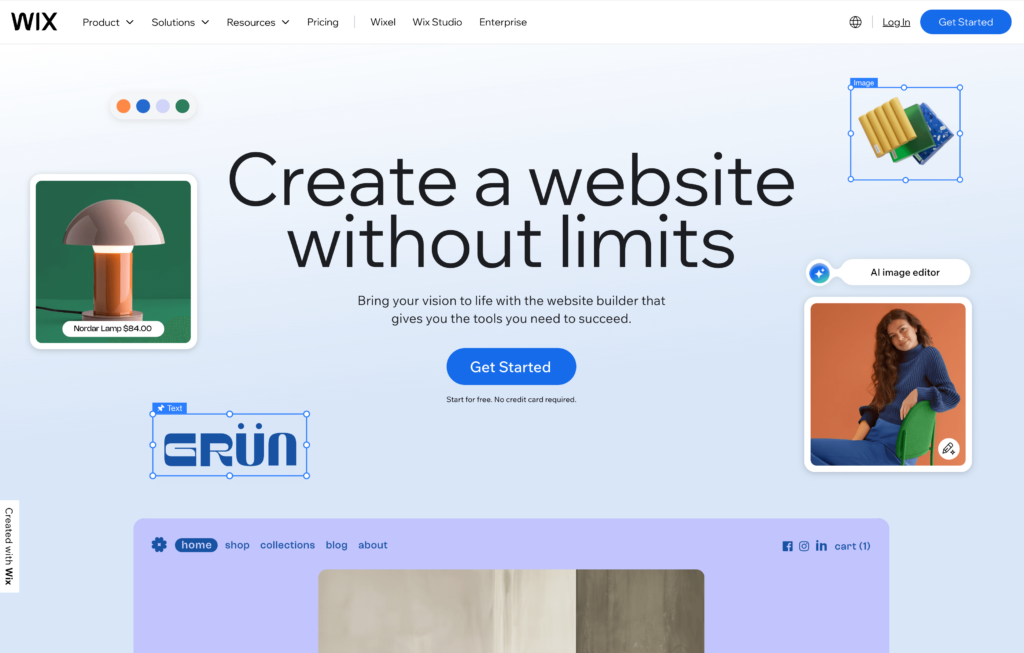
8. Wix — Best for Building a Restaurant Website with Menus
If you’re looking for an iMenuPro alternative because you need more than just a menu — you need a full restaurant website — Wix covers that in one platform. With 85+ restaurant-specific templates, a drag-and-drop editor, built-in online ordering, and table reservations, Wix gives you your entire online presence alongside your digital menu.
The catch is pricing. While Wix has a free plan, restaurant-specific features (menus, ordering, reservations) require the Core plan at $29/month. That’s nearly double iMenuPro’s monthly price, but you’re getting a full website with ordering — not just a menu design tool. For restaurants that don’t have a website yet or are paying separately for one, Wix combines everything.
Features
85+ restaurant-specific templates
Drag-and-drop editor with full layout control
AI website builder generates a working site in minutes
Online ordering for pickup and delivery (commission-free from Wix)
Table reservation system
Built-in SEO tools
App marketplace with 500+ add-ons
QR code generation via restaurant menu app
Marketing integrations and email campaigns
Custom domain included (first year free)
24/7 customer support
Pros
Most restaurant templates of any website builder (85+)
Built-in ordering means no third-party tools needed
AI builder generates a working restaurant site in minutes
Mobile app for managing orders, reservations, and menus on the go
Multi-language support (180 languages)
Free plan available for testing the editor
Cons
Restaurant features locked behind $29/month Core plan
Processing fees of 2.9% + $0.30 on every order
Renewal prices can increase after the first year
Can feel overwhelming with too many options and settings
Page loading speed can be slower due to heavy code
Not a dedicated menu design tool — less control over print-ready layouts
Pricing
Free: $0 (Wix branding, no restaurant features)
Light:$17/month (custom domain, no restaurant app)
Core: $29/month (minimum for menus, ordering, and reservations)
Business: $36/month
Business Elite: $159/month
All prices billed annually
Best For
Restaurant owners who need a full website alongside their menu and don’t want to manage separate platforms. Good for businesses that want maximum design flexibility. Not ideal if you already have a website and just need a digital menu or ordering tool.
9. Flipsnack — Best for Interactive Digital Menu Flipbooks
Flipsnack is a digital publishing platform that turns static PDFs into interactive page-flip publications. For restaurants, this means you can take your existing printed menu design (or a PDF from iMenuPro) and convert it into a digital flipbook with page-turn animations, embedded videos, clickable links, and analytics tracking.
This is a niche choice. Flipsnack won’t help you design a menu from scratch, manage menu items, or take online orders. But for upscale restaurants, wine bars, or hotels that want an elevated digital presentation — the kind that feels like flipping through a real menu on a tablet or phone — it adds a polished layer that simpler digital menus can’t match. Starting at $35/month, it’s a premium option for a specific need.
Features
PDF-to-flipbook conversion with page-turn animations
190+ ready-made templates including restaurant menus
Drag-and-drop editor for customizing designs
Embed videos, GIFs, slideshows, and clickable links within menus
Custom branding: colors, fonts, logos, and custom domains
Analytics and tracking on menu views and engagement
Privacy controls: public, unlisted, or private sharing
Share via web link, email, social media, or embed on website
Lead form integration
Download as PDF for printing
Pros
Creates a premium, interactive digital menu experience
Can convert existing iMenuPro PDFs into interactive flipbooks
Analytics show how customers engage with your menu
Professional look that suits upscale dining
Easy to share via link, embed, or social media
14-day free trial, no credit card required
Cons
Starting at $35/month, it’s more expensive than iMenuPro for a narrower use case
No online ordering capability
No menu management system — each publication is a standalone project
Lower-tier plans limit the number of flipbooks and pages
Not restaurant-specific — a general publishing tool
Limited font choices and editing options compared to dedicated design tools
Pricing structure reported as confusing by users
Pricing
Free: Limited flipbook creation with Flipsnack branding
Starter:$35/month ($16/month billed annually) — up to 5 flipbooks, 100 pages each
Professional: $52/month ($38/month billed annually) — up to 50 flipbooks
Upscale restaurants, wine bars, boutique hotels, and fine dining establishments that want an interactive, visually rich digital menu presentation. Also useful for restaurants that already have well-designed PDF menus and want to make them interactive. Not a fit for restaurants that need ordering, menu management, or budget-friendly solutions.
10. Express Menu (NCH Software) — Best for Offline Desktop Menu Creation
Express Menu by NCH Software takes the opposite approach from every other tool on this list — it’s a desktop application that runs entirely offline on your PC or Mac. No subscriptions, no cloud, no internet required. You install it, design your menu, and print it. That’s it.
Used by over 20,000 restaurants, Express Menu is as simple as menu software gets. It won’t sync across devices, manage QR codes, or take online orders. But for a small restaurant, cafe, or bar that just needs to print a clean menu occasionally and doesn’t want to pay a monthly subscription for it, Express Menu is a free alternative that works without internet access.
Features
20+ professional templates designed for restaurants
Drag-and-drop editor with font, size, and margin customization
One-time purchase option for Pro features ($132 lifetime)
Cons
Desktop-only — no cloud access, no mobile editing
Only 20+ templates (compared to 3,500+ graphics on iMenuPro or 25,000+ on MustHaveMenus)
No QR code generation
No online ordering or digital menu features
No multi-device sync — menus live on one computer
Interface feels dated and basic
No POS integration or real-time updates across formats
Pricing
Free: $0 — basic menu creation and printing
Pro (lifetime):~$132 one-time — full features, no recurring fees
Best For
Very small restaurants, cafes, or bistros that need a simple, free way to create and print menus on a desktop computer. Good for owners who don’t want to pay any monthly fees and don’t need digital or online features. Not suitable for restaurants wanting QR codes, online ordering, or multi-device access.
How to Choose the Right iMenuPro Alternative
The right choice depends on what you actually need. Here’s a quick framework to narrow it down:
By Primary Need
I still want print menu design: MustHaveMenus, Canva, or PosterMyWall
I want digital menus with ordering: Menubly, GloriaFood, or Menu Tiger
I want a full restaurant website: Wix or Menubly
I want marketing and loyalty tools: UpMenu
I want something free: Canva, GloriaFood, Express Menu, or PosterMyWall
Under $15/month: Menubly ($9.99), PosterMyWall Premium ($9.95)
$15–$30/month: MustHaveMenus ($24), Wix Core ($29), Menu Tiger Regular ($17)
$30+/month: UpMenu ($49), Flipsnack ($35)
By Business Type
Food trucks and small cafes: Menubly or GloriaFood
Upscale restaurants wanting design control: MustHaveMenus or Canva
Multi-location restaurants: Menu Tiger or UpMenu
Restaurants needing a website: Wix or Menubly
Restaurants on a zero budget: GloriaFood or Express Menu
For most small to medium restaurants moving away from iMenuPro, Menubly offers the best balance of features and price. You get digital menus, QR codes, and commission-free ordering for $9.99/month — less than iMenuPro charges for menu design alone. If you also need professional print menus, pair Menubly with Canva’s free tier for the best of both worlds.
FAQs
What is the best alternative to iMenuPro?
It depends on your needs. If you want a digital menu with built-in ordering, Menubly ($9.99/month) is the best value. If you need professional print menu design, MustHaveMenus ($24/month) is the closest competitor with better templates and POS integration. For a free option, Canva offers thousands of menu templates at no cost.
Is there a free alternative to iMenuPro?
Yes. Canva offers a free menu design tool with thousands of templates. GloriaFood provides free online ordering with a digital menu. Express Menu by NCH Software is a free desktop menu maker. PosterMyWall also has a free tier, though downloads include a watermark.
Can I switch from iMenuPro without losing my menus?
You can export your menus as PDFs from iMenuPro before switching. Most alternatives let you start fresh or import menu data. Menubly offers a free menu conversion service — upload your existing PDF or a photo of your paper menu, and the team will convert it to a digital menu at no charge.
Does iMenuPro offer online ordering?
No. iMenuPro is a menu design and display tool only. It creates menus for print, QR code viewing, and digital TV signage, but customers cannot place orders through it. For online ordering, you’ll need a separate platform like Menubly, GloriaFood, or Menu Tiger.
What is the cheapest menu design software for restaurants?
Canva and Express Menu are both free for basic menu design. If you want a paid tool with more features, Menubly ($9.99/month) and PosterMyWall Premium ($9.95/month) are both under $10/month. iMenuPro’s annual plan works out to $11.25/month, and MustHaveMenus starts at $19/month (annual billing).
Menubly vs. iMenuPro — which is better?
They solve different problems. iMenuPro is better for designing and printing professional menus with its auto-formatting engine and Live-Sync technology. Menubly is better for restaurants wanting digital menus with online ordering, QR codes customers can order from, and a simple website — all for $9.99/month vs. iMenuPro’s $11.25–$16/month for design-only features.
Do I need menu design software if I use a digital menu platform?
Not necessarily. Platforms like Menubly, Menu Tiger, and GloriaFood create digital menus automatically from your item data — no design tool needed. You add your dishes, prices, and photos, and the platform generates a mobile-friendly online menu. You’d only need separate design software if you still want professionally designed printed menus.
Which iMenuPro Alternative Is Right For You?
Here’s a quick recap of the best iMenuPro alternatives by category:
Best for digital menus + ordering: Menubly ($9.99/month)
Best for print menu design: MustHaveMenus ($24/month)
Best for free design: Canva (free)
Best for free ordering: GloriaFood (free)
Best for QR code ordering: Menu Tiger (free/$17/month)
iMenuPro does one thing well — it creates professional print menus with smart sync technology. But for restaurants ready to go beyond print, a digital-first platform gives you more for less. Instead of paying $11–$16/month for a tool that designs menus customers can only look at, you can invest the same budget (or less) in a platform where customers can browse, order, and pay — right from their phone.
The restaurant industry is shifting toward digital ordering, QR code menus, and direct customer relationships. Whether you pick a better design tool, a free alternative, or a complete digital menu platform, the key is choosing something that grows with your business instead of holding it back.
To provide the best experiences, we use technologies like cookies to store and/or access device information. Consenting to these technologies will allow us to process data such as browsing behavior or unique IDs on this site. Not consenting or withdrawing consent, may adversely affect certain features and functions.
Functional
Always active
The technical storage or access is strictly necessary for the legitimate purpose of enabling the use of a specific service explicitly requested by the subscriber or user, or for the sole purpose of carrying out the transmission of a communication over an electronic communications network.
Preferences
The technical storage or access is necessary for the legitimate purpose of storing preferences that are not requested by the subscriber or user.
Statistics
The technical storage or access that is used exclusively for statistical purposes.The technical storage or access that is used exclusively for anonymous statistical purposes. Without a subpoena, voluntary compliance on the part of your Internet Service Provider, or additional records from a third party, information stored or retrieved for this purpose alone cannot usually be used to identify you.
Marketing
The technical storage or access is required to create user profiles to send advertising, or to track the user on a website or across several websites for similar marketing purposes.