The average restaurant updates its menu one to three times per year, but prices, specials, and availability change far more often. That gap between what’s on your menu and what’s actually happening in your kitchen costs you money — whether it’s reprinting costs, confused customers, or lost orders.
MustHaveMenus helps solve part of that problem with 25,000+ restaurant-specific design templates. But at $24–49/month for a platform that only handles menu design — no online ordering, no live menu updates for customers, and QR codes that are view-only — many restaurant owners are looking for alternatives that do more for less.
We researched and compared 9 MustHaveMenus alternatives, from free design tools to full digital menu platforms with built-in ordering. Whether you need cheaper templates, a functional digital menu your customers can order from, or both, this guide breaks down pricing, features, and honest pros and cons for each option.
Quick picks:
Best for digital menus with ordering: Menubly ($9.99/mo, commission-free ordering included)
Best free design tool: Canva (15,000+ menu templates, free)
Best budget menu design: iMenuPro ($11.25/mo, all features included)
What Is MustHaveMenus?
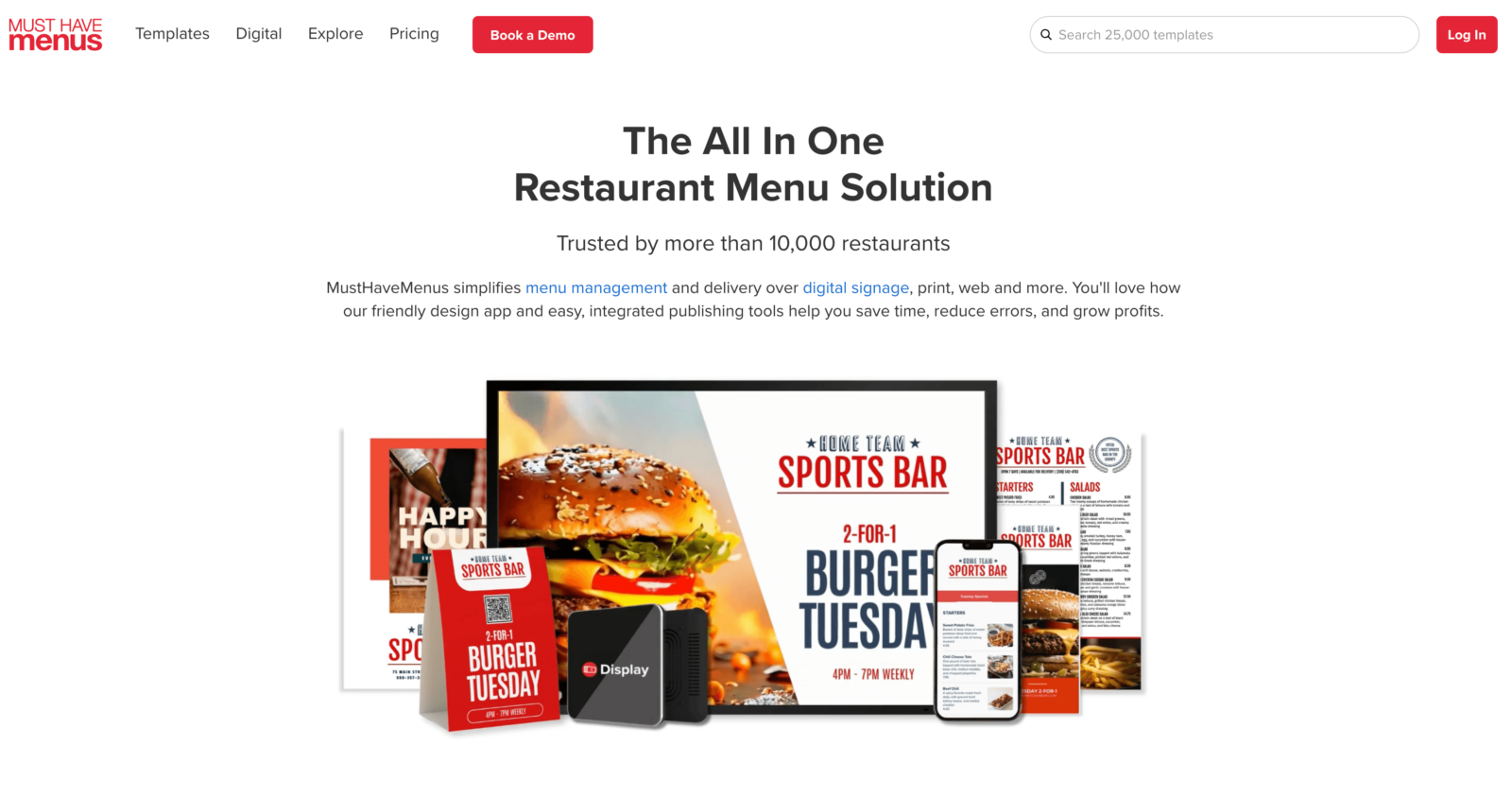
MustHaveMenus is a restaurant-specific menu design platform based in Portland, Oregon. It gives restaurants access to over 25,000 professional templates for print menus, flyers, posters, business cards, QR code menus, and digital signage — all from a single dashboard.
The platform integrates with Toast and Square POS systems, so menu items and prices can sync automatically. On the Pro plan, you also get digital signage management, AI-assisted menu creation, and unlimited QR codes.
But here’s what drives most people to search for alternatives: MustHaveMenus is a design and display tool only. It doesn’t include online ordering. Your QR code menus are view-only — customers can look at your menu, but they can’t place an order through it. And the Pro plan features (QR codes, digital signage, AI Copilot) require the $49/month tier, with digital signage costing an extra $20 per screen per month on top of that.
Display add-on: $20/month per screen (requires Pro plan)
What to Look For in a MustHaveMenus Alternative
Before comparing platforms, it helps to know what matters most for your restaurant. Here are the key criteria we used to evaluate each alternative:
Design vs. functionality — Do you need menu templates to print, or a live digital menu customers can interact with and order from? This is the biggest decision. MustHaveMenus is a design tool. Some alternatives are digital menu platforms. They solve different problems.
Online ordering capability — Does the platform include ordering, or is it design-only? If your goal is to take orders directly (without paying delivery app commissions), you need a platform that goes beyond templates.
Pricing transparency — Watch for per-screen charges, per-location fees, order limits, and required add-ons. A $24/month plan can easily become $100+ with extras.
Ease of use and setup time — Can you create a menu without design skills? How fast can you go live? Some platforms take minutes; others need hours of template customization.
QR code functionality — There’s a big difference between a QR code that shows a static PDF and one that lets customers browse, customize, and order from their phone. Make sure you know which type you’re getting.
Template variety and customization — If print design is your priority, template count and quality matter. If you’re going digital-first, look at how flexible the menu builder is instead.
MustHaveMenus Alternatives: Quick Comparison
Platform
Best For
Starting Price
Online Ordering
QR Code Menus
Free Plan
Menubly
Digital menus + ordering
$9.99/mo
Yes (commission-free)
Yes (with ordering)
30-day trial
Canva
Free menu design
Free
No
No
Yes
iMenuPro
Budget menu design
$11.25/mo
No
Yes (view-only)
Free trial
PosterMyWall
Menu + marketing
Free
No
No
Yes
Adobe Express
AI menu design
Free
No
No
Yes
UpMenu
Ordering + marketing
$49/mo
Yes (commission-free)
Yes (with ordering)
Free trial
Menu Tiger
Multi-location QR
Free
Yes (commission-free)
Yes (with ordering)
Yes (limited)
GloriaFood
Free online ordering
Free
Yes (commission-free)
Yes (with ordering)
Yes
Popmenu
Full marketing suite
$149/mo
Yes (+$50/mo + $1/order)
Yes
Demo required
9 Best MustHaveMenus Alternatives
1. Menubly — Best for Affordable Digital Menus with Online Ordering
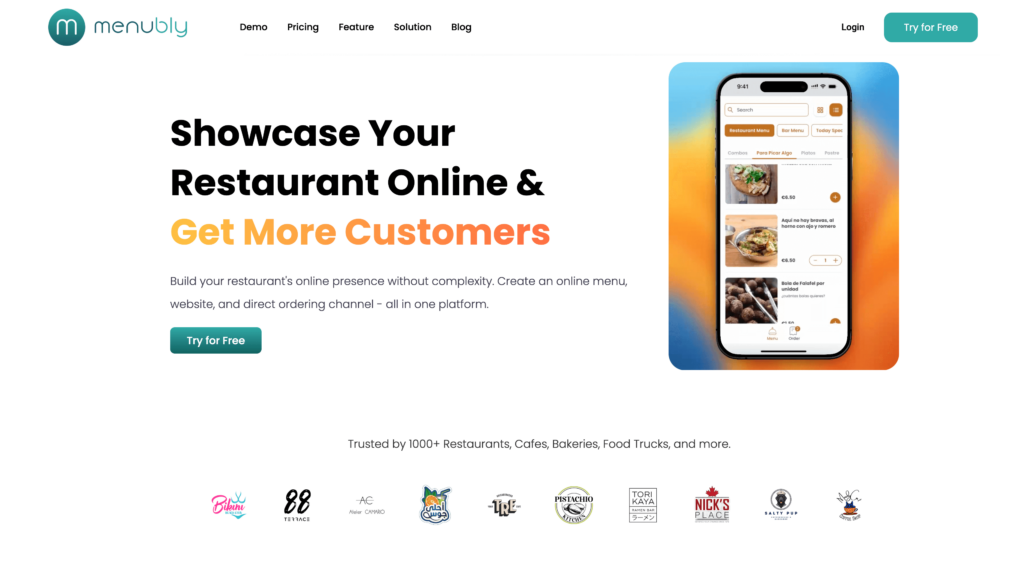
If you’re paying MustHaveMenus $24–49/month for menu templates but still don’t have a way to take online orders, Menubly takes a different approach entirely. Instead of giving you design templates, Menubly gives you a live, interactive online menu that customers can browse, search, and order from — all for $9.99/month with zero commission fees.
The key difference: MustHaveMenus creates menus you display. Menubly creates menus that work. Your customers can scan a QR code menu, browse your dishes with photos and descriptions, customize their order with add-ons, and place it directly through your menu. No third-party delivery app fees, no separate ordering system needed. And when you change a price or mark something as sold out, it updates instantly across every channel.
Key Features
Interactive, mobile-friendly online menu with search and category filtering
Add-ons and customization options for each menu item
100+ payment methods worldwide including WhatsApp ordering
Bulk menu import from Excel or CSV
Free menu conversion service (upload a PDF or photo, Menubly converts it)
SEO-optimized menu pages for Google search visibility
Pros
$9.99/month includes everything — ordering, QR codes, website builder, unlimited updates
Zero commission on every order (keep 100% of revenue)
Menu changes appear instantly — no reprinting, no delays
Set up in minutes, no technical skills needed
Free menu conversion service saves hours of manual entry
Works for any food business: restaurants, food trucks, bakeries, bars, cafes
30-day free trial with no credit card required
Cons
Not a design tool — no print menu templates or design library
No POS integration with Toast or Square
No digital signage management
Not ideal if your primary need is professional print menu design
Pricing
Free trial: 30 days, no credit card required
Monthly: $9.99/month (all features included)
Annual: $95.99/year (save 20%)
Custom plan: Available for special requirements including custom domain
Commission: Zero — keep 100% of every order
Best For
Restaurants, cafes, bars, food trucks, and bakeries that want a functional digital menu with built-in ordering instead of paying for design templates. If you’d rather spend $9.99/month on a menu customers can order from than $24–49/month on templates you still need to print, Menubly is the better fit.
2. Canva — Best Free Design Tool for Restaurant Menu Templates
Canva isn’t built specifically for restaurants, but its free plan and massive template library make it one of the most popular tools for designing restaurant menus. With over 15,000 menu templates and a drag-and-drop editor, you can create print-ready menus, digital menus for social media, and marketing materials — all without paying anything.
Compared to MustHaveMenus, Canva’s free plan gives you more templates across more categories (not just restaurant-specific) and doesn’t lock features behind higher tiers. The trade-off is that Canva is a general design tool, not a restaurant platform — so there’s no POS integration, no QR code menu system, and no online ordering.
Features
15,000+ menu templates (restaurant, cafe, bar, bakery, and more)
Drag-and-drop editor with no design skills needed
1 million+ free stock photos, graphics, and illustrations
Custom brand kit (logo, colors, fonts) on free plan
Print-ready PDF downloads (standard sizes)
AI-powered design suggestions and Magic Resize (Pro)
Background remover tool (Pro)
Real-time collaboration with team members
Mobile app for editing on the go
Print ordering directly through Canva (paid service)
Pros
Free plan is genuinely useful — thousands of menu templates at no cost
Easy to learn even for people with zero design experience
Goes beyond menus: create flyers, social posts, posters, and business cards
Huge library of fonts, stock photos, and design elements
Available on web, iOS, and Android
Print ordering available through the platform
Cons
Not restaurant-specific — no POS sync, no item library, no menu data management
No online ordering or QR code menu functionality
Premium templates and stock photos require Pro plan ($12.99/month)
No live menu syncing — every update means re-downloading and re-sharing
Templates look generic unless heavily customized
No restaurant-specific features like item pricing rules or allergen labels
Teams: $14.99/month for up to 5 users — shared folders, collaboration tools
Best For
Restaurant owners who need a free or low-cost way to create print menus, social media posts, and marketing materials. Canva works well if your main need is designing menus for printing or sharing as PDFs — not for live digital menus or online ordering.
3. iMenuPro — Best Budget Menu Design Software for Restaurants
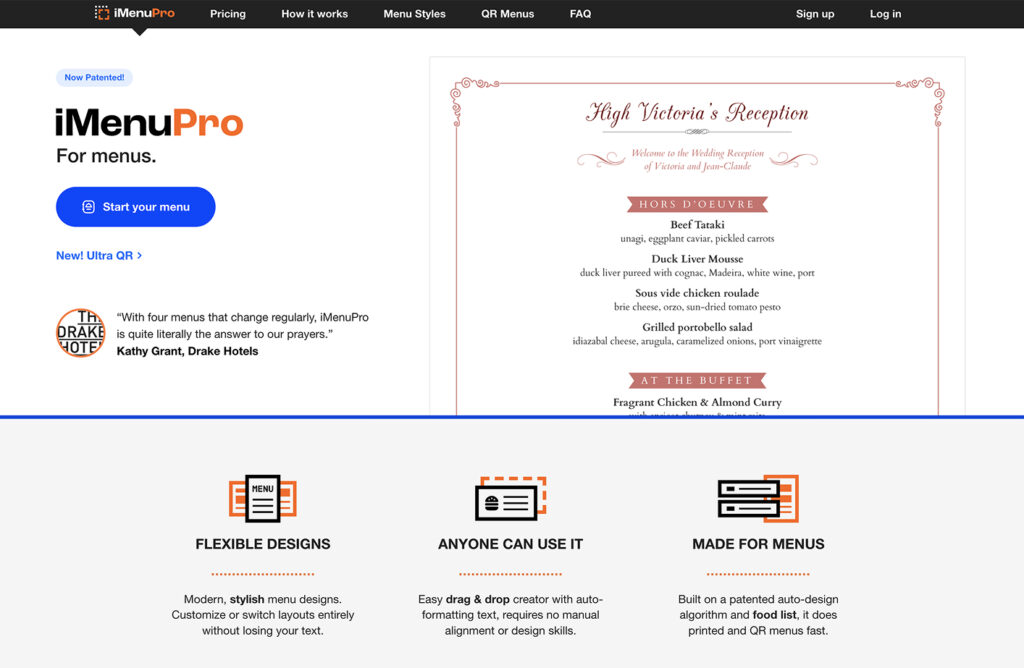
iMenuPro is a direct competitor to MustHaveMenus, built specifically for restaurant menu design. What sets it apart is a single, all-inclusive pricing tier — $11.25–16/month gets you everything, including QR code menus, digital TV display, and print-ready PDFs. No upsells, no add-ons, no per-screen fees.
The platform’s patented Live-Sync technology lets you edit your menu once and have it update across print, QR code, and digital TV formats simultaneously. That’s a feature MustHaveMenus only partially matches with its Pro plan at three times the price. The trade-off: iMenuPro’s interface feels dated, and like MustHaveMenus, there’s no online ordering.
Features
Drag-and-drop menu maker with patented auto-formatting
3,500+ food and drink graphics library
Patented Live-Sync — edit once, updates across print, QR, and digital TV
QR code menu generation (unlimited scans, no extra charge)
Digital TV signage menus included at no extra cost
Food database for easy item rotation
Print-ready PDF output
ADA/UA compliance features
Multi-location QR code support at no extra cost
Customizable QR codes with colors and logo
Pros
All features included at one price — no upsells or add-ons
Live-Sync keeps print, QR, and digital menus consistent with one edit
Privacy-focused QR menus (zero cookies or trackers)
Multi-location QR support at no extra cost
25,000+ restaurant user base
Personal support with typical 2-hour email response time
Cons
User interface feels dated — reviewers compare it to older software
No online ordering capability
No POS integration
Email support only — no phone or live chat
Smaller template library compared to MustHaveMenus or Canva
Single pricing tier — all features included, no per-screen or per-location fees
Best For
Small independent restaurants, cafes, bars, and boutique hotels that need an affordable all-in-one menu design tool covering print, QR, and basic digital display. Ideal if you want simplicity and all-inclusive pricing without MustHaveMenus’ tiered costs. Not for restaurants needing online ordering.
4. PosterMyWall — Best for Combined Menu and Marketing Designs
PosterMyWall goes beyond menu design into full restaurant marketing. With 44,000+ templates covering menus, social media posts, email campaigns, flyers, and video content, it’s built for restaurant owners who want to create all their marketing materials in one place.
What makes PosterMyWall stand out from MustHaveMenus is the marketing angle. You can design your menu, then create matching Instagram posts, email newsletters, and promotional videos using the same branding — all from one dashboard. The free plan is generous enough for basic use, and Premium starts at just $9.95/month.
Features
44,000+ customizable templates (menus, social media, flyers, posters, videos)
Drag-and-drop editor with menu-specific layouts
Square POS integration for importing menu data
One-click background remover for food photography
Brand kits for consistent fonts, colors, and logos
Email campaign builder with templates
Social media scheduling and publishing
Video and animation creation for digital signage
High-resolution downloads for printing
AI image generation tools
Pros
Covers menus and marketing materials in one platform
Free plan includes access to thousands of templates
Square POS integration for menu imports
Video and animation tools for social media and digital signage
Email campaign builder saves money on separate email tools
Affordable Premium plan ($9.95/month)
Cons
No online ordering or QR code menu functionality
Not restaurant-specific — templates span many industries
Free downloads include a small PosterMyWall watermark
No live menu syncing or real-time updates
High-resolution downloads require Premium plan
No POS integration beyond Square
Pricing
Free: $0 — basic templates, watermarked downloads
Premium:$9.95/month ($99.50/year) — no watermarks, premium templates, high-res downloads
Premium Plus: $29.95/month ($299.50/year) — AI images, social scheduling, email campaigns
Best For
Restaurant owners who need menu design and marketing materials from one tool. Good for restaurants active on social media that want matching templates for menus, Instagram posts, and email campaigns. Not for restaurants needing digital menus or online ordering.
5. Adobe Express — Best for AI-Powered Menu Design
Adobe Express brings Adobe’s design power to a free, beginner-friendly platform. With over 100,000 templates (including restaurant menus), AI-powered editing tools, and access to Adobe Stock assets, it’s a strong free alternative for creating professional menu designs.
Compared to MustHaveMenus, Adobe Express offers more templates across more categories and a more modern editing experience — all on the free plan. The Premium plan ($9.99/month) unlocks 200 million+ stock assets and advanced AI tools. Like Canva, it’s a general design tool, so there’s no restaurant-specific ordering or QR code system.
Features
100,000+ templates including restaurant menus, bar menus, cafe menus, catering menus
AI-powered editing with text effects, image generation, and auto-resize
Adobe Stock integration (1M+ free assets; 200M+ on Premium)
Brand kit with custom fonts, colors, and logos
Background remover and image enhancement tools
Print-ready PDF and high-resolution image downloads
Real-time collaboration
Mobile app for iOS and Android
Integration with other Adobe products (Photoshop, Illustrator)
Pros
Free plan is generous — 100,000 templates and 1M+ stock assets at no cost
AI tools speed up the design process (auto-resize, text effects, image generation)
Adobe ecosystem integration if you already use Photoshop or Illustrator
Modern, polished design output backed by Adobe’s design expertise
Available on web and mobile
Premium at $9.99/month is cheaper than MustHaveMenus’ $24/month Design plan
Cons
Not restaurant-specific — no menu data management, POS sync, or item library
No online ordering or QR code menu functionality
Some premium templates and assets locked behind $9.99/month plan
No live menu syncing or real-time updates
Can feel overwhelming with the number of options and features
Fewer restaurant-specific templates than MustHaveMenus
Premium:$9.99/month ($99.99/year) — all templates, 200M+ stock assets, 100GB storage, advanced AI
Best For
Restaurant owners who want free, professional-quality menu designs with AI assistance. Good for restaurants that already use Adobe products or want access to premium stock photography for their menus. Not for restaurants needing live digital menus or ordering capabilities.
6. UpMenu — Best for Restaurants Wanting Ordering and Marketing Automation
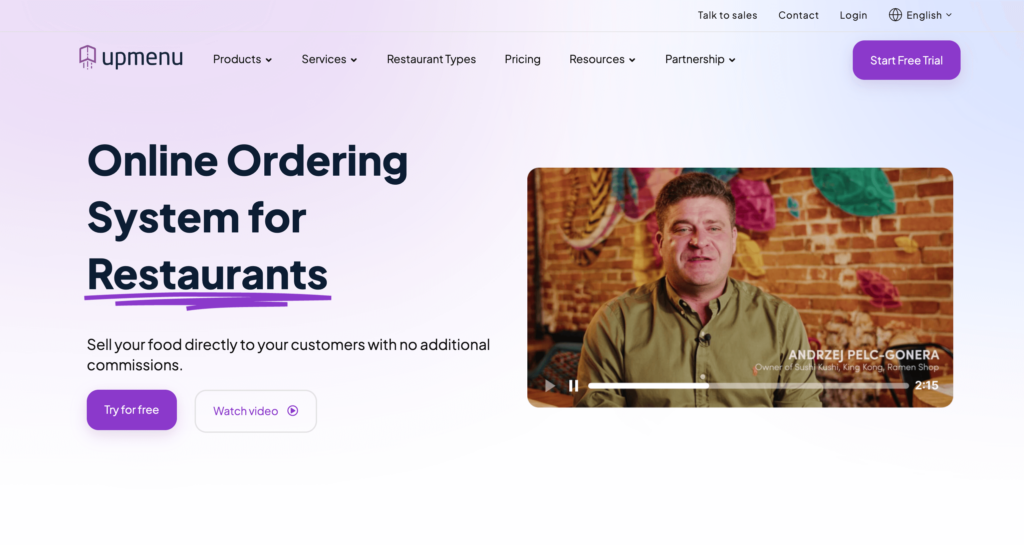
UpMenu takes a completely different approach from MustHaveMenus. Instead of menu design, UpMenu gives you a commission-free online ordering system with built-in marketing tools — loyalty programs, SMS campaigns, push notifications, and email marketing — all from one dashboard.
For restaurants that have outgrown design templates and want to build direct customer relationships, UpMenu offers features that MustHaveMenus doesn’t touch. The platform includes a branded website, QR code ordering, and even a branded mobile app on select plans. The trade-off is price: UpMenu starts at $49/month, which is more than MustHaveMenus but includes ordering and marketing tools you’d otherwise pay separately for.
Branded restaurant website with 40+ customizable templates
Branded mobile app for iOS and Android (select plans)
Built-in loyalty and rewards program
SMS, push notification, and email marketing campaigns
QR code menu for dine-in ordering with real-time sync
Promo codes and discount tools
Customer CRM and purchase history tracking
POS integrations
Multi-location management (Pro+)
Pros
Full marketing suite built in — no third-party tools needed for loyalty, SMS, or email
Commission-free direct ordering
Branded mobile app available without enterprise pricing
Real results documented: 17% cost reduction vs. delivery apps in case studies
Clean interface that’s easy to learn
Free trial available (no credit card required)
Cons
Starter plan ($49/month) limits monthly orders — high-volume restaurants need Pro ($149/month)
More expensive than Menubly for comparable ordering features
SMS credits and additional locations add up over time
May be more than smaller restaurants need if marketing automation isn’t a priority
No free plan — only a free trial
No print menu design capability
Pricing
Starter:~$49/month — ordering, website, CRM, marketing tools, up to 1,000 orders/month
Pro: ~$149/month — everything in Starter + multi-location, API, up to 2,500 orders/month
Enterprise: Custom pricing — unlimited orders, dedicated support
Best For
Mid-size restaurants with an existing customer base that want to run their own marketing — loyalty programs, SMS campaigns, repeat customer promotions — alongside commission-free online ordering. If you’re looking for a full digital marketing platform rather than just menu design, UpMenu is a strong fit. Overkill for small restaurants that just need basic ordering.
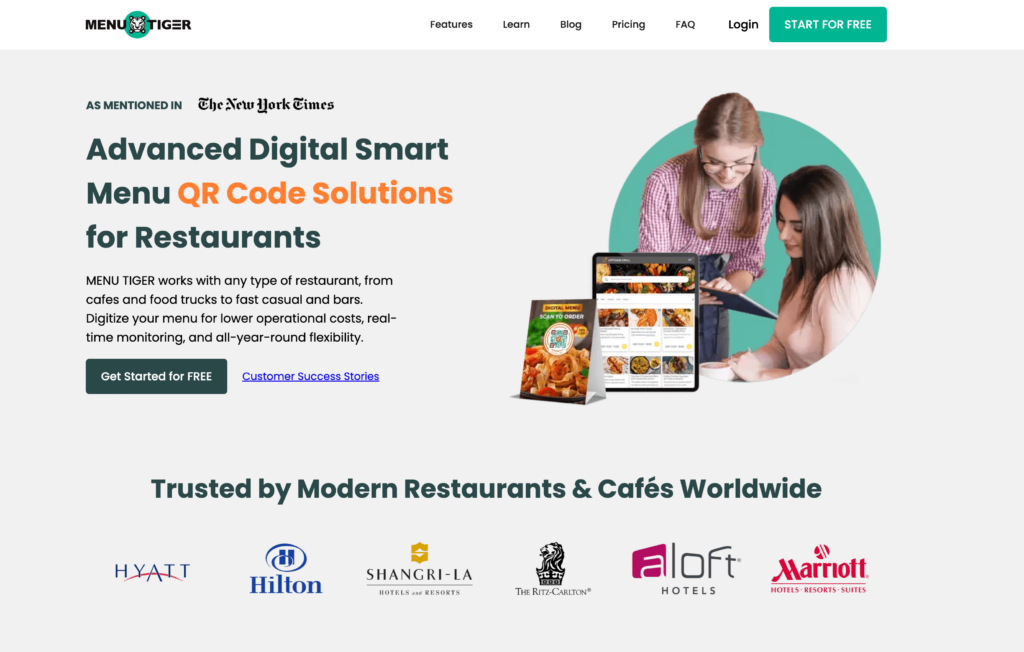
7. Menu Tiger — Best for QR Code Ordering Across Multiple Locations
Menu Tiger specializes in QR code ordering for restaurants managing multiple locations. Built by QRTIGER (used by Hilton, Hyatt, and Ritz Carlton), the platform lets you generate table-specific QR codes that customers can scan to browse, order, and pay — with a kitchen display system that routes orders to the right station.
Unlike MustHaveMenus’ view-only QR codes, Menu Tiger’s QR codes are fully functional ordering channels. The freemium plan lets you test with up to 10 tables, and paid plans start at $17/month with unlimited orders and zero commissions.
Features
Table-specific QR codes with kitchen display system (KDS) integration
Multi-location management (up to 5 stores on Premium)
QR code customization: logo, colors, eye patterns, CTA overlays
Multi-language menu translation (30+ languages)
Zapier and Canva integrations
Sales, revenue, and best-selling item analytics
Online ordering through QR codes and website
White-label with custom domain (Premium)
Website builder with drag-and-drop editing
POS integration (Loyverse)
Pros
Strong multi-location support from a single dashboard
Table-specific QR codes with KDS integration
Zero commissions on all plans
QR code customization is among the best (logo, patterns, CTAs)
Free plan available for testing
30+ language support for international restaurants
Cons
Free plan very limited (7 categories, 7 items per category, 200 orders/month, branded)
Limited POS integrations (Loyverse only)
Email-only support (no live chat or phone)
Pricing scales with number of locations
Payment limited to Stripe and PayPal
No native mobile admin app (web-based only)
Pricing
Freemium: $0/month (10 tables, 1 store, 200 QR orders/month, branded)
Growing restaurants managing 2–5 locations that need centralized menu control and table-specific QR code menus with ordering. Strong for multi-store operations; single-location restaurants may find cheaper alternatives like Menubly or GloriaFood.
8. GloriaFood — Best Free Online Ordering Platform
GloriaFood offers what MustHaveMenus doesn’t: a genuinely free online ordering system with zero commissions and no per-order fees. Backed by Oracle (acquired in 2021), GloriaFood lets restaurants take unlimited orders through their website, Facebook page, or QR codes — all at no cost for the core platform.
The free tier is surprisingly full-featured: commission-free ordering, QR code table ordering, table reservations, and a menu editor. Paid add-ons ($9–59/month) cover a sales-optimized website, online payment processing, promotions, and a branded mobile app. If your primary goal is taking orders without paying delivery app commissions, GloriaFood is hard to beat on price.
Online payment via Stripe, PayPal, Apple Pay (paid add-on)
Offline mode — continues taking orders during internet outages
Integration with delivery platforms (Wolt, Shipday, Tookan)
Free order-taking app for iOS and Android
Pros
Free tier is genuinely usable — unlimited orders, zero commissions, no per-order fees
Saves restaurants 15–30% compared to delivery app commissions
No long-term contracts on the ordering platform
QR code ordering and reservations available on free tier
Quick setup — most restaurants live within hours
Backed by Oracle, so the platform is well-funded
Cons
Growing complaints about support responsiveness since early 2025 (unanswered tickets for weeks)
Cannot manage orders or make menu changes from the mobile admin app
Limited customization of the online ordering widget — code is locked
Online payments require a $29/month add-on
No print menu design capability
Oracle ownership creates uncertainty about the free tier’s long-term future
Pricing
Core ordering:Free (no contracts, no commissions, no setup fees)
Sales-optimized website: $9/month per location
Advanced promotions: $19/month per location
Online payment processing: $29/month per location
Branded mobile app: $59/month per location
Best For
Small independent restaurants and ghost kitchens that need a free, zero-commission online ordering solution. Ideal for restaurants that already have a POS and just want to add a direct ordering channel without paying for design tools or templates. Check GloriaFood alternatives if support responsiveness is a concern.
9. Popmenu — Best for Established Restaurants Needing a Full Marketing Suite
Popmenu is the premium option on this list — a full restaurant marketing platform that handles interactive menus, custom websites, AI phone answering, email/SMS marketing, waitlist management, and online ordering. Starting at $149/month, it’s positioned for established restaurants with the budget for an all-in-one marketing solution.
Where MustHaveMenus focuses on design templates, Popmenu focuses on restaurant marketing and customer engagement. Its interactive menus let diners leave reviews and upload photos of dishes, which boosts SEO and social proof. But the price tag puts it out of reach for most small restaurants, and online ordering costs an additional $50/month plus $1 per order.
Features
Interactive menus with customer reviews and photos
Custom restaurant website design
Google Business Profile syncing
Email and SMS marketing automation
AI phone answering system
Waitlist and reservation management
Analytics and reputation management
QR code integration with marketing workflows
Pros
Interactive menus with customer photos and reviews boost SEO
Auto Google Business Profile syncing keeps listings accurate
Strong marketing automation (email, SMS, AI) built in
Purpose-built for restaurants, not a generic tool
Mobile app for managing orders and marketing on the go
Cons
$149/month entry price before add-ons
Online ordering costs an extra $50/month + $1 per order
Total cost can easily reach $400+/month with locations and add-ons
$300/month per additional location
Demo required — no self-service signup or free trial
Overkill for small restaurants with limited budgets
Established, higher-revenue restaurants with the budget for a full marketing platform. Good for restaurants that want AI-powered marketing, reputation management, and interactive menus. Not for small restaurants or anyone looking for an affordable MustHaveMenus replacement. For Popmenu alternatives, see our dedicated guide.
How to Choose the Right MustHaveMenus Alternative
By Primary Need
I just need affordable menu templates: Canva (free) or iMenuPro ($11.25/month)
I need menu design + marketing materials: PosterMyWall or Adobe Express
I need a digital menu with online ordering: Menubly ($9.99/month)
I need ordering + marketing automation: UpMenu ($49/month) or GloriaFood (free)
I need QR code ordering for multiple locations: Menu Tiger
I need a full marketing platform: Popmenu ($149/month+)
By Budget
Free: Canva, PosterMyWall (basic), Adobe Express, GloriaFood, Menu Tiger (limited)
Under $20/month: Menubly ($9.99), iMenuPro ($11.25–$16), Menu Tiger ($17)
$20–$50/month: UpMenu ($49)
$50+/month: Popmenu ($149+)
By Restaurant Type
Food trucks and small cafes: Menubly or Canva
Single-location restaurants: Menubly, iMenuPro, or GloriaFood
Multi-location chains: Menu Tiger, UpMenu, or Popmenu
Print-focused restaurants: iMenuPro or Canva
For most small to mid-size restaurants, the question isn’t “which design tool should replace MustHaveMenus?” but “do I still need a design tool at all?” If your customers are finding you online and ordering from their phones, a live digital menu with built-in ordering often makes more sense than paying for templates you still need to print. Menubly gives you that at $9.99/month — less than half the cost of MustHaveMenus’ Design plan.
Frequently Asked Questions
What is the best alternative to MustHaveMenus?
It depends on what you need. For a digital menu with online ordering, Menubly ($9.99/month) gives you more functionality at a lower price. For free menu design templates, Canva has over 15,000 options. For budget menu design software built for restaurants, iMenuPro ($11.25/month) includes QR codes and digital TV display at one all-inclusive price.
Is MustHaveMenus worth it?
MustHaveMenus is worth it if your primary need is professional print menu design with POS syncing. The 25,000+ restaurant-specific templates and Toast/Square integration are strong features. But at $24–49/month for a design-only platform with no online ordering, it’s expensive for restaurants that mainly need digital menus.
How much does MustHaveMenus cost?
MustHaveMenus starts at $24/month ($19/month annually) for the Design plan. The Pro plan costs $49/month ($41/month annually) and adds QR codes, digital signage, and AI tools. Digital signage screens cost an extra $20/month each. Additional locations are $49/month each.
Is there a free alternative to MustHaveMenus?
Yes. For menu design: Canva, PosterMyWall, and Adobe Express all offer free plans with thousands of templates. For digital menus with ordering: GloriaFood provides free commission-free online ordering, and Menu Tiger has a freemium plan with QR code ordering for up to 10 tables.
Can I create a restaurant menu without MustHaveMenus?
Yes. There are multiple ways to create a restaurant menu without MustHaveMenus. Free design tools like Canva give you templates for print menus. Digital menu platforms like Menubly let you build live online menus with ordering in minutes, without any design skills.
What’s the difference between a menu design tool and a digital menu platform?
A menu design tool (like MustHaveMenus, Canva, or iMenuPro) creates static menu files — PDFs, images, or print-ready documents. A digital menu platform (like Menubly, UpMenu, or Menu Tiger) creates live, interactive menus that customers can access online, browse on their phones, and order from directly. Design tools focus on how your menu looks; digital platforms focus on what your menu does.
Do I need to print menus if I use a digital menu?
Not necessarily. Many restaurants now use QR code menus for dine-in and online menus for takeout and delivery, reducing or eliminating printing costs. A QR code displayed at each table lets customers view your full menu on their phone. You can still print menus if you prefer, but it’s no longer required.
Which MustHaveMenus Alternative Is Right For You?
Quick recap:
Best overall alternative: Menubly ($9.99/month — digital menu with commission-free ordering)
Best free design tool: Canva (15,000+ menu templates)
Best budget menu design: iMenuPro ($11.25/month, all features included)
Best for marketing automation: UpMenu ($49/month)
Best free ordering: GloriaFood (free, zero commission)
MustHaveMenus is a strong tool if professional print menu design is your top priority. But if you’re spending $24–49/month on templates and still don’t have a way for customers to order from your menu, it’s worth asking whether a digital-first platform would serve you better.
For most small to mid-size restaurants, a live digital menu with built-in ordering makes more financial sense than paying for design templates. Menubly gives you exactly that at $9.99/month — commission-free ordering, instant menu updates, QR code menus customers can order from, and a restaurant website builder, all included. No design skills needed, no printing costs, and your menu is live in minutes.
To provide the best experiences, we use technologies like cookies to store and/or access device information. Consenting to these technologies will allow us to process data such as browsing behavior or unique IDs on this site. Not consenting or withdrawing consent, may adversely affect certain features and functions.
Functional
Always active
The technical storage or access is strictly necessary for the legitimate purpose of enabling the use of a specific service explicitly requested by the subscriber or user, or for the sole purpose of carrying out the transmission of a communication over an electronic communications network.
Preferences
The technical storage or access is necessary for the legitimate purpose of storing preferences that are not requested by the subscriber or user.
Statistics
The technical storage or access that is used exclusively for statistical purposes.The technical storage or access that is used exclusively for anonymous statistical purposes. Without a subpoena, voluntary compliance on the part of your Internet Service Provider, or additional records from a third party, information stored or retrieved for this purpose alone cannot usually be used to identify you.
Marketing
The technical storage or access is required to create user profiles to send advertising, or to track the user on a website or across several websites for similar marketing purposes.