The average restaurant spends $200 to $500 per year in printing costs just to keep their printed menu current — and that number doubles for businesses with seasonal menus or frequent price changes. Meanwhile, PDF menus look terrible on smartphones. Customers have to pinch, zoom, and scroll sideways to read tiny text, and over 60% of menu views now happen on mobile devices.
You already know your restaurant needs a digital menu. But the restaurant industry is flooded with QR code menu software solutions ranging from free PDF-to-QR converters to $300/month enterprise ordering platforms. Some just display a static page. Others let customers scan, browse, order, and pay from their phone. The price gap between them is enormous, and the wrong choice could mean overpaying for features you don’t need — or missing out on features that could actually grow your revenue.
We compared 10 of the best QR code menu platforms for restaurants in 2026, evaluating each on pricing, ease of use, ordering capabilities, customization, and whether they help you make more money — not just display your menu. Whether you run a single cafe or manage five locations, this guide will help you pick the right platform without wasting time or budget.
Quick picks:
Best for affordable QR menus with ordering: Menubly ($9.99/mo, commission-free ordering)
Best free option: GloriaFood (free QR code ordering, no commissions)
Best for multi-location restaurants: Menu Tiger ($17–$119/mo, up to 5 stores)
What Is a QR Code Menu?
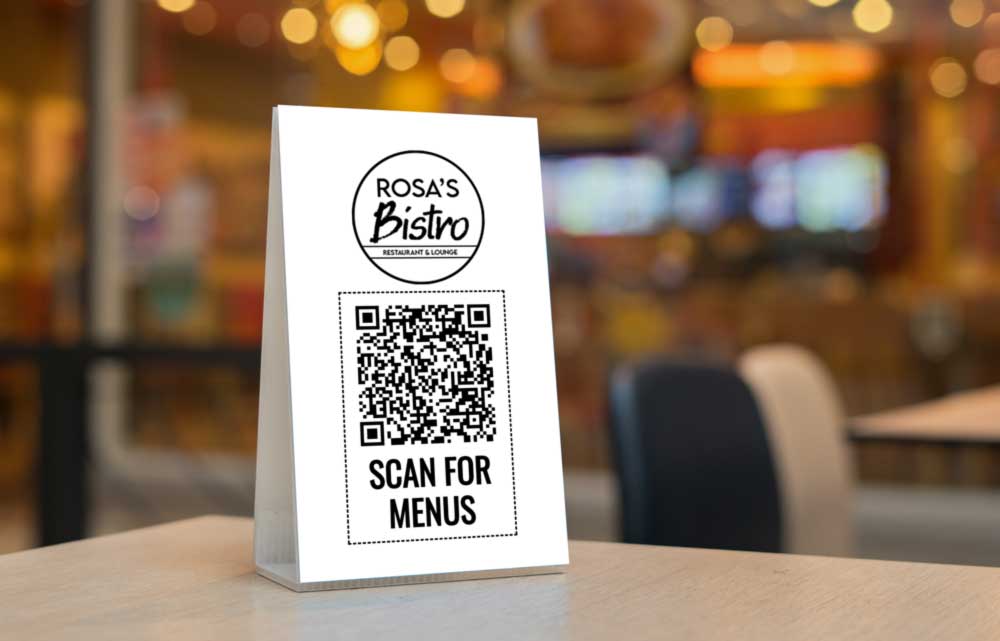
A QR code menu is a digital menu that customers access by scanning a QR code with their smartphone camera. The QR code redirects to a mobile-friendly page that loads instantly in their phone’s browser — no app download needed. Customers can scan the QR code, tap the link that appears, and your full menu shows up on their screen.
This technology took off during COVID-19 when restaurants needed contactless menus for hygienic dining and safety. But contactless ordering stuck around because the benefits go far beyond hygiene. Apple embedded QR code readers directly into the iPhone camera in 2020, removing the last major barrier to adoption. Today, restaurants of all sizes use QR codes as standard menu technology.
Not all QR code menus are equal, though. They fall into three categories:
View-only menus: The menu allows customers to view your items on their phone. That’s it — no ordering, no payments. Better than a PDF file, but still limited.
Order-enabled menus: Customers browse your menu AND place orders directly from the same QR code. Orders go straight to your kitchen or dashboard.
Full scan-order-pay systems: Diners scan, order, AND pay from their phone. They don’t have to wait for a server — the table turns faster, and you collect payment automatically.
The shift from paper to digital is driven by real cost savings. You’ll never pay reprinting costs again. You can edit your menu whenever you want — update prices, add new dishes, or mark items as sold out in seconds. And if your platform supports ordering, each QR code scan becomes a potential revenue opportunity — not just a menu view.
What to Look For in a QR Code Menu Platform
Before comparing specific platforms, here are the criteria that matter most when choosing a QR code menu for your restaurant:
Ordering capabilities — Does it just display your menu, or can customers actually place orders? A good QR code menu generator allows customers to scan, browse, and order from the same QR code. View-only menus are fine for dine-in browsing, but they miss the chance to turn scans into revenue.
Pricing transparency — Watch for hidden fees. Some platforms advertise low monthly rates but cap your monthly orders, charge per-order commissions, mark up payment processing fees, or lock key features behind expensive add-ons. Calculate total cost, not just the subscription price.
Mobile-friendly design — Your QR code menu will be viewed on phones 95%+ of the time. It needs to be user-friendly, load fast, look clean on small screens, and avoid horizontal scrolling. Don’t settle for platforms that just convert your PDF into a scannable link — that’s not a real digital QR code menu.
Instant menu updates — Can you change a price, add a new dish, or mark something as sold out in seconds? And does the update go live immediately without generating a new QR code or reprinting your existing ones?
Customization and branding — Your menu should look like your restaurant, not a generic template. Check whether you can customize colors, fonts, logos, and the QR code itself. A branded menu QR code builds trust and looks professional when you place the QR code on table tents and signage.
Setup speed and ease of use — Can a non-technical restaurant owner set this up in an afternoon? Some platforms let you create a QR code menu in minutes. Others require weeks of onboarding. If you’re running a busy kitchen, you don’t have time for a complicated tech project.
Quick Comparison: 10 Best QR Code Menu Platforms
Platform
Best For
Starting Price
Online Ordering
Commission
QR Code Customization
Menubly
Affordable QR menus + ordering
$9.99/mo
Yes (built-in)
0%
Yes (branded)
Menu Tiger
Multi-location management
Free / $17/mo
Yes
0%
Yes (logo, colors, CTA)
GloriaFood
Free QR ordering
Free
Yes
0%
Basic
Orderlina
Commission-free scan-order-pay
Free / $49/mo
Yes
0%
Yes (branded flyers)
One2Menu
Menu optimization & SEO
Free / $99/mo
Yes
0%
Yes
UpMenu
Built-in marketing suite
$49/mo
Yes
0%
Yes
Sunday App
Fast payments & table turns
$49/mo
Yes
1%+ platform fee
Limited
me&u
AI-powered visual menus
Custom
Yes
Custom
Yes
TableQR
Design & allergen compliance
Free tier
Yes
0%
Yes (templates)
SproutQR
Accessibility compliance
Custom
In development
N/A
Yes (design-focused)
10 Best QR Code Menus for Restaurants in 2026
1. Menubly — Best for Affordable QR Code Menus with Built-in Ordering
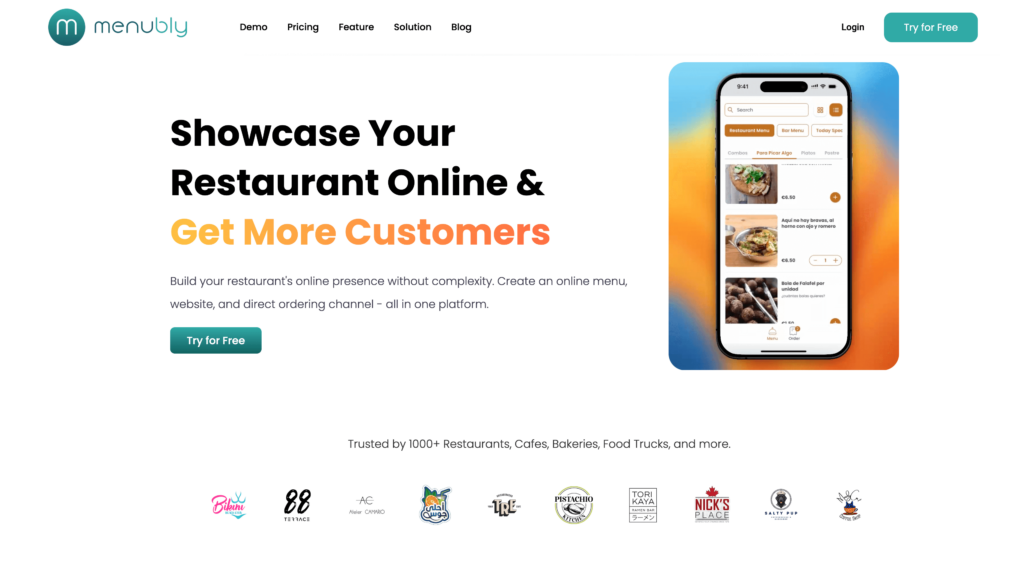
Menubly is a QR code menu and online ordering platform built for small to medium food businesses that want more than a static menu display. It generates a mobile-friendly QR code restaurant menu for your business — when customers scan your Menubly QR code, they don’t just see your menu, they can browse an interactive menu and place orders directly from their phone. All from a single link, with no app download needed.
At $9.99/month with zero commission fees, Menubly costs a fraction of alternatives like UpMenu ($49/mo) or Sunday App ($49–$299/mo). There’s no hardware to buy, no technical skills required, and restaurants can use the platform to generate a menu and go live within 30 minutes of signing up. If you don’t have time to build the menu yourself, Menubly’s team will convert your existing PDF or paper menu into a digital menu for free.
Key Features
Interactive, mobile-friendly QR code menu that looks great on any device
Built-in commission-free online ordering page for dine-in, takeaway, and delivery
Instant menu updates — change prices, add items, or mark dishes as sold out in seconds
Fully customizable branding with your colors, fonts, and logo
QR code and shareable link generation (QR code stays the same when you update the menu)
Menu search and category filtering so customers find what they want fast
Add-ons and customization options (sizes, toppings, extras)
Create a digital menu or upload items in bulk from Excel or CSV files
Custom plan: Available for businesses with special requirements
Commission: 0% on all orders
Best For
Small to medium food trucks, cafes, bakeries, bars, and restaurants that want a QR code menu that actually takes orders — not just displays items. If you’re looking to replace expensive paper menus AND cut delivery app commissions at the same time, Menubly gives you both for under $10/month.
2. Menu Tiger — Best for Multi-Location Restaurant Management
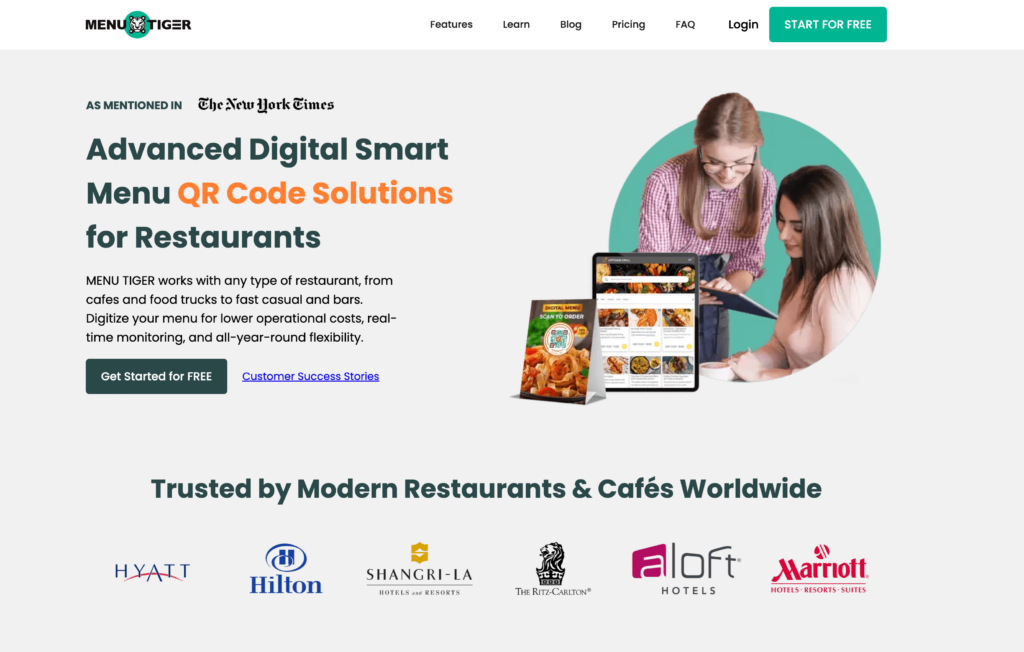
Menu Tiger is an all-in-one QR code menu and restaurant management platform with strong support for businesses running multiple locations. Each table in your restaurant gets a unique QR code that routes orders directly to your kitchen display system, so you know exactly which table placed each order.
Where Menu Tiger stands out is centralized multi-location control. The menu supports up to five stores from a single dashboard, letting you set location-specific pricing, assign staff permissions, and pull consolidated sales reports. If you’re growing from one location to several, Menu Tiger scales with you — though the pricing scales too.
Features
Table-specific QR codes with unique routing to kitchen displays
Multi-location management from a single dashboard (up to 5 stores)
Kitchen display system (KDS) integration for real-time order tracking
Unlimited menu items and categories on all paid plans
QR code customization with logo, colors, eye patterns, and call-to-action overlays
Multi-language menu translation
Zapier and Canva integrations for automation and design
WiFi QR code generation for customer internet access
Online ordering through both QR codes and restaurant website
Sales, revenue, and best-selling item analytics
Pros
Strong multi-location support — manage up to 5 stores from one dashboard
Table-specific QR codes with kitchen display integration
Zero commissions on all plans
QR code customization is among the best available (logo, patterns, CTAs)
Free plan available for testing
14-day free trial on paid plans, no credit card required
Unlimited orders on all paid plans
Cons
Free plan is very limited — only 7 menu categories, 7 items per category, and 200 orders/month
Menu Tiger branding appears on free plan menus
Limited POS integrations — currently supports Loyverse only
Customer support is email-only (no live chat or phone)
Pricing adds up for multi-location businesses ($46–$119/mo per account, not per store)
Growing restaurants managing 2–5 locations that need centralized menu control and table-specific QR codes routed to kitchen displays. Menu Tiger’s strength is operational management across multiple stores — if you run a single location, simpler and cheaper options like Menubly may be a better fit.
3. GloriaFood — Best Free QR Code Ordering System
GloriaFood, now owned by Oracle, offers something rare in restaurant tech: a genuinely free QR code ordering system that allows restaurants to accept unlimited orders with zero commissions. Customers scan the QR code at their table, browse your menu, place their order, and can even pay from their phone — all at no cost to you on the base plan.
The catch is that GloriaFood’s free tier handles ordering only. If you want online payment processing, you’ll pay $29/month. Promotional marketing tools cost $19/month. A branded mobile app is $59/month. So while the core system is free, a restaurant using most features could spend $100+ per month per location. Still, if you just need basic QR code ordering with no budget, GloriaFood is the strongest free option available.
Features
Free commission-free QR code ordering for dine-in
Unlimited orders on the free plan — no monthly caps
Table-specific or shared QR code options
Menu editor with instant updates across online and in-store menus
Online payment processing via Stripe and PayPal (paid add-on)
Delivery management with driver tracking integration
Scheduled and pre-orders for pickup and delivery
Integration with Wolt, Lightspeed, Shipday, and other delivery platforms
Pros
Free tier is genuinely usable — unlimited orders, no commissions, no per-order fees
Zero commission saves 15–30% compared to delivery apps
No long-term contracts on the ordering platform
Quick setup — most restaurants go live within hours
Backed by Oracle, adding stability and resources
Streamlines taking orders and payments for dine-in, pickup, and delivery from one system
Cons
Growing user complaints about support responsiveness since early 2025 (tickets going unanswered for weeks)
Online payments, promotions, and branded app are all paid add-ons ($9–$59/month each)
Limited customization of the online ordering widget — code is locked
No mobile admin app — can’t manage orders or edit menus from your phone
Oracle ownership creates uncertainty about long-term commitment to the free tier
Percentage-only delivery fee discounts — fixed dollar amounts not supported
Pricing
Core QR code ordering:Free (unlimited orders, no commission)
Sales-optimized website: $9/month per location
Advanced promotions: $19/month per location
Online payment processing: $29/month per location
Branded mobile app: $59/month per location
Commission: 0% on all orders
Best For
Small independent restaurants and ghost kitchens that need QR code ordering with zero upfront investment. GloriaFood is the best choice if your primary goal is getting a working QR ordering system today at no cost. Just be aware that adding payments and promotions will increase your monthly spend.
4. Orderlina — Best for Commission-Free Scan-Order-Pay
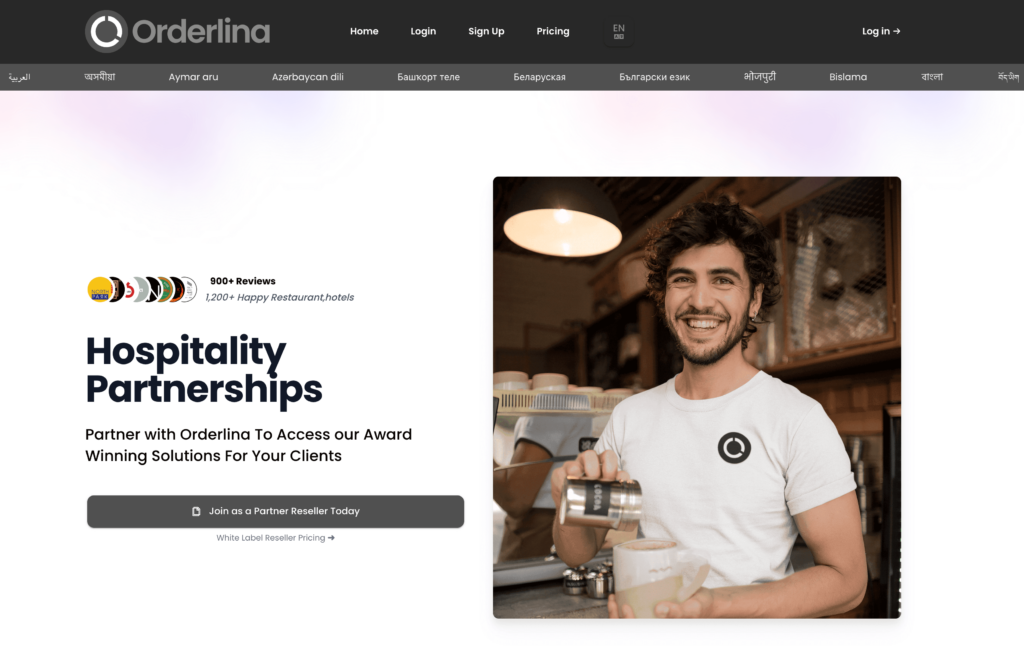
Orderlina powers over 4,500 restaurants across 100+ countries with a complete scan-order-pay workflow. Customers scan a table QR code, browse the menu on their phone, place an order, and settle payment — all without needing a server to handle the transaction.
What makes Orderlina different is genuinely commission-free payment collection. While most platforms charge standard payment processor fees (2.9% + $0.30), Orderlina claims to enable direct customer-to-restaurant payment without intermediary charges on its free tier. The free plan has a 200-visit monthly limit, but for restaurants just starting with QR ordering, it’s a risk-free entry point. The paid tier at $49/month adds unlimited visits, POS integration, custom domain, and white-label customization.
Features
Complete scan-order-pay workflow from a single QR code
Commission-free payment processing on all tiers
Multi-channel orders: website, Google Maps, Facebook, delivery platforms
Branded flyer templates for QR code display
Kitchen management app (Orderlina Manager) for order tracking
Staff-to-customer chat for service requests
Guest re-marketing: customer lists, social sharing, Facebook pixel
POS integration for automatic order routing (paid plans)
White-label customization on paid plans
5-minute setup process — no hardware or software installation
Pros
Genuinely commission-free payments — even on the free plan
Free tier includes QR menus, ordering, and payment acceptance
Multi-channel order consolidation (website + marketplace + direct on one dashboard)
White-label option lets you present Orderlina as your own technology
No contracts — cancel anytime
5-minute setup with no hardware required
Cons
Free tier caps at 200 visits per month — busy restaurants will hit this fast
Learning curve for restaurant managers unfamiliar with cloud-based platforms
Requires internet connectivity for full functionality
Less well-known brand compared to GloriaFood or Square
Jump from free to $49/month is a large gap with no mid-tier option
Restaurants that want the full scan-order-pay experience without paying commissions to anyone. Orderlina is a strong pick for single-location restaurants that want smooth service without requiring servers to handle ordering and payment. The free tier works well for testing; the $49/month plan is where it becomes a full operational tool.
5. One2Menu — Best for Menu Optimization and Local SEO
One2Menu takes a different approach to QR code menus. Instead of competing on features alone, it helps restaurants make their menus perform better — using A/B testing on menu photos, keyword optimization for local search, and conversion analytics to identify which items drive the most orders.
The free plan includes everything: QR code menus, online ordering, POS integration, a loyalty program, and Google My Business sync. For restaurants making over $3,000/month in revenue, the $99/month premium tier adds enhanced support. Payment processing runs through Stripe at a flat 2.9% + $0.30 per transaction. The platform recently shifted its focus toward menu engineering, positioning itself as a performance optimization layer rather than a standalone ordering system.
Features
A/B testing on menu photos and item presentation for conversion optimization
Google My Business and Google Maps integration for local search visibility
Real-time sales reporting and customer behavior analytics
Multi-language automatic menu translation
Menu updates published across all channels simultaneously (website, Facebook, Google)
Flat-rate delivery partnerships with DoorDash
Same-day setup — cloud-based, no hardware needed
Pros
Free plan includes all features — no feature gating behind paid tiers
Menu optimization and A/B testing is something no other platform on this list offers
Google My Business sync improves local search visibility
Flat-rate delivery partnerships save 15–30% vs. marketplace commissions
Loyalty program members spend approximately double compared to non-members
No commissions on orders
Cons
Strategic shift in late 2025 moved focus away from primary ordering — may feel less complete as a standalone system
$99/month premium tier is expensive for small restaurants
Interface is less intuitive than simpler alternatives like Menubly
Menu optimization benefits require active engagement with analytics — not set-and-forget
Smaller user community means fewer third-party guides and tutorials
Pricing
Free:$0/month (all features, unlimited menu items)
Premium: $99/month (for restaurants over $3,000/mo revenue, enhanced support)
Processing: 2.9% + $0.30 per transaction via Stripe
Commission: 0% on all orders
Best For
Data-driven restaurant owners who want to improve menu performance, not just digitize it. One2Menu is the right choice if you care about which menu photos convert best, how your restaurant ranks in local search, and which items drive the highest order value. If you just want a simple QR menu that works, simpler options may be better.
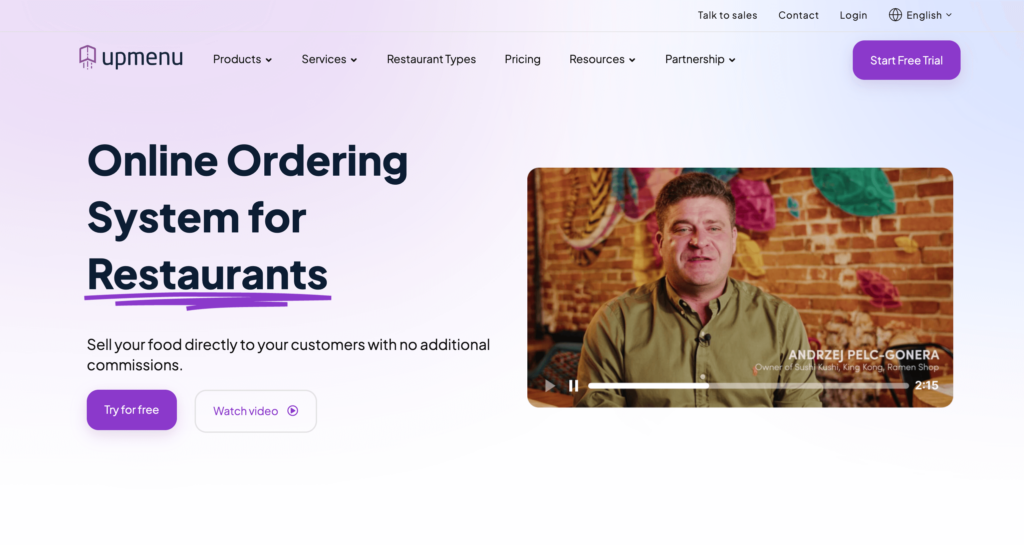
6. UpMenu — Best for Built-in Restaurant Marketing
UpMenu combines QR code menus with something most menu platforms don’t include: a full marketing suite. It provides solutions for loyalty, SMS campaigns, push notifications, email marketing, and promo codes — all built into the same platform where you manage your menu and take orders.
For mid-size restaurants with an existing customer base, this saves the cost and hassle of subscribing to separate marketing tools. UpMenu reports that restaurants using its platform see a 17% cost reduction vs. delivery apps and 27% sales growth in documented case studies. The trade-off is price: at $49/month for the Starter plan (with a 1,000-order monthly cap), UpMenu costs five times more than Menubly.
Mid-size restaurants with an existing customer base that want to run their own digital marketing — loyalty programs, SMS campaigns, and repeat customer promotions — alongside commission-free online ordering. If you’re a small restaurant that just needs menus and ordering, UpMenu is likely overkill for your needs.
7. Sunday App — Best for Speeding Up Payments and Table Turns
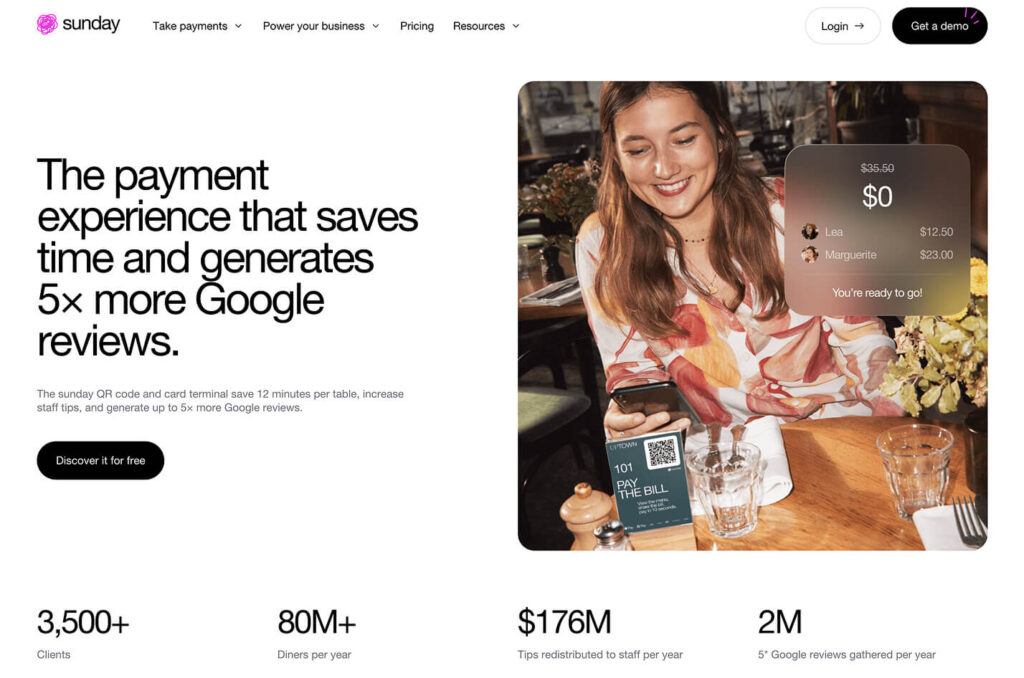
Sunday is not a traditional QR code menu platform — it’s a payment-first system designed to solve the end-of-meal bottleneck. Customers scan the QR code, see their bill, pay instantly, and leave. No waiting for the server to bring the check, run a card, and return with the receipt.
Built by restaurant operators, Sunday now serves 3,500+ clients processing over 80 million transactions annually. The platform claims to reduce table turn time by about 12 minutes per table and generate 5x more Google reviews through post-payment review prompts. It also includes an AI-driven tip optimization engine that automatically suggests tip amounts. For dine-in restaurants where table turnover speed directly impacts revenue, Sunday’s approach makes sense — but at $49–$299/month plus layered transaction fees, it’s the most expensive option on this list.
Features
QR code bill payment — customers pay instantly from their phone
AI-powered tip optimization engine for higher staff gratuities
Hybrid ordering (digital self-order + traditional server-assisted)
Click & Collect for takeout optimization
Guest intelligence CRM with ordering history and spend data
Loyalty program and customer retention tools
Online reputation management with post-payment review prompts
Multi-location governance dashboard
Smart handheld payment terminals (Premium tier)
Performance analytics and reporting dashboards
Pros
Reduces table turn time by ~12 minutes — directly increases revenue in busy restaurants
AI tip engine increases staff tips compared to traditional payment methods
5x more Google reviews through integrated post-payment prompts
Strong POS integrations for order-to-kitchen routing
Established scale: 3,500+ clients, $176M in redistributed tips
24/7 human support on Standard and Premium tiers
Cons
Expensive — $49–$299/month plus 1%+ platform fee on every QR transaction
Mandatory AI tip engine cannot be disabled or overridden by merchants
More of a payment and tipping tool than a full QR menu platform
Integration complexity can extend deployment timelines
Ecosystem lock-in through loyalty and guest data creates high switching costs
Pricing
Starter:$49/month (basic QR payments, limited card types)
Standard: $199/month (hybrid ordering, loyalty, analytics, AI tips)
Premium: $299/month (smart handhelds, full CRM, multi-location)
Platform fee: 1%+ on QR code transactions
Terminal rental: $40/month (36-month commitment)
Best For
High-volume dine-in restaurants where shaving minutes off every table turn directly impacts revenue. Sunday makes the most sense for busy restaurants processing hundreds of payments per day — the per-transaction costs are offset by faster turns and higher tips. For small restaurants, food trucks, or takeaway-focused businesses, Sunday’s pricing and payment-first focus aren’t the right fit.
8. me&u (formerly Mr Yum) — Best for AI-Powered Visual Menus
me&u was born from the idea that “menus haven’t evolved in hundreds of years.” Founded in Melbourne in 2018 as Mr Yum, the platform merged with me&u in 2023 to create a global QR ordering system serving 6,000+ venues and 25 million users. The company raised $65 million in Series A funding and reached monthly profitability in mid-2025.
The standout feature is AI-driven menu personalization. me&u uses data from billions of orders to create a “For You” section that recommends items based on each customer’s ordering history. The “Taste Sorting” feature dynamically reorders menu items by popularity within customer segments. Early adopters report 12–18% increases in average spend compared to traditional table service. For bars, the “Another Round” feature makes reordering drinks as simple as one tap.
Features
AI-powered “For You” menu recommendations based on ordering history
“Taste Sorting” that repositions menu items by popularity
Visual-first menus with high-resolution photos and video support
70+ POS integrations for real-time menu sync and order routing
“Another Round” one-tap reorder feature for bars and beverage venues
Order batching for kitchen efficiency during high-volume service
29-language support with automatic translation
Apple Pay, Google Pay, gift cards, and split-bill payments
Connect CRM with email and SMS marketing automation
Automatic PDF printing through existing hardware
Pros
AI personalization engine is the most advanced on this list — measurable impact on average spend
Visual menu design is the best-looking of any platform reviewed — customers can easily browse stunning food photos
70+ POS integrations eliminate manual order re-entry
“Another Round” one-tap reorder feature is built for bars and nightlife venues
Proven scale: 6,000+ venues, 25 million users
Strong onboarding support with dedicated implementation teams
Cons
Custom pricing with no public price list — hard to evaluate without a sales call
Enterprise-focused — less suited for small independent restaurants
Requires POS integration, adding complexity and potential failure points
Financial instability before mid-2025 profitability included layoffs and losses
CRM and marketing features are separate paid modules
Connect CRM: Based on number of opted-in email contacts
Commission: Custom (not publicly disclosed)
Best For
High-volume restaurants, bars, food halls, and hospitality groups that want AI-driven menu optimization and visual-first presentation. me&u is the right choice if you process hundreds of orders daily and want to maximize average spend through personalized recommendations. If you’re a small cafe looking for a simple QR menu, this platform is more than you need.
9. TableQR — Best for Mobile-First Design and Allergen Compliance
TableQR is built around a simple idea: if 95%+ of your QR code menu views happen on smartphones, the platform should be built for phones first. Every menu created through TableQR is optimized for fast loading on 4G and 5G connections, with clean visual hierarchy and distraction-free layouts that keep the focus on your food.
Where TableQR stands apart is global allergen labeling compliance. The platform supports FDA nutrition and allergen standards for the US, EU-style allergen presentation for European markets, SFDA standards for Saudi Arabia, and UAE Food Code 2.0 compliance. For internationally-focused restaurants, hotels, and fine dining establishments serving diverse guests, this regulatory breadth is hard to find elsewhere.
Features
Mobile-first menu design optimized for fast loading on 4G/5G networks
Fine dining restaurants, hotels, and internationally-focused hospitality businesses that need fast-loading, beautifully designed menus with global allergen compliance. If your priority is brand presentation and regulatory compliance over feature quantity, TableQR delivers. For restaurants that need marketing, loyalty, or deep analytics, look elsewhere.
10. SproutQR — Best for Accessibility-Compliant Menus
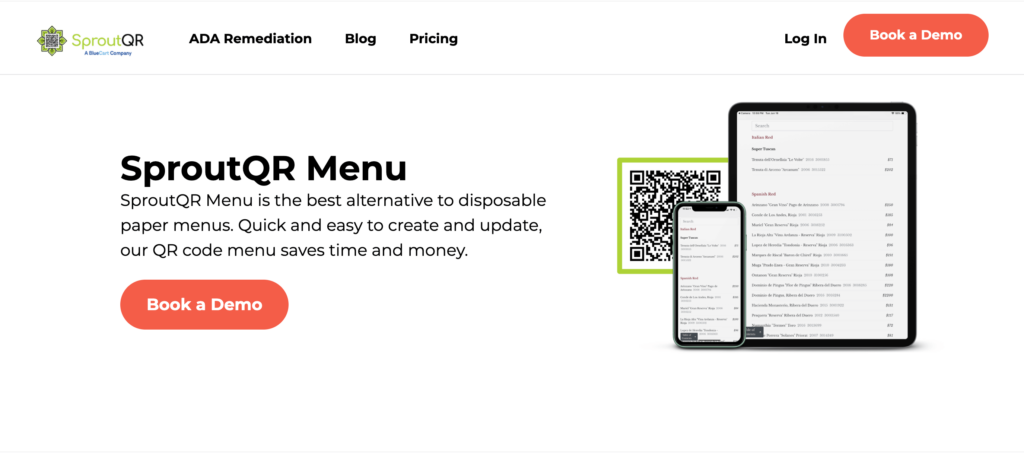
SproutQR focuses on something most QR code menu platforms overlook: digital accessibility. The platform is built to meet ADA, WCAG 2.1, and Section 508 compliance standards, making sure customers with visual impairments or other disabilities can use your QR code menu without barriers.
The product has three components: SproutQR Menu for digital menu display, SproutQR Order for mobile ordering, and SproutQR Pay for contactless payments. The platform creates a digital menu from your existing content and handles QR code design for you — a managed service approach that reduces technical burden but means pricing isn’t published publicly. For restaurants in jurisdictions with strict accessibility laws, or businesses committed to inclusive customer service, SproutQR fills a gap that other platforms ignore.
Features
ADA, WCAG 2.1, and Section 508 compliant menus
Screen reader compatibility for visually impaired customers
Dietary filtering and allergen labeling
Design-forward QR codes that match restaurant branding
Real-time menu updates without reprinting codes
Managed setup service — SproutQR handles menu creation
24/7 human customer support
SproutQR Order for mobile ordering (in development)
SproutQR Pay for contactless payments (in development)
Pros
Only platform on this list with full accessibility compliance (ADA, WCAG 2.1, Section 508)
Managed setup reduces technical burden — they build your menu for you
Design-focused QR codes that look professional in fine dining settings
24/7 human support (not automated chatbots)
Dietary filtering and allergen labeling built in
Fills a real gap — accessibility is ignored by most competitors
Cons
Pricing not published — requires a demo to get a quote
Ordering and payment features are still in development (“coming soon”)
Limited analytics compared to data-focused competitors
Customization is constrained by accessibility requirements
Smaller market presence — fewer user reviews and case studies available
Not a full ordering solution yet — currently focused on menu display
Restaurants, hotels, and hospitality businesses that need ADA and WCAG compliant menus — either because they operate in jurisdictions with strict accessibility laws or because they want to serve all customers inclusively. If you need ordering capabilities today, SproutQR isn’t ready yet. But for accessible menu display with professional design, it’s the strongest option.
How to Choose the Right QR Code Menu for Your Restaurant
With 10 platforms to pick from, here’s how to narrow down the right menu management solution based on your budget, restaurant type, and primary need.
By Budget
Free: GloriaFood, Orderlina (free tier), Menu Tiger (free tier), One2Menu
Under $20/month: Menubly ($9.99/mo), Menu Tiger Regular ($17/mo)
$50+/month: UpMenu Pro ($149/mo), Sunday Standard/Premium ($199–$299/mo), Menu Tiger Premium ($119/mo), me&u (custom)
By Restaurant Type
Food trucks:Menubly or GloriaFood — low cost, mobile-friendly, quick setup
Single-location restaurants and cafes: Menubly or Menu Tiger Regular
Multi-location groups (2–5 stores): Menu Tiger Advanced/Premium or me&u
Fine dining: TableQR or SproutQR — design quality and allergen compliance
Bars and breweries: me&u (Another Round feature) or Menubly
Fast-casual and QSR: GloriaFood or Orderlina — speed and simplicity
By Primary Need
“I just need a digital menu with QR codes”: Menubly, TableQR, or GloriaFood (free)
“I want customers to order AND pay from their phone”: Menubly, Orderlina, or Sunday
“I need marketing tools alongside my menu”: UpMenu
“I want AI-driven menu personalization”: me&u
“I need accessibility compliance”: SproutQR
For most small and medium restaurants, the best starting point is a platform that combines QR code menus with built-in ordering at a price that won’t eat into your margins. Menubly gives you both for $9.99/month with zero commissions — and you can create your QR code menu and test it free for 30 days.
QR Code Menu FAQs
What is the best QR code menu for restaurants?
It depends on your needs. Menubly is the best option for restaurants that want an affordable QR code menu with built-in ordering at $9.99/month. Menu Tiger is the best choice for restaurants managing multiple locations. For enterprise-level venues, me&u offers AI-powered personalization.
How much does a QR code menu cost?
QR code menu pricing ranges from free (GloriaFood, Orderlina free tier) to $299/month (Sunday Premium). Most small restaurants can get a full QR code menu with ordering capabilities for $10–$50 per month. Menubly offers one of the lowest price-to-feature ratios at $9.99/month with zero commissions.
Can customers order from a QR code menu?
Yes, but only if the platform supports ordering. Basic QR code menus just display items — customers view the menu but still need to order with a server. Platforms like Menubly, Menu Tiger, GloriaFood, and Orderlina let customers scan the QR code, browse the menu, and place orders directly from their phone.
Do I need to reprint QR codes when I update my menu?
No. With every platform on this list, the QR code stays the same even when you change prices, add items, or update descriptions. The QR code links to a live URL that always displays the latest version of your menu. You can print your QR code once and use it permanently.
Is a QR code menu better than a PDF menu?
Yes. PDF menus are hard to read on phones (pinch and zoom required), slow to load on mobile connections, can’t be updated without re-uploading the file, and don’t support ordering or analytics. A QR code menu platform gives you a mobile-friendly menu that updates instantly, tracks what customers order, and — on most platforms — lets customers place orders directly.
Do QR code menus work without internet?
Customers need an internet connection (WiFi or mobile data) to load the menu after scanning. Most smartphones have mobile data, so this is rarely an issue. On the restaurant side, some platforms like GloriaFood have offline modes that continue receiving orders during brief internet outages.
Can I use a QR code menu for dine-in, takeaway, and delivery?
Most platforms on this list support all three. Menubly, GloriaFood, Orderlina, and Menu Tiger let you configure QR codes for dine-in table ordering, takeaway pickup, and delivery. Some platforms like Sunday focus mainly on dine-in payments. Check each platform’s ordering options to make sure it covers your service types.
Which QR Code Menu Software Is Right for You?
Here’s a quick recap of the top picks by category:
Best overall for small restaurants: Menubly ($9.99/mo, QR code menu + ordering, zero commissions)
Best free option: GloriaFood (free ordering, no commissions)
Best for multi-location: Menu Tiger ($17–$119/mo, up to 5 stores)
Best for marketing: UpMenu ($49/mo+, loyalty, SMS, email)
Best for fast payments: Sunday App ($49–$299/mo, faster table turns)
Best for AI personalization: me&u (custom pricing, visual menus)
Most small and medium restaurants don’t need a $200/month enterprise platform to go digital. They need a QR code menu that looks good on phones, updates instantly, and turns scans into actual orders. That’s what Menubly does for $9.99/month. No commissions, no hardware, no technical skills. Your customers scan, browse a professional mobile menu, and order directly — you keep 100% of the revenue.
Start with the 30-day free trial to see how it works with your menu. There’s no credit card required, and if you don’t want to build the menu yourself, the Menubly team will convert your existing paper or PDF menu for free.
To provide the best experiences, we use technologies like cookies to store and/or access device information. Consenting to these technologies will allow us to process data such as browsing behavior or unique IDs on this site. Not consenting or withdrawing consent, may adversely affect certain features and functions.
Functional
Always active
The technical storage or access is strictly necessary for the legitimate purpose of enabling the use of a specific service explicitly requested by the subscriber or user, or for the sole purpose of carrying out the transmission of a communication over an electronic communications network.
Preferences
The technical storage or access is necessary for the legitimate purpose of storing preferences that are not requested by the subscriber or user.
Statistics
The technical storage or access that is used exclusively for statistical purposes.The technical storage or access that is used exclusively for anonymous statistical purposes. Without a subpoena, voluntary compliance on the part of your Internet Service Provider, or additional records from a third party, information stored or retrieved for this purpose alone cannot usually be used to identify you.
Marketing
The technical storage or access is required to create user profiles to send advertising, or to track the user on a website or across several websites for similar marketing purposes.