Over 52% of restaurants in the United States now use QR code menus, according to recent industry data. But having a QR code is only half the job. Where and how you display it determines whether customers actually pull out their smartphones and scan.
A QR code — also known as QR or quick response code — is a two-dimensional barcode that customers scan with their phone camera to instantly access your digital menu, place orders, leave feedback, or connect with your brand. Originally developed by Denso Wave in 1994 for tracking automotive parts, QR codes have become an invaluable tool for restaurants looking to improve the customer experience while cutting costs.
But even the best QR code menu gets ignored if it’s stuck in the wrong spot. QR codes can transform the way your restaurant connects with guests, but only when the display strategy puts your code where customers naturally look, makes scanning easy, and turns a simple scan into a customer action — whether that’s browsing your menu, placing an order, or joining your loyalty program.
This guide covers 15 creative ways to display QR codes in your restaurant, along with material comparisons, design best practices, common mistakes to avoid, and QR code ideas for marketing that maximize every scan. Whether you’re just getting started or looking to unlock the full potential of QR codes, you’ll find everything you need below.
You could have the best QR code menu in the world, but if customers can’t find it or struggle to scan it, it won’t help your business. Integrating QR codes into your restaurant’s physical space is what connects your digital menu to the in-person dining experience.
Restaurants that adopted QR codes saw a 150% increase in QR code usage over the past two years. And 82% of restaurant visitors now prefer QR menus over traditional paper menus. But those numbers only hold when the QR code is easy to spot and quick to scan.
Good display placement does three things for your restaurant. First, it reduces friction — QR codes on menus and displays allow customers to quickly access your offerings without waiting for a server. Second, QR codes enable faster service — guests can browse and order while they wait, helping you increase restaurant sales and turn tables faster. Third, it creates marketing opportunities — every QR code is a chance to promote specials, collect feedback, or grow your email list.
The benefits of a QR code menu multiply when you pair them with smart placement. There are dozens of ways to use QR codes in a restaurant, and the right mix depends on your layout, budget, and target audience. The following 15 display methods cover everything from tabletop solutions to digital and online channels.
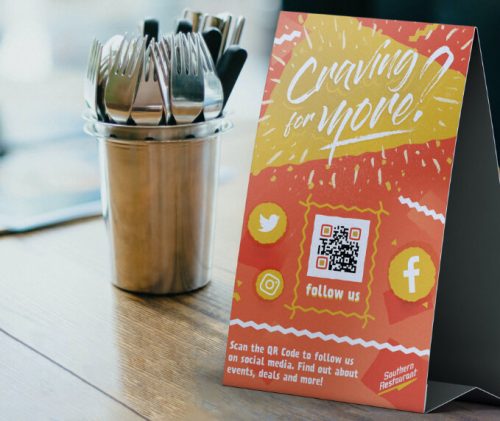
Table tents are the most popular and effective way to display QR codes in restaurants. These freestanding, two-sided displays sit directly on the table where customers are already looking — no searching required.
Use one side for your QR code with a clear prompt like “Scan the QR code to view our menu” and the other side for daily specials or promotional offers. This turns a single display into a double-duty marketing tool for your restaurant.
For best results, keep the QR code at least 3–4 inches wide so guests can scan it easily from a seated position. Add your restaurant’s logo and brand colors to the tent design, and include a short URL as a backup for customers who prefer typing.
Our detailed guide on QR code table tents covers templates, sizing, and design tips to help you get started.
Acrylic stands give your QR code a modern, polished look that fits restaurants with a contemporary design. The transparent material blends with any decor and stays visible even in bright sunlight, making acrylic a strong choice for outdoor seating areas and patios.
These displays are easy to clean — just wipe them down between seatings — and durable enough for daily use. Place them at the center of each table or at the edge where they won’t interfere with plates and drinks.
Acrylic stands also work well as a contactless menu solution, giving guests a hygienic way to browse your offerings without touching a shared paper menu.
Wooden QR code displays add warmth and character to your restaurant. Engraved or laser-cut wooden blocks work particularly well in casual dining, rustic, or farm-to-table settings where natural materials are part of the brand identity.
Wood is sturdy, long-lasting, and can be stained or finished to match your interior. Unlike paper table tents, wooden blocks won’t tip over, get soggy, or need frequent replacement.
You can engrave the QR code directly onto the wood surface or combine wood with an acrylic insert that holds a printed QR code card. The combination of wood and acrylic looks upscale while keeping the code easy to swap out if your menu link changes.
Wall-mounted frames free up table space while keeping your QR code visible and easy to scan. Mount them at eye level near the entrance, at the host stand, or beside the bar where guests naturally look while waiting.
Choose frame materials that match your decor — wood for a rustic space, metal for a modern interior, or acrylic for a clean, minimal look. Include a short instruction like “Scan for full menu” next to the code.
This approach works especially well in high-traffic areas where table space is limited. It also keeps surfaces clear and easier to clean, which matters in busy restaurants serving hundreds of customers daily.
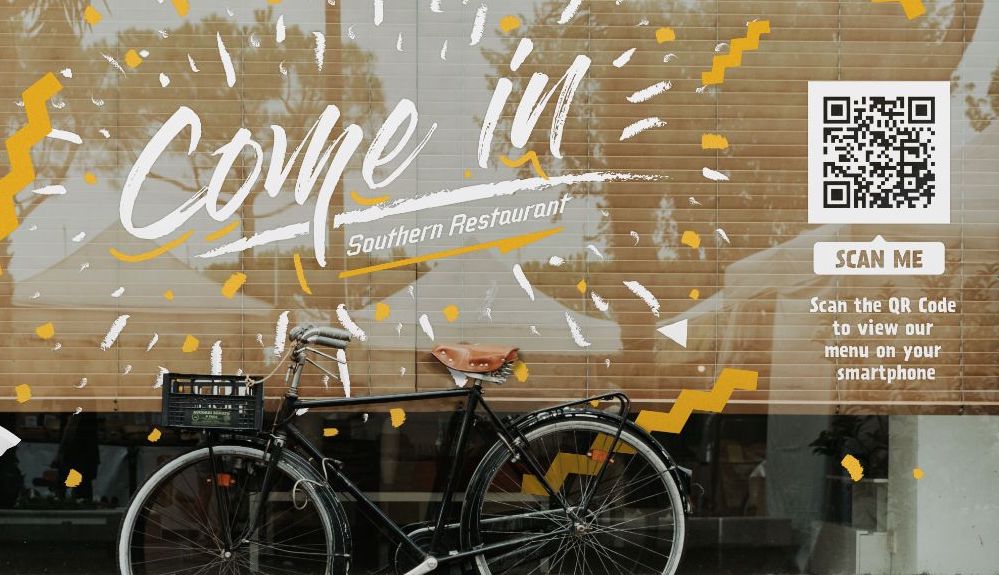
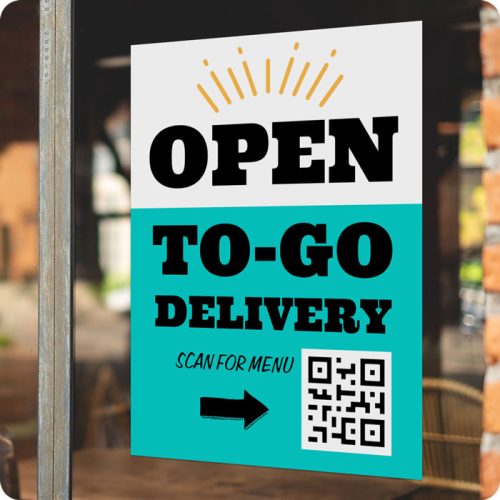
Window clings and stickers let you display QR codes where they reach people both inside and outside your restaurant. Place them on front windows, glass doors, or patio partitions to catch the attention of people walking by.
This is one of the most cost-effective display methods — a sheet of window clings costs just a few dollars and lasts for months. Use them to bridge your offline and online presence by linking the QR code to your full menu, business hours, or reservation page.
Window QR codes are also useful after hours. When your restaurant is closed, people walking by can still scan the code to check your menu, read reviews, or plan their next visit. Adding QR codes to your windows keeps your marketing working around the clock.
Place QR code displays at your order counter, host stand, bar top, or checkout area. These high-contact zones are where customers naturally pause, making them ideal spots for a simple scan.
A small acrylic or wooden stand at the counter works well for fast-casual and counter-service restaurants. For bars, position the QR code near the drink menu or on a stand between the taps.
Countertop displays can link to different destinations depending on location: a full menu at the host stand, a drinks-only menu at the bar, or a feedback form at the checkout. Each placement gives customers instant access to exactly what they need at that moment.
Posters and banners put your QR code at eye level in high-traffic areas like the entrance, waiting area, hallway, or near restrooms. The larger format makes scanning easy even from a few feet away.
Get creative with your poster campaigns: event posters with QR codes for ticket purchasing, seasonal menu launches, happy hour specials, or holiday promotions. Each poster becomes a bridge between your physical advertising and your online menu or ordering page.
For outdoor use, choose weather-resistantmaterials like vinyl or laminated paper. Follow the 10:1 scanning distance rule — if guests will scan from 5 feet away, make your QR code at least 6 inches wide. Posters also work well as part of your broader marketing materials at catering events, local festivals, and direct mail campaigns.
Coasters with QR codes are subtle, functional, and already in customers’ hands. Every time a guest picks up their drink, they see your code — making it one of the highest-visibility display options available.
Use waterproof stickers or print directly on coasters made from durable materials. Place the QR code on the top surface with a brief call-to-action like “Scan for specials” or “Scan to order your next round.”
Branded coasters also reinforce your brand identity. Match the design to your restaurant’s colors and style so the coaster feels intentional, not like an afterthought. This small detail adds a professional touch to everyday customer interactions.
If your restaurant uses digital screens or menu boards, add your QR code directly to the display. Digital signage lets you rotate content — showing your QR code alongside daily specials, behind-the-scenes content, or promotional videos that keep customers engaged. Some restaurants even use QR codes on screens to provide virtual kitchen tours or link to augmented reality experiences that bring menu items to life.
The advantage of digital displays is flexibility. You can update the QR code’s surrounding content in real-time without printing anything new. Pair the code with a subtle animation — a pulsing border or a gentle glow — to draw attention without being distracting.
Place digital menu screens at the order counter, drive-through window, or above the bar. For restaurants with multiple locations, digital displays let you manage QR code content from one central dashboard and push updates to every screen at once.
Adding a QR code to receipts and check presenters catches customers at the end of their meal — a great time to ask for feedback, promote your loyalty program, or encourage a return visit.
Print a small QR code at the bottom of every receipt — QR codes can lead to an online survey, a discount coupon for their next order, registration forms for upcoming events, or your social media pages. For check presenters, slip in a card with a QR code and a message like “Enjoyed your meal? Leave us a review.”
This post-meal touchpoint turns a routine transaction into a customer engagement opportunity. It helps you collect feedback while the dining experience is still fresh and build habits that bring customers back.
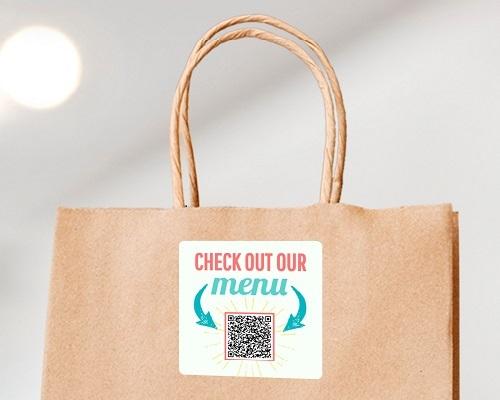
QR codes on takeout packaging extend your restaurant’s reach beyond the dining room. Every bag, box, and cup that leaves your kitchen becomes a mobile advertisement that customers see at home, at work, or on the go.
Print QR codes on bags, pizza boxes, drink sleeves, or product labels. These codes can link customers to product information like your full menu, product manuals with reheating instructions, care instructions, or your online ordering page — no manual searching required.
This is especially effective for delivery and take-out operations. Customers who order once can scan the code days later to place another order directly — no need to search for your restaurant online or scroll through a third-party delivery app. Attach QR codes to product packaging and turn every delivery into a repeat ordering opportunity.
Napkin holders and dispensers sit on every table but are often overlooked as display spots. Attach a QR code sticker or card to the front of your napkin holder to put your code right in customers’ line of sight during every meal.
This works well as a secondary display alongside a table tent or coaster. The napkin holder QR code can link to something different — your restaurant menus with allergen information, a seasonal specials page, or a quick feedback form.
It’s a low-cost addition that creates another scanning opportunity without taking up extra table space.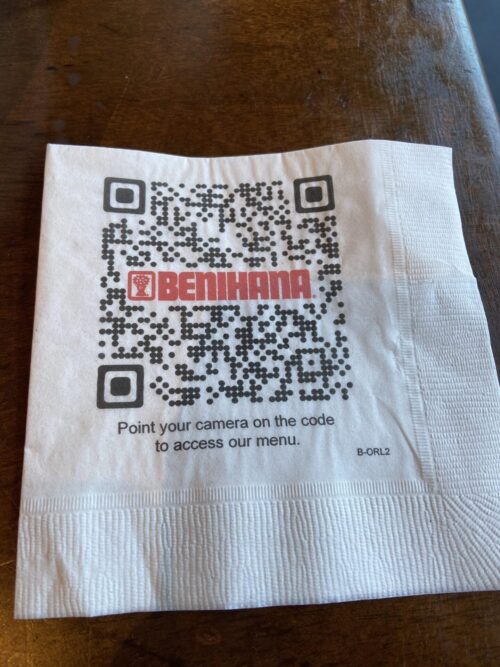
Floor stands and sandwich boards work at entrances, on sidewalks, near drive-through windows, and at outdoor events. These larger displays catch attention before customers even walk through the door.
A-frame sandwich boards with a QR code are especially useful for food trucks and pop-up restaurants that don’t have permanent signage. Set one up next to your truck or stall with a message like “Scan to see today’s menu” and link it to your food truck menu that you can update from your phone whenever you change locations or dishes.
Use weather-resistant materials for outdoor displays, and make the QR code large enough to scan from 4–6 feet away.
Incorporate QR codes into your traditional business cards, flyers, and brochures to connect your print marketing materials to your digital presence. When someone picks up a flyer at a trade show, community event, or local business, they can scan the code to view your full menu and place an order.
This turns every piece of print material into a direct marketing channel. Embedding QR codes in your print materials helps eliminate the need for typing long URLs — customers just scan and go. Include QR codes on catering brochures that link directly to your catering menu, contact information, and online ordering page.
For more ways to promote your business offline and online, check out our guide on restaurant marketing ideas.
Your QR code isn’t limited to physical spaces. Share it as an image on your restaurant website, social media profiles, Google Business page, and email newsletters.
Post your QR code on Instagram and Facebook with a caption like “Scan to browse our menu from anywhere.” You can also download the QR code image and add it to your link-in-bio page, your email signature, and any online resources you share with customers. QR codes that link directly to your menu or ordering page give followers a quick path from browsing to buying.
This bridges the gap between your physical and digital marketing. Customers who find you online can save or screenshot the QR code to use when they visit in person. And those who follow your social media accounts can access your menu or place a delivery order without leaving the app.
Choosing the right display material affects how your QR code looks, how long it lasts, and how much you spend. Here’s a breakdown of the most common options for restaurant QR code displays.
| Material | Cost Per Unit | Best For | Durability | Look and Feel |
|---|---|---|---|---|
| Paper or Cardstock | $1–$5 | Budget-friendly bulk orders | Low — needs frequent replacement | Simple, disposable |
| Faux Leather | $5–$12 | Upscale casual restaurants | Moderate — won’t crack or shatter | Professional, warm |
| Acrylic | $6–$12 | Modern and minimalist settings | Good — easy to clean, can crack | Sleek, transparent |
| Wood | $8–$20 | Rustic, farm-to-table, cafes | Excellent — withstands daily use | Warm, natural |
| Wood and Acrylic Combo | $10–$25 | Versatile, upscale venues | Strong | Elegant, modern-rustic |
| Metal or Stone | $15–$50+ | Premium restaurants, outdoor use | Excellent — weather-resistant | Bold, premium |
Your choice should match three factors: your restaurant’s aesthetic, your budget, and how much wear the display will get.
For fast-casual and counter-service restaurants that go through high volume, paper or cardstock table tents are the most practical. They’re cheap to replace and easy to update when your menu changes.
For sit-down restaurants where presentation matters, acrylic or wood displays add a professional touch. Acrylic works well in bright, modern spaces, while wood fits restaurants with a warmer, more natural atmosphere.
If you need outdoor durability — for patios, food trucks, or sidewalk displays — go with weather-resistant materials like treated wood, resin boards, or metal. These hold up against rain, sun, and daily handling without fading or warping.
Whatever material you choose, make sure the QR code itself stays high-contrast and large enough to scan reliably. A beautiful display with a blurry or too-small code defeats the purpose.
Now that you know where to place QR codes and which materials to use, let’s cover the design rules and customer engagement tactics that determine whether people actually pull out their phones and scan.
Getting the display location and material right is only part of the equation. The QR code itself needs to be designed for fast, reliable scanning. Here are the design rules that matter most.
Follow the 10:1 rule: for every 10 inches of scanning distance, your QR code should be at least 1 inch wide. According to usability research, the recommended minimum size is 2 × 2 cm (about 0.8 × 0.8 inches), but that only works for close-range scanning — like on a mobile device screen.
For printed restaurant displays, aim for at least 3 × 3 inches as your baseline. A table tent scanned from 2 feet away needs a code of at least 2.5 inches. A poster scanned from 5 feet away should have a code at least 6 inches wide. A large sign meant for scanning from 10 feet away needs a code at least 12 inches across.
Your QR code needs a contrast ratio of at least 4:1 between the dark pattern and the light background. The safest combination is a dark code on a white or light background — never invert this. Most smartphone cameras handle dark-on-light patterns reliably, but inverted codes (light on dark) can fail on older devices.
You can use brand colors, but stick to darker shades for the code pattern and lighter shades for the background. Avoid placing QR codes on busy textures, photographs, or patterned surfaces that reduce visibility.
Every QR code needs a clear border of white space around it — called the quiet zone. This buffer prevents nearby text, images, or other design elements from interfering with the scan. Keep the quiet zone at least 4 modules wide on all sides (about a quarter inch for most printed codes).
Adding your restaurant’s logo to the center of the QR code makes it look intentional and trustworthy. Most platforms that generate QR codes let you customize colors, adjust shapes, and add a small logo — making it easy to make a QR code that matches your brand. Just always test your QR code after customizing it — too much modification can break the scan on some devices.
For more guidance on visual presentation, our menu design tips cover principles that pair well with branded QR codes.
A dynamic QR code lets you change the destination URLs without reprinting the physical code. Unlike static QR codes containing a fixed address, dynamic codes let you swap the destination anytime. This is critical for restaurants because menus, prices, and specials change regularly. With a dynamic code, you update your online menu and every printed QR code in your restaurant automatically points to the latest version — no reprinting needed.
Static QR codes, by contrast, permanently encode a single URL into the code pattern. If that URL ever changes or breaks, every display in your restaurant becomes useless. Always choose dynamic when you create a QR code for restaurant use. If you’re comparing options, our roundup of the best QR code menu platforms breaks down features and pricing.
Even a well-placed QR code won’t work if you make these common mistakes. Here’s what to watch out for — and how to fix each one.
Getting customers to actually scan your QR code takes more than good placement. To truly integrate QR codes into your customer experience and streamline the path from scan to order, you need the right engagement tactics. These methods help you increase your scan rate and turn each scan into a real business outcome.
Never display a QR code by itself. A short, specific prompt next to the code tells customers what they’ll get when they scan. “Scan to view our menu” works better than a bare code. “Scan for 10% off your first order” works even better because it gives a clear incentive. Match the call-to-action to what the QR code actually links to — accuracy builds trust and drives customer action.
Your staff should know where every QR code is located and what it links to. When a customer looks confused, a server who can say “Just point your phone camera at the code on the table — it’ll pull up our full menu” removes friction instantly. Brief training sessions take 10 minutes and can significantly boost adoption, especially with guests who are less familiar with QR technology.
Give customers a reason to scan beyond the menu. Combine QR codes with exclusive restaurant promotions, a discount coupon on their next visit, or your loyalty program signup page. You can even run a QR code scavenger hunt during special events to create interactive experiences that get guests engaged and talking about your restaurant.
The page your QR code links to needs to load quickly and look good on a smartphone. If customers scan the code and wait 10 seconds for a slow PDF to load, they’ll give up. Use a dedicated online menu platform built for mobile devices — not a PDF or a desktop website shrunk to fit a phone screen.
Menubly, for example, creates mobile-friendly menus that load in seconds, let customers search by dish name or category, and include built-in online ordering with zero commission fees — all for $9.99/month. A seamless scanning experience — one that helps simplify ordering and cut wait times — makes customers far more likely to scan again on their next visit.
Use scan analytics to find out which display locations get the most scans and which get ignored. Move underperforming displays to better spots, test different calls-to-action, and track customer behavior over time. This data is key to optimizing marketing around your QR codes — helping you decide where to place them, what content to link to, and which calls-to-action drive the most results.
Table tents are the most effective display method for most restaurants because they place the QR code directly in front of seated customers at scanning height. For the best results, combine table tents with secondary placements at the entrance, order counter, and on takeout packaging to cover every customer touchpoint throughout the dining experience.
A QR code on a table tent should be at least 3 × 3 inches (about 7.5 × 7.5 cm). This size allows guests to scan comfortably from a seated position, typically 1.5 to 2.5 feet away. Follow the 10:1 ratio — for every 10 inches of scanning distance, the code should be at least 1 inch wide.
Use high-contrast colors (dark code on a light background), add a clear call-to-action like “Scan to view menu,” place it at eye level, and keep the area around the code clean and uncluttered. Branding your QR code with your restaurant’s logo also helps it stand out and look trustworthy, making it easy for customers to know the code is legitimate.
Yes. QR code menus can help you increase sales by speeding up the ordering process, reducing wait times, and giving customers easy access to your full menu — including add-ons, upsells, and specials they might not see on a printed menu. Restaurants using QR code ordering also report 15% faster table turnover, which directly boosts revenue during busy shifts.
Acrylic stands ($6–$12 each) work well for modern restaurants. Wood displays ($8–$20) suit rustic or casual settings. Paper table tents ($1–$5) are budget-friendly for high-volume operations. Choose based on your restaurant’s style, budget, and how much daily wear the display will handle. For outdoor use, pick weather-resistant materials like treated wood or metal.
Costs range from $1–$5 per unit for paper or cardstock displays to $15–$50+ for premium materials like metal or stone. Most restaurants spend $6–$15 per table on acrylic or wood displays. The QR code itself is free or low-cost to generate through most QR code menu makers, and dynamic QR codes let you update the destination without any reprinting costs.
Always use a dynamic QR code for restaurant displays. Dynamic codes let you update the linked content — your menu, pricing, specials, or ordering page — without reprinting the physical QR code. Static codes permanently encode a single URL, so if anything changes, you’ll need to reprint and replace every display in your restaurant.
Add a clear call-to-action next to the code, train your staff to guide first-time scanners, offer incentives like discounts or loyalty program signups, and make sure the landing page loads fast on mobile devices. QR codes provide the best results when the scanning experience is quick and the content behind the code is genuinely useful to the customer.
There are many ways to use QR codes beyond restaurant menus. You can link them to your WiFi network so guests connect without typing lengthy passwords, to event registration forms, to virtual kitchen tours, or to your loyalty program signup. You can also place QR codes on direct mail pieces and product packaging to guide customers to product information, seasonal promotions, or reorder pages.
The best QR code in the world is worthless if nobody sees it. Choosing the best ways to display QR codes in your restaurant — the right locations, materials, designs, and calls-to-action — is what turns a printed square into a tool that drives orders, collects feedback, and builds stronger customer relationships.
Start with table tents at every table, add secondary placements at your entrance and counter, and expand from there based on what your scan data tells you. Test different locations, track which ones perform best, and adjust. The restaurants that get the most out of QR codes are the ones that treat display strategy as an ongoing process, not a one-time setup.
Ready to create QR code menus that customers will actually scan? Menubly gives you customizable QR codes, mobile-friendly digital menus, and built-in online ordering with zero commission fees — all for $9.99/month. Try Menubly free for 30 days, no credit card required.

