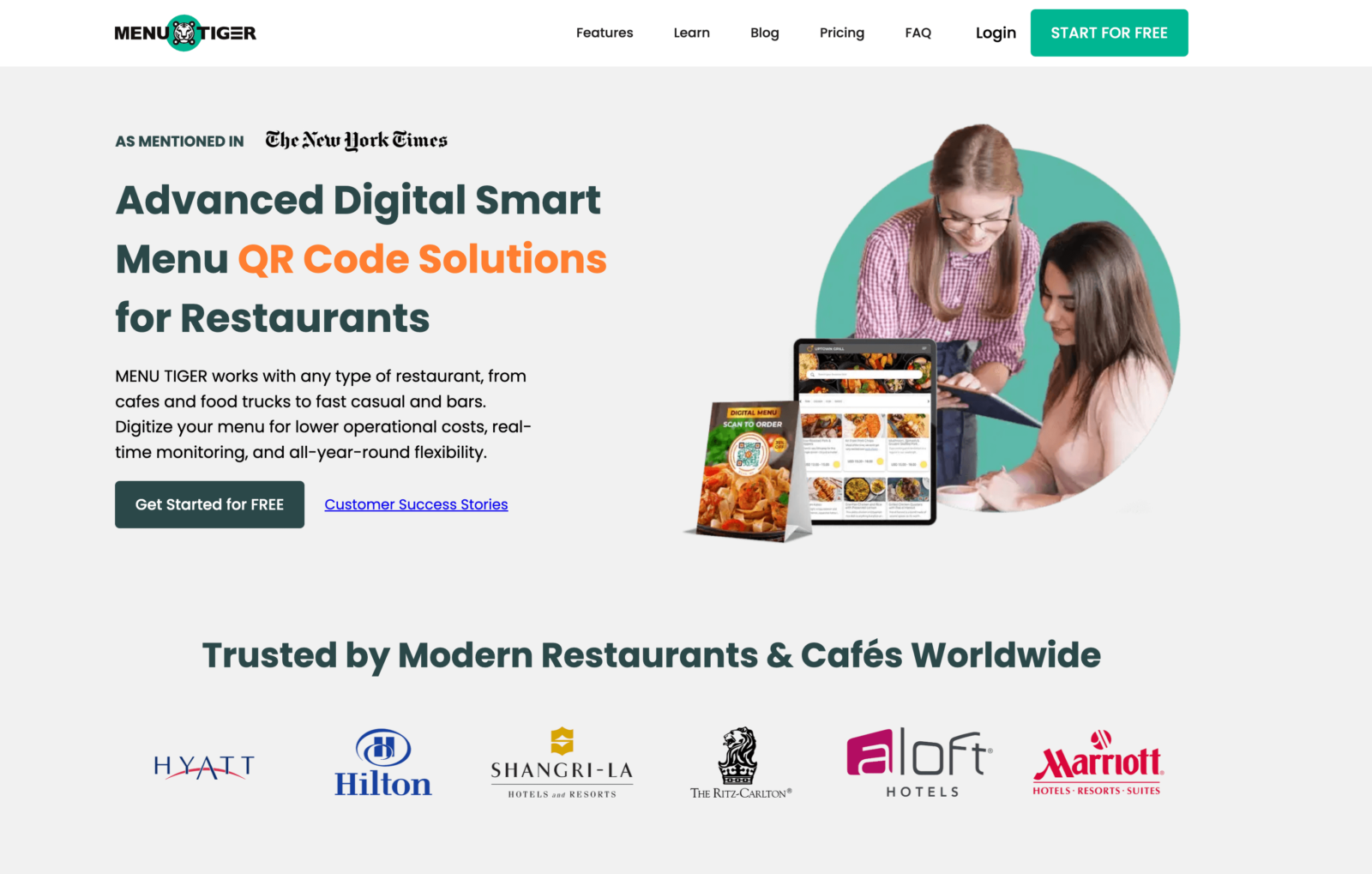
Menu Tiger’s free plan caps you at 7 menu categories, 7 items per category, and 200 QR orders per month — with Menu Tiger’s logo on every page. To remove those limits and get features like a kitchen display system or white-label branding, you’re looking at $17 to $119 per month.
Menu Tiger is a solid QR code menu platform, especially for multi-location restaurants that need centralized menu control. But for many small and mid-sized food businesses, the pricing climbs fast, payment options are limited to Stripe and PayPal, and the only POS integration is Loyverse. If you’ve hit those walls, you’re not alone.
We compared 10 Menu Tiger alternatives by pricing, QR ordering features, ease of setup, and value for money — so you can find the right digital menu platform for your restaurant without overpaying. Whether you need a free option, an affordable all-in-one solution, or a platform built for multi-location chains, this guide covers it.
Quick picks:
Best for affordable QR menus + ordering: Menubly ($9.99/mo, zero commissions, website builder included)
Best free option: GloriaFood (free ordering, no commissions, unlimited orders)
Best for fine dining: TableQR (allergen compliance, fast-loading menus, professional design)
Best for multi-location chains: Flipdish (branded apps, kiosks, AI features)
What Is Menu Tiger?
Menu Tiger is a QR code menu and ordering platform built by QRTIGER, a global QR code generator used by brands like Hilton, Hyatt, and Ritz Carlton across 147 countries. The platform lets restaurants create digital menus, generate table-specific QR codes, accept dine-in and website orders, and manage multiple locations from a single dashboard.
On paper, it checks a lot of boxes: multi-language support (30+ languages), a built-in website builder, Zapier and Canva integrations, and a kitchen display system on higher plans. But the free plan is too restrictive for most real restaurants, and the features that matter — KDS, white-label branding, table management — are locked behind the $46/month Advanced or $119/month Premium tiers.
Menu Tiger Features
Table-specific QR code ordering with KDS integration
Multi-location management (up to 5 stores on Premium)
Customizable QR codes with logo, colors, and CTA overlays
Multi-language menu translation (30+ languages)
Built-in website builder with SEO tools
WiFi QR code generation
Sales, revenue, and best-selling item analytics
Zapier and Canva integrations (Advanced+)
Loyverse POS integration (Premium)
Table management and reservation tracking
Menu Tiger Pros
Strong multi-location support from a single dashboard
Table-specific QR codes with kitchen display system
Zero commissions on all plans
QR code customization is among the best (logo, patterns, CTAs)
Free plan available for testing
30+ language translation built in
Menu Tiger Cons
Free plan is very limited — 7 categories, 7 items/category, 200 orders/month, branded
Only one POS integration (Loyverse)
Email-only support — no live chat or phone
Payment options limited to Stripe and PayPal
Pricing scales steeply: $46/month for integrations, $119/month for white-label
No native mobile admin app (web-based dashboard only)
What to Look For in a Menu Tiger Alternative
Before picking a replacement, focus on the features that matter most for your restaurant. Here are 6 criteria to guide your decision:
Pricing transparency — Can you see the full cost upfront? Watch for platforms that gate key features behind higher tiers or charge per-location fees that add up fast.
QR code ordering — Does it support table-specific QR codes? Can customers browse, order, and pay directly from their phone? Some platforms only offer view-only QR menus with no ordering built in.
Payment flexibility — Stripe and PayPal cover the basics, but many restaurants need more. Look for platforms that support 100+ payment methods, including cash on delivery, Apple Pay, Google Pay, and local gateways.
POS and delivery integrations — If you already use a POS system like Square, Toast, or Clover, make sure your new platform connects to it. The same goes for delivery partners if you offer delivery.
Ease of setup — Some platforms take days to configure. Others let you build a restaurant online menu and go live in minutes. If you’re not technical, setup time matters.
Built-in website and branding — A QR menu is just one piece. Does the platform include a restaurant website builder so you have a complete digital presence — or will you need a separate tool for that?
Menu Tiger Alternatives: Quick Comparison
Platform
Best For
Starting Price
Commission
QR Ordering
Website Builder
Menubly
Affordable QR menus + ordering
$9.99/mo
0%
Yes
Yes
GloriaFood
Free QR ordering
Free
0%
Yes
Yes ($9/mo)
CloudWaitress
Delivery management
Free / $39/mo
0%
Yes
Yes
Orderlina
Scan-order-pay
Free / $49/mo
0%
Yes
No
UpMenu
Marketing & loyalty
~$49/mo
0%
Yes
Yes
One2Menu
Menu optimization
Free
0%
Yes
Embeddable
TableQR
Fine dining & compliance
Free tier
0%
Yes
Menu CMS
Restolabs
Multi-channel ordering
$55/mo
0%
Yes ($75/mo)
Yes
Flipdish
Multi-location chains
€49/mo
0%
Yes
Yes
MustHaveMenus
Menu design & signage
$24/mo
N/A
Display only
No
10 Best Menu Tiger Alternatives
1. Menubly — Best for Affordable QR Menus with Commission-Free Ordering
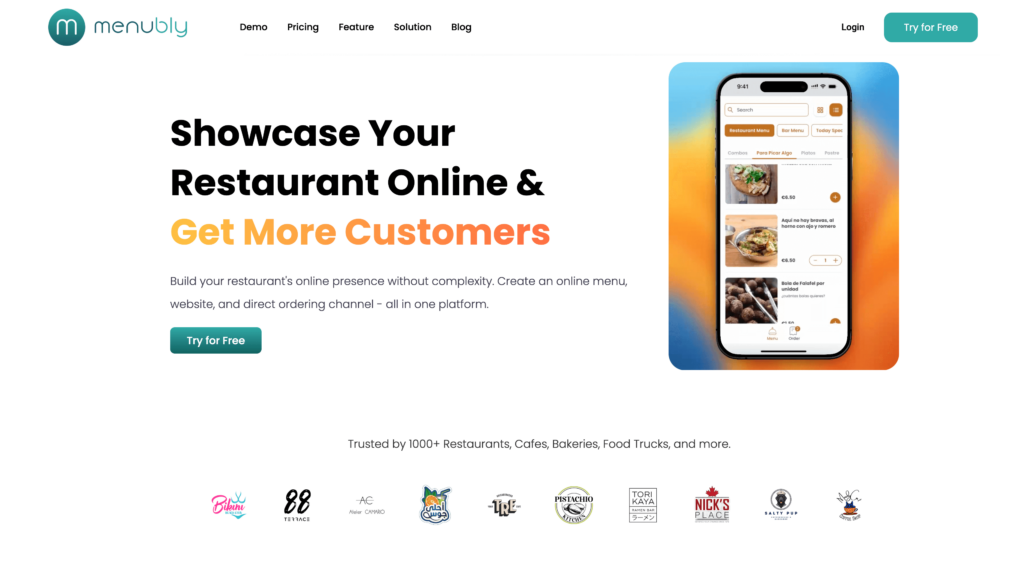
Menubly gives you a digital menu, QR code, online ordering, and a simple restaurant website — all for $9.99/month with zero commission fees. Where Menu Tiger charges $17/month just to remove order limits and $46/month for integrations like Zapier, Menubly includes everything at a flat rate with no feature gating.
You can create your menu in minutes, generate a QR code for dine-in tables, accept orders for pickup and delivery, and share a professional-looking website — all without design skills. For restaurants that want more than a basic QR menu but don’t need a full POS system, Menubly is the most complete and affordable package on this list.
Key Features
Interactive, mobile-friendly online menu with search and category filtering
Zero commission on every order, keeping 100% of your revenue
Complete package: menu + QR code + ordering + website in one platform
Set up in minutes with no technical skills needed
100+ payment methods vs. Menu Tiger’s Stripe and PayPal only
Free 30-day trial, no credit card required
WhatsApp ordering adds a channel customers already use daily
Free PDF/photo to digital menu conversion saves hours of manual work
Cons
No in-person POS system — not a replacement for register-based checkout
No inventory management or stock tracking
No employee scheduling or staff management tools
Web-based dashboard (no native mobile admin app)
Pricing
Free Trial: 30 days, no credit card required
Monthly: $9.99/month
Annual: $95.99/year (save 20%)
Commission: 0% on all orders
Best For
Small to medium restaurants, cafes, bakeries, food trucks, and bars that want a complete digital menu and ordering solution at a fraction of what Menu Tiger charges. If you need a QR menu, online ordering, and a website builder in one affordable package — without commissions — Menubly is the best value option. It’s also a strong fit for food trucks that need a mobile-friendly menu without physical hardware.
GloriaFood, now owned by Oracle, offers something rare in the restaurant tech space: a genuinely free online ordering system with zero commissions and unlimited orders. Its QR code ordering lets dine-in customers scan a table-specific code, browse the menu, and place orders directly from their phone — all at no cost.
Compared to Menu Tiger’s free plan (capped at 200 QR orders/month and branded with Menu Tiger’s logo), GloriaFood’s free tier gives you unlimited orders with no branding restrictions. The trade-off is that online payment processing ($29/month) and advanced promotions ($19/month) are paid add-ons. And since Oracle’s acquisition, customer support has drawn criticism for slower response times.
Features
Commission-free online ordering embedded on your website or Facebook page
QR code table ordering for dine-in (table-specific or shared QR codes)
Printable QR code flyers with table number and ordering instructions
Table reservation system built in
Real-time order tracking and analytics dashboard
Menu editor syncing online and in-store menus
Offline mode — continues accepting orders during internet outages
Scheduled and pre-orders for pickup and delivery
Delivery management with driver tracking integration
Integration with Wolt, Lightspeed, Shipday, and other delivery platforms
Pros
Free tier is genuinely usable — unlimited orders, no commissions, no per-order fees
Zero commission saves 15–30% compared to delivery apps
No long-term contracts on the ordering platform
QR code ordering supports tables, hotel rooms, and custom areas
Quick setup — most restaurants go live within hours
Free website builder included (sales-optimized version is $9/month)
Cons
Growing complaints about support responsiveness since early 2025 — tickets going unanswered for weeks
Online payments require a $29/month add-on
Cannot manage menu changes from the mobile app (order-taking only)
Limited customization of the ordering widget — code is locked
Only supports percentage-based delivery fee discounts, not fixed dollar amounts
Oracle ownership raises questions about the free tier’s long-term future
Pricing
Core ordering: Free (no contracts, no commissions)
Small independent restaurants and ghost kitchens that need a zero-cost ordering channel with no commissions. GloriaFood is the strongest free Menu Tiger alternative for restaurants that already have a POS and just want to add QR code ordering and online orders without any upfront investment.
3. CloudWaitress — Best for Delivery-Focused Restaurants
CloudWaitress has been running since 2012, making it one of the most mature QR ordering platforms available. Its QR code ordering supports table-specific codes AND NFC tags — customers scan or tap, the table number auto-fills, and they can browse, order, and pay from their phone without downloading an app.
Where it stands apart from Menu Tiger is delivery management. CloudWaitress includes distance-based delivery fee calculation, delivery zone mapping, and integrations with over 1,200 partners including Uber Direct and DoorDash Drive. Menu Tiger is primarily built for dine-in. If your restaurant needs QR ordering for tables AND a delivery channel, CloudWaitress covers both from one dashboard.
Free plan limits order volume — high-volume restaurants need the $39/month tier
Interface can feel dated compared to newer platforms
Some users report image upload limitations
Less built-in marketing than UpMenu or Restolabs
No native branded mobile app for customers
Onboarding can take longer for non-technical users
Pricing
Free plan: Core ordering features with order volume limits
Paid plan:$39/month — full features, higher volumes, 1,200+ integrations
Commission: 0% on all orders
Best For
Restaurants that need QR code ordering for dine-in AND delivery management with distance-based fees and driver integrations. CloudWaitress is the strongest Menu Tiger alternative for delivery-focused businesses that want everything from one platform. Also a good fit if you’re looking for digital menu solutions with deep third-party integration support.
4. Orderlina — Best for Scan-Order-Pay Simplicity
Orderlina focuses on one workflow: scan, order, pay. Customers scan a QR code, see your menu, place an order, and pay — all from their phone, no app download needed. It’s a straightforward Menu Tiger alternative for restaurants that want fast, commission-free ordering without extra complexity.
The free tier includes QR menus, ordering, and payment acceptance — genuinely commission-free on all payments. The paid tier at $49/month adds POS integration, custom domain, and white-label branding. Compared to Menu Tiger’s $17/month Regular plan, Orderlina’s free plan gives you more out of the box. But the jump to $49/month for POS integration is steeper than some mid-range alternatives.
Features
Complete scan-order-pay workflow from a single QR code
Commission-free payment collection on all tiers
Multi-channel order consolidation (website, Google Maps, Facebook, delivery)
Branded flyer templates for QR code display
Kitchen management app (Orderlina Manager) on iOS and Android
Staff-to-customer chat
Guest remarketing with customer lists and Facebook pixel
POS integration for automatic order routing (paid plans)
White-label customization (paid plans)
5-minute setup, no hardware needed
Pros
Genuinely commission-free payments, even on the free tier
Free tier includes QR menus, ordering, and payment acceptance
Multi-channel orders on a single dashboard (website + Google Maps + Facebook)
Native mobile app for kitchen management (iOS and Android)
No contracts — cancel anytime
Used by 4,500+ restaurants across 100+ countries
Cons
Free tier caps at 200 visits/month
No mid-range option — jumps from free to $49/month
No built-in website builder (menu hosted on Orderlina servers)
Less established brand compared to larger competitors
Single-location restaurants that want a simple scan-order-pay experience without learning a complex platform. Good for testing QR code ordering for free before committing to a paid plan.
5. UpMenu — Best for Restaurant Marketing and Loyalty Programs
UpMenu is a digital ordering platform with built-in marketing tools that go well beyond what Menu Tiger offers. It includes loyalty programs, SMS campaigns, push notifications, email marketing, and promo codes — all from one dashboard. QR code ordering for dine-in tables is included and syncs in real time with the website and mobile app.
For restaurants that want to build a repeat-customer engine alongside their QR menus, UpMenu fills that gap. One case study showed a pizzeria achieving a 17% cost reduction vs. delivery apps and 27% sales growth using UpMenu’s direct ordering. The catch: pricing starts at ~$49/month with order limits, and the Pro plan ($149/month) is needed for multi-location management and API access.
Mid-size restaurants with an existing customer base that want to run their own digital marketing — loyalty programs, SMS campaigns, repeat customer promotions — alongside commission-free ordering. Overkill for small restaurants that just need basic QR menus and ordering.
6. One2Menu — Best for Data-Driven Menu Optimization
One2Menu takes a different approach to digital menus. Instead of just displaying your menu, it helps you improve it. A/B test menu photos and item presentation, sync your menu with Google My Business for local search visibility, and use analytics to see which items and layouts drive the most orders.
The free plan includes all features with no feature gating — a sharp contrast to Menu Tiger’s tiered approach where nearly everything useful sits behind a paywall. For restaurants earning over $3,000/month in online orders, One2Menu charges $99/month. It also partners with DoorDash for flat-rate delivery, saving 15–30% compared to marketplace commissions.
Features
A/B testing on menu photos and item presentation
Google My Business and Google Maps integration for local SEO
Menu updates sync across website, Facebook, and Google
Flat-rate delivery partnerships with DoorDash
Same-day setup with cloud-based system
Pros
Free plan includes all features — no feature gating
A/B testing for menu optimization is unique in this market
Google My Business sync boosts local search visibility
Flat-rate delivery saves 15–30% vs. marketplace commissions
Built-in loyalty program at no extra cost
Zero commissions on orders
Cons
Strategic shift in late 2025 moved focus away from primary ordering
$99/month premium tier is steep for small restaurants
Interface is less intuitive than simpler alternatives
Menu optimization requires active engagement — not set-and-forget
Smaller user community means fewer peer resources
No native mobile admin app (web-based dashboard)
Pricing
Free: $0/month (all features, unlimited menu items)
Premium:$99/month (for restaurants over $3,000/mo revenue)
Processing fees: 2.9% + $0.30 per transaction via Stripe
Best For
Data-driven restaurant owners who want to improve menu performance with A/B testing and boost local search visibility alongside QR ordering. Not the right pick for restaurants that just want a simple, set-it-up-and-forget-it QR menu.
7. TableQR — Best for Fine Dining and International Compliance
TableQR is built for speed and regulatory compliance. Its mobile-first menus are designed to load fast on 4G/5G networks, and it includes global allergen labeling that meets FDA, EU, SFDA, and UAE Food Code 2.0 standards. No other platform on this list offers allergen compliance at this level across multiple international frameworks.
For fine dining restaurants, hotels, and international hospitality businesses, TableQR’s clean design, multi-language support, and multi-currency presentation make it a polished Menu Tiger alternative. It supports table-specific and location-specific QR codes, 10+ payment gateways, and promotional campaign tools for featured items and time-limited offers.
Features
Mobile-first design with fast loading on 4G/5G
Global allergen labeling (FDA, EU, SFDA, UAE Food Code 2.0)
Real-time menu editing with instant updates
Multi-language and multi-currency support
Table-specific and location-specific QR codes
Promotional campaigns for featured items and limited-time offers
Fine dining restaurants, hotels, and internationally-focused hospitality businesses that need fast-loading, professionally-designed contactless menus with global allergen compliance. Not the right fit for restaurants that need built-in marketing tools or deep analytics.
8. Restolabs — Best for Multi-Channel Ordering
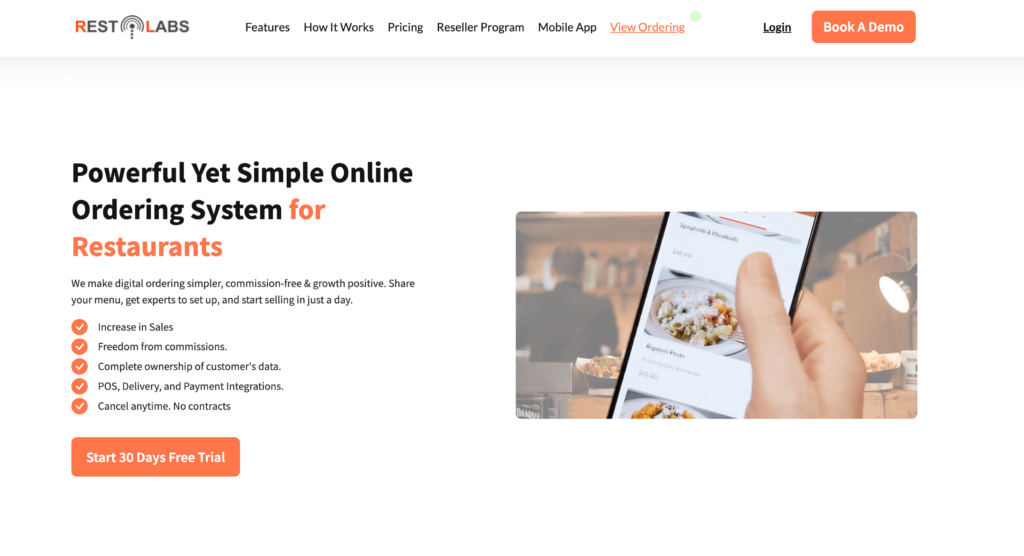
Restolabs lets you take commission-free orders from your website, Facebook page, and mobile — all managed from one dashboard. This multi-channel approach sets it apart from Menu Tiger, which focuses primarily on QR code and website ordering.
QR code ordering is available on the Premium plan ($75/month) with table-specific codes that auto-fill the table number at checkout. The base plan at $55/month includes website ordering, a loyalty program, analytics, and coupon tools. For restaurants that want to reach customers across multiple channels — not just QR codes — Restolabs offers more reach than Menu Tiger at a comparable price point.
Features
Commission-free ordering via website, Facebook, and mobile
QR code ordering with table-specific codes and auto table number fill (Premium)
Built-in loyalty and rewards program (included in base plan)
Coupon builder and promotional tools
Delivery zone mapping and delivery charge calculation
Real-time analytics dashboard
Automated order notifications (email on Basic; SMS on Premium)
POS integration with Toast, Clover, Revel, and PAR
DoorDash and Postmates delivery integrations (Premium)
Stock counter for sold-out item management
Pros
Multi-channel ordering from one dashboard (website, Facebook, mobile)
Loyalty program included in the base plan — a feature Menu Tiger lacks entirely
Commission-free on all direct orders
POS integrations with major systems (Toast, Clover, Revel)
Delivery zone mapping included in the base plan
30-day free trial, no credit card required
Cons
QR ordering requires the Premium plan at $75/month
Some users report occasional bugs and billing issues
Limited branded app options compared to Flipdish or UpMenu
Support quality varies — some users report slow resolution
Multiple pricing tiers make full cost harder to estimate upfront
Restaurants that want to take orders from multiple channels — website, social media, and QR codes — from a single dashboard. Good middle ground between basic QR menu platforms and more expensive marketing-focused tools like UpMenu.
9. Flipdish — Best for Multi-Location Chains and Branded Apps
Flipdish is built for growing restaurant groups. It offers branded websites, branded mobile apps for iOS and Android, self-service kiosks, and QR code ordering — all with commission-free direct ordering and multi-location management from one dashboard.
While Menu Tiger supports up to 5 locations on its $119/month Premium plan, Flipdish is designed for larger operations with features like AI-powered dish recommendations, dynamic pricing based on demand and time of day, and even augmented reality dish previews. Pricing starts at €49/month for a website-only plan, with the website + app bundle at €79/month. The trade-off: it’s more complex than simpler QR platforms, onboarding takes longer, and pricing is in euros.
Website + Mobile App: From €79/month (annual billing)
Kiosk: From €59/month (annual billing)
Commission: 0% on direct orders
Best For
Multi-location restaurant groups, franchises, and growing chains that want a branded mobile app and website at a monthly cost. Especially well-suited to UK and European restaurants. Not the best fit for single-location independents that just need basic QR ordering — simpler and cheaper options like Menubly or GloriaFood will serve you better.
10. MustHaveMenus — Best for Menu Design and Digital Signage
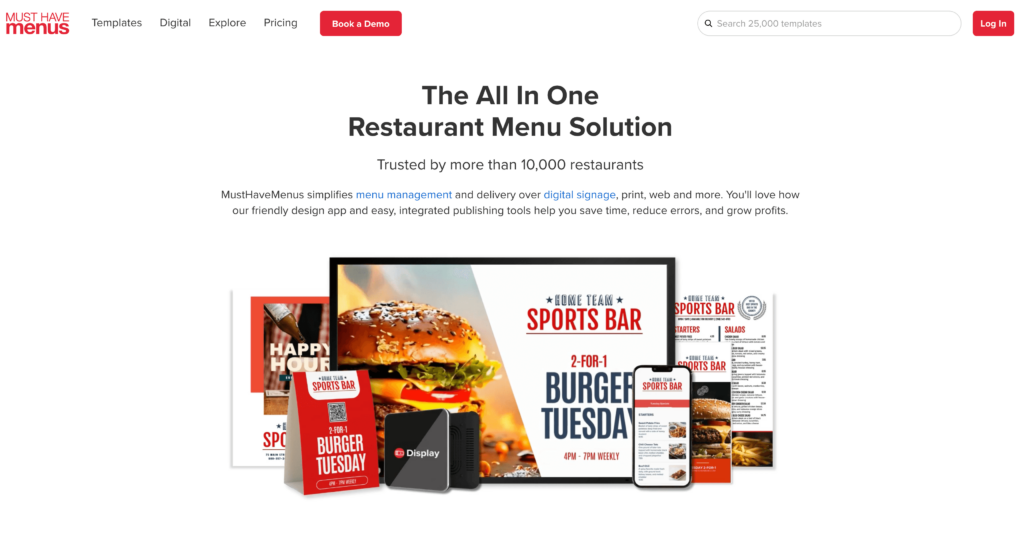
MustHaveMenus takes a design-first approach. Instead of focusing on ordering, it gives you over 25,000 professional restaurant templates to create menus for print, QR codes, web, and TV screens — all from one platform. Its QR codes link to view-only digital menus (no ordering built in), making it a Menu Tiger alternative for restaurants that want great-looking menus but handle ordering through a separate system.
The Design plan at $24/month covers menu creation, QR codes, and print ordering. The Pro plan at $49/month adds digital signage, POS sync with Toast and Square, and an AI Copilot for faster menu building. For restaurants that already use a POS for ordering and just need a way to design and display menus across channels, MustHaveMenus does that job better than any ordering-focused platform.
Features
25,000+ professional restaurant-specific templates (menus, flyers, posters, signage)
Drag-and-drop menu editor — no design skills required
POS integration with Toast and Square for automatic menu and price updates
Digital signage manager with scheduling, playlists, and 4K video support
AI Copilot for faster menu creation (Pro plan)
QR code generation and management (unlimited on Pro)
Print ordering directly through the platform
Item library for consistent menu data across print, web, QR, and signage
Brand kit customization per location
Works offline — signage continues if WiFi drops
Pros
Largest template library in the category (25,000+ restaurant-specific designs)
True all-in-one for menu design: print + web + QR + TV signage from one platform
POS integration keeps menus automatically updated across channels
Affordable design-only entry at $24/month
Print ordering built in — design and order prints without leaving the platform
Item library ensures consistent pricing and descriptions everywhere
Cons
No online ordering — design and display only
QR codes provide view-only menus (no ordering through QR)
Digital signage requires Pro plan ($49/month) + $20/screen add-on
Customer service reported as inconsistent by some reviewers
Image and asset management could be improved
Not useful for restaurants whose primary need is ordering, not design
Restaurants that need professional menu design across print, QR, web, and digital TV screens from a single platform. Strong for restaurant groups managing menus across locations with POS integration. Not for restaurants whose main need is online ordering — pair it with a separate ordering tool like Menubly or GloriaFood for a full solution.
How to Choose the Right Menu Tiger Alternative
The best platform depends on your budget, restaurant type, and what you need most. Here’s a quick breakdown:
I need beautiful menu design for print + QR + TV screens: MustHaveMenus
For most small to medium restaurants, the math is straightforward: you need a QR menu, online ordering, and a website without commissions eating into your margins. Menubly gives you all three for $9.99/month — less than what Menu Tiger charges for its most basic paid plan.
FAQ: Menu Tiger Alternatives
What is the best alternative to Menu Tiger?
It depends on what you need. For the best overall value with QR menus, online ordering, and a website builder, Menubly at $9.99/month is the top pick. For a free option, GloriaFood offers commission-free ordering at no cost. For fine dining with allergen compliance, TableQR is the strongest choice.
How much does Menu Tiger cost?
Menu Tiger has four tiers: a free plan (limited to 7 categories, 7 items/category, 200 QR orders/month), Regular at $17/month, Advanced at $46/month, and Premium at $119/month. The free plan includes Menu Tiger branding on your menus.
Is there a free alternative to Menu Tiger?
Yes. GloriaFood offers free ordering with unlimited orders and no commissions. CloudWaitress and One2Menu also have free plans with ordering capabilities. Orderlina’s free tier includes commission-free payments, though it caps visits at 200/month.
Can I use a QR code menu without paying commissions?
Yes — all 10 platforms in this guide charge zero commissions on orders. Standard payment processing fees (like 2.9% + $0.30 through Stripe) still apply through whichever payment gateway you connect, but no platform takes a cut of your order value.
What is the cheapest QR code menu with online ordering?
Menubly at $9.99/month is the most affordable paid option that includes both QR code menus and online ordering with a website builder. GloriaFood is free but charges $29/month to add online payment processing.
Does Menu Tiger integrate with Square or Toast?
No. Menu Tiger only integrates with Loyverse POS. If you need Toast integration, MustHaveMenus syncs menus with Toast. For broader POS support, CloudWaitress offers 1,200+ integrations, and Restolabs connects with Toast, Clover, Revel, and PAR.
Can I switch from Menu Tiger to another platform easily?
Yes. Most alternatives let you rebuild your menu in minutes to hours. Your existing QR codes will need to be reprinted or replaced since they point to Menu Tiger’s URLs, but menu data can be re-entered manually or bulk-imported on platforms like Menubly (which supports Excel and CSV import). The switch itself doesn’t require any technical skills.
Do customers need to download an app to use QR code menus?
No. All 10 platforms on this list use web-based QR menus. Customers scan the code with their phone camera and browse the menu in their browser — no app download required. This is one of the key benefits of QR code menus: zero friction for your guests.
Which Menu Tiger Alternative Is Right for You?
Here’s a quick recap of the top picks by category:
Best overall value: Menubly ($9.99/mo — QR menu + ordering + website, zero commissions)
Best free option: GloriaFood (free ordering, unlimited orders, no commissions)
Best for fine dining: TableQR (allergen compliance, fast-loading, professional design)
Best for delivery: CloudWaitress (distance-based fees, 1,200+ delivery integrations)
Best for multi-location chains: Flipdish (branded apps, kiosks, AI recommendations)
Best for marketing: UpMenu (loyalty, SMS, push notifications, email campaigns)
Best for menu design: MustHaveMenus (25,000+ templates for print, QR, web, and TV)
Not every restaurant needs a complex QR code platform with enterprise pricing. For most small to medium food businesses, the right Menu Tiger alternative gives you a digital menu, online ordering, and a professional web presence — without commissions and without a steep learning curve.
Menubly does that for $9.99/month. You get a QR code you can display anywhere, an ordering system that keeps 100% of your revenue, and a restaurant website that’s ready to share — all set up in minutes.
To provide the best experiences, we use technologies like cookies to store and/or access device information. Consenting to these technologies will allow us to process data such as browsing behavior or unique IDs on this site. Not consenting or withdrawing consent, may adversely affect certain features and functions.
Functional
Always active
The technical storage or access is strictly necessary for the legitimate purpose of enabling the use of a specific service explicitly requested by the subscriber or user, or for the sole purpose of carrying out the transmission of a communication over an electronic communications network.
Preferences
The technical storage or access is necessary for the legitimate purpose of storing preferences that are not requested by the subscriber or user.
Statistics
The technical storage or access that is used exclusively for statistical purposes.The technical storage or access that is used exclusively for anonymous statistical purposes. Without a subpoena, voluntary compliance on the part of your Internet Service Provider, or additional records from a third party, information stored or retrieved for this purpose alone cannot usually be used to identify you.
Marketing
The technical storage or access is required to create user profiles to send advertising, or to track the user on a website or across several websites for similar marketing purposes.