Over 70% of restaurants now use some form of digital or QR code menu — and that number keeps climbing. If you’re reading this, you’ve probably tried Oddmenu or at least considered it for your restaurant’s QR code menu needs.
Oddmenu is a decent QR code menu service. It gets the basics right: your customers scan a code, see your menu on their phone, and you can edit everything remotely. But at $9–10/month per establishment, you’re paying for what is mostly a menu display tool. There’s no real online ordering system, no website builder, and limited customization options. For many restaurant owners, that’s not enough.
Whether you need a platform that includes commission-free online ordering, a built-in website, better branding control, or simply a free option to test before committing — there are strong Oddmenu alternatives worth considering.
We researched and compared 10 Oddmenu alternatives across pricing, features, QR code capabilities, and online ordering. Here’s what we found.
Quick picks:
Best affordable all-in-one: Menubly ($9.99/mo — QR menu + ordering + website builder)
Best free option: GloriaFood (free ordering, zero commissions)
Best for multi-location: Menu Tiger (centralized QR menu management across stores)
Best for marketing: UpMenu (built-in loyalty, SMS, and email campaigns)
What Is Oddmenu?
Oddmenu is a QR code menu platform designed for restaurants, cafes, and bars. It lets you create a digital version of your menu that customers access by scanning a QR code at their table. You can edit your menu remotely from any device, add unlimited photos and descriptions, and support guests in 40+ languages.
The platform positions itself as a “contactless dining suite” with features like guest reviews, employee access management, and multi-location support from a single account. Oddmenu’s servers are based in Frankfurt, Germany, and the service is available globally. It offers an ad-free experience for your guests, which is a nice touch.
But here’s where many restaurant owners hit a wall: Oddmenu is primarily a menu display tool. Its ordering feature (called “notebook”) is limited — guests can save items to a list, but the submission functionality isn’t fully operational. There’s no website builder, no loyalty or marketing tools, and no POS integration. If you want customers to actually order and pay through your QR code menu, you’ll need a different platform.
40+ language support — one of the strongest in the category
Ad-free guest experience
No QR code scan limits
Remote menu editing from any device
Multi-location support from one account
Seasonal subscription pausing (keep your menu data during off-season)
Oddmenu Cons
No functional online ordering — the “notebook” feature doesn’t process actual orders
No website builder
No loyalty program or marketing tools
No POS or KDS integration
Limited payment processing (subscription billing only, no customer-facing payments)
Limited customization and branding options compared to competitors
No branded mobile app option
What to Look For in an Oddmenu Alternative
Before jumping to a new platform, here are the key factors to evaluate when comparing digital menu and QR code solutions:
Online ordering capabilities — Can customers order and pay directly from the QR menu? This is Oddmenu’s biggest gap. Look for platforms that include dine-in, takeaway, and delivery ordering without per-order commissions.
Pricing transparency — Is the pricing straightforward with no hidden fees? Watch for per-order commissions, payment processing markups, and features locked behind expensive tiers.
QR code menu quality — How does the menu look and perform on mobile? Check for fast loading, customizable branding (colors, fonts, logo), photo support, and category organization. See our guide on the best QR code menus for restaurants for more on what to look for.
Website builder — Does the platform include a restaurant website? Oddmenu doesn’t offer one, which means you’d need a separate solution for your online presence.
Ease of setup and use — Can you get your menu live in minutes without technical skills? How intuitive is the daily management dashboard?
Multi-language support — If you serve international customers or tourists, how many languages does the platform support? Oddmenu is strong here with 40+ languages, so make sure your alternative matches your needs.
Commission and processing fees — Does the platform charge per-order commissions on top of the monthly subscription? Even 2–3% per order adds up fast for busy restaurants. Platforms with zero commissions keep more money in your pocket. You can learn more in our comparison of online ordering systems.
Oddmenu Alternatives: Quick Comparison
Platform
Best For
Starting Price
Online Ordering
Website Builder
Multi-language
Menubly
Affordable all-in-one
$9.99/mo
Yes (commission-free)
Yes
Yes
GloriaFood
Free ordering
Free
Yes (commission-free)
Yes ($9/mo add-on)
Yes
Menu Tiger
Multi-location QR menus
Free (limited)
Yes (commission-free)
Yes
30+ languages
CloudWaitress
Free plan + delivery
Free (limited)
Yes (commission-free)
Yes
Yes
Meniu
Budget WhatsApp ordering
Free
WhatsApp only
No
3 languages
UpMenu
Marketing & loyalty
$49/mo
Yes (commission-free)
Yes
40+ languages
Orderlina
Scan-order-pay
Free (limited)
Yes (commission-free)
No
Limited
One2Menu
Menu A/B testing
Free
Yes (commission-free)
No (embeddable)
Auto-translate
TableQR
Fine dining & hotels
Free tier
Yes
No (menu CMS)
Multi-language + currency
MenuFlow
Enterprise dine-in
$14/mo
Yes ($0.12/checkout fee)
No
Limited
10 Best Oddmenu Alternatives for Restaurants
1. Menubly — Best for Affordable All-in-One Digital Menu & Ordering
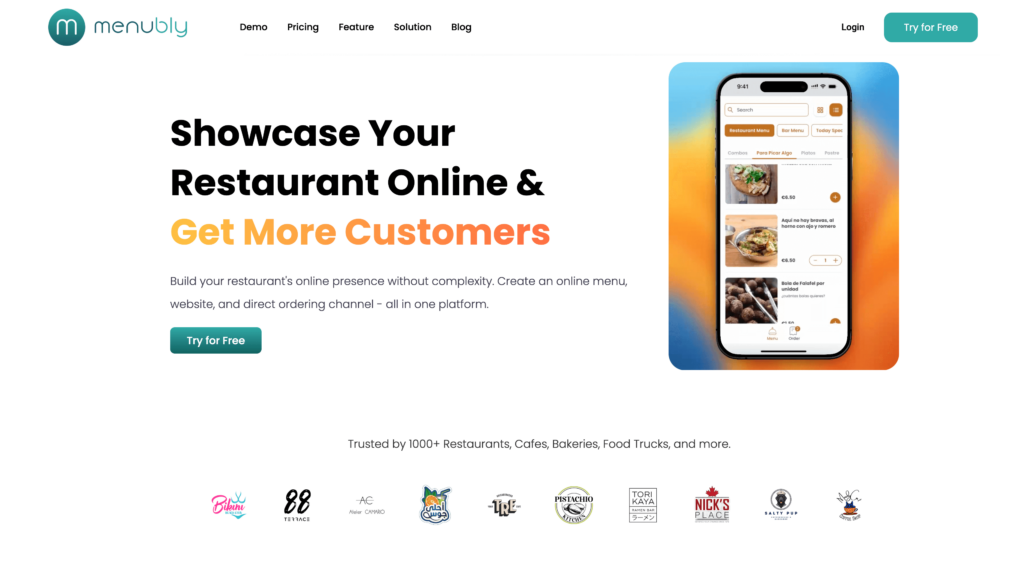
Menubly gives you what Oddmenu doesn’t: a complete digital menu platform with commission-free online ordering and a built-in website builder — all for $9.99/month. While Oddmenu charges $9–10/month for a menu display tool, Menubly includes QR code menus, direct online ordering (dine-in, takeaway, and delivery), and a simple restaurant website at nearly the same price. That’s a significant difference in value for any restaurant looking to do more than just display a menu.
Menubly is trusted by 1,000+ restaurants, cafes, bakeries, food trucks, and more worldwide. Most restaurants have their menus live within 30 minutes of signing up, and you don’t need any technical skills to get started.
Key Features
Commission-free online ordering for dine-in, takeaway, and delivery
Small to medium restaurants, food trucks, cafes, bakeries, and bars that want a complete digital presence — QR code menus, online ordering, and a website — without paying for multiple separate tools. If you’re currently paying $9–10/month for Oddmenu’s menu-only service, Menubly gives you significantly more at the same price point.
2. GloriaFood — Best Free Online Ordering Platform
GloriaFood is one of the few platforms where “free” actually means free. The core online ordering system costs $0/month with no contracts, no commissions, and no setup fees. You get unlimited orders, QR code table ordering, and a table reservation system without paying a cent. It’s backed by Oracle (acquired in 2021), which gives it more stability than most free tools.
Compared to Oddmenu, GloriaFood is a much more complete platform. Where Oddmenu gives you a digital menu display, GloriaFood gives you a working ordering system with QR codes, a sales-optimized website builder, and even a mobile app for managing orders. The trade-off is less polish in menu presentation — GloriaFood is built for ordering first, menu aesthetics second.
Limited customization of the online ordering widget — code is locked
Can’t manage menu changes from a mobile app (order management only)
Website builder, online payments, and promotions are paid add-ons
GloriaFood POS limited to one tablet per location
Percentage-only delivery fee discounts — no fixed dollar amounts
Oracle ownership creates uncertainty about long-term free-tier commitment
Pricing
Core online ordering: Free (no contracts, no commissions)
Sales-optimized website: $9/month per location
Advanced promotions: $19/month per location
Online payment processing: $29/month per location
Branded mobile app: $59/month per location
Best For
Small independent restaurants and ghost kitchens that want commission-free online ordering with zero upfront investment. Also works well as a free QR code ordering system for dine-in. If you already have a POS and just want to add a direct online ordering channel, GloriaFood is hard to beat on price.
3. Menu Tiger — Best for Multi-Location QR Menu Management
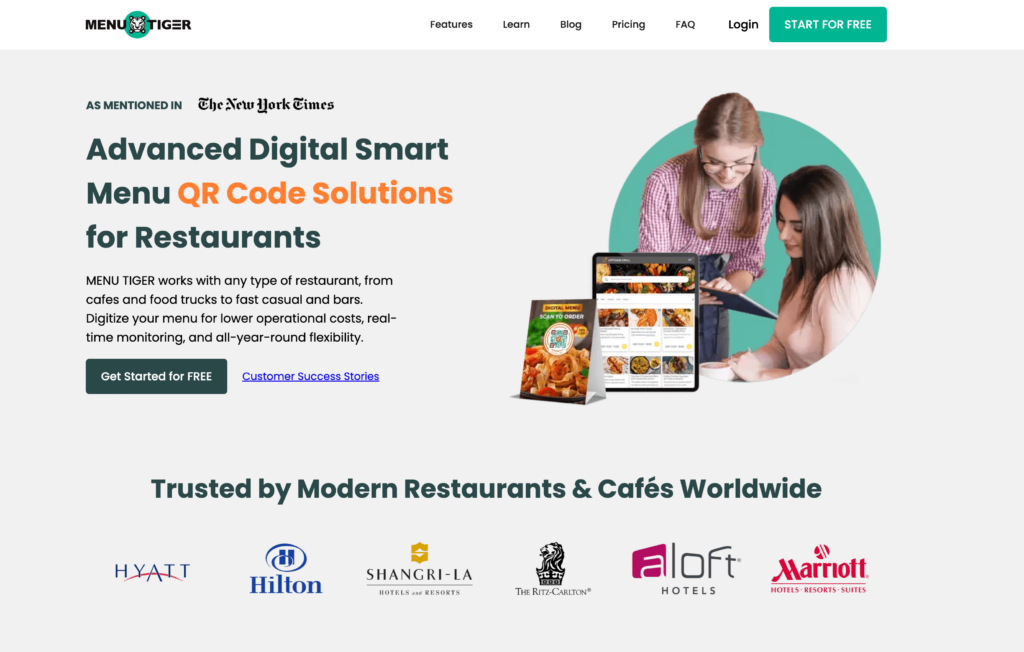
Menu Tiger is built by QRTIGER, a QR code generator used by Hilton, Hyatt, and Ritz Carlton across 147 countries. It brings that enterprise-level QR code technology to restaurant menus, with strong multi-location management and table-specific ordering.
Where Oddmenu gives you basic QR menus for a single establishment, Menu Tiger lets you manage up to 5 stores from a single dashboard with centralized menu control. The QR code customization is among the best in the category — you can add your logo, change colors and eye patterns, and overlay CTAs directly on the code. It also includes a kitchen display system (KDS) and website builder on all plans.
Features
Table-specific QR codes with kitchen display system integration
Multi-location management (up to 5 stores on Premium)
QR code customization: logo, colors, eye patterns, CTA overlays
30+ language menu translation via Localize feature
Built-in website builder with drag-and-drop editor
Online ordering through QR codes and restaurant website
Zapier and Canva integrations (Advanced plan and above)
Sales, revenue, and best-selling item analytics
White-label with custom domain (Premium plan)
WiFi QR code generation
Pros
Strong multi-location support from a single dashboard
Table-specific QR codes with KDS integration
Zero commissions on all plans
QR code customization is among the best (logo, patterns, CTAs)
Free plan available for testing (up to 10 tables)
Unlimited orders on all paid plans
30+ language support
Cons
Free plan is very limited (7 categories, 7 items per category, 200 orders/month, branded)
Limited POS integrations (Loyverse only)
Email-only support — no live chat or phone
Pricing scales with number of locations
Payment limited to Stripe and PayPal
Image uploads limited to 3 photos per item at 400×300px
Pricing
Freemium: $0/month (10 tables, 1 store, 200 QR orders/month, Menu Tiger branding)
Free trial: 14 days on paid plans, no credit card required
Best For
Growing restaurants managing 2–5 locations that need centralized menu control and table-specific QR codes. If you’re running a single-location restaurant, the free plan works for testing, but you’ll likely find cheaper paid alternatives for daily use.
4. CloudWaitress — Best Free Plan with Delivery Management
CloudWaitress has been around since 2012, making it one of the most mature platforms on this list. Its standout feature is distance-based delivery fee calculation — something Oddmenu doesn’t offer at all, and even GloriaFood only supports flat-rate delivery fees.
The free plan includes core ordering features with commission-free orders, QR code table ordering, and a customizable ordering website. If you need delivery, CloudWaitress calculates fees based on actual distance rather than a flat rate, which means fair pricing for both you and your customers. It also integrates with 1,200+ services including Uber Direct, DoorDash Drive, and Grubhub.
Customer accounts with order history and easy re-ordering
24/7 support via email, phone, and chat
Pros
Free plan available with no credit card required
Distance-based delivery fees — fairer than flat-rate models
Commission-free on all orders
1,200+ integrations for POS and delivery partners
14+ years of operation — stable, proven platform
QR code AND NFC tag support for dine-in ordering
24/7 support across all tiers
Cons
Free plan limits order volume — high-volume restaurants need the $39/month tier
Interface can feel dated compared to newer platforms
Some users report image upload limitations
Less built-in marketing than UpMenu
No native branded mobile app
Onboarding can take longer for non-technical users
Support responsiveness varies by plan tier
Pricing
Free: Core ordering features, limited order volume, no credit card required
Paid:$39/month — full features, higher order volumes, 1,200+ integrations
Commissions: Zero on all plans
Best For
Restaurants that need delivery management with distance-based fee calculation. Also a strong pick for restaurants that want a free ordering platform with more integration options than GloriaFood. If you’ve outgrown Oddmenu’s menu-only approach and need real ordering with delivery support, CloudWaitress fills that gap.
5. Meniu — Best Budget QR Menu with WhatsApp Ordering
Meniu is one of the closest competitors to Oddmenu in terms of pricing and positioning. At $9/month for the Business plan (with a free plan that has no time limit), it matches Oddmenu’s price point while adding WhatsApp ordering, a built-in POS, and a kitchen display system.
The big difference from Oddmenu is that Meniu processes orders through WhatsApp rather than a website. Customers scan the QR code, browse the menu, then tap to order via WhatsApp. This works well in markets where WhatsApp is the default messaging app (Latin America, parts of Europe and Asia), but may feel awkward to customers in the US or UK who aren’t used to ordering food through a chat app.
Features
Digital QR menu editor with unlimited products and categories
WhatsApp order integration
Sales terminal / POS from any device
Kitchen Display System (KDS)
Real-time inventory control
Online reservations
Table mapping
Sales analytics and menu performance reporting
Custom branding with logo and subdomain
Multiple user roles (admin, waiters)
Pros
Free plan with no time limit includes core menu features
Affordable Business plan ($9/month — same as Oddmenu)
Built-in KDS and POS at a price where most competitors charge extra
WhatsApp ordering is familiar in Latin American and other markets
Zero commission fees
4.8/5 Google rating from verified users
Regional pricing (cheaper in local currencies for Latin America)
Cons
Online ordering runs through WhatsApp only — no direct website ordering
Limited to 3 languages (Spanish, English, Portuguese)
No website builder
Payment processing limited to Stripe and Mercado Pago
Designed primarily for Latin American markets
No branded mobile app option
7-day free trial on Business plan (shorter than many competitors)
Pricing
Free: $0/month (unlimited products, QR menu, WhatsApp ordering, reservations)
Business (Europe): €7/month; €38/6 months; €68/year
Discounts: 16% off 6-month billing; 26% off annual billing
Best For
Small restaurants in markets where WhatsApp is the primary customer communication channel (Latin America, parts of Europe and Asia). If your customers already message you on WhatsApp, Meniu turns that into an ordering system. Not ideal for restaurants outside these markets or those needing direct website ordering.
6. UpMenu — Best for Restaurant Marketing & Loyalty
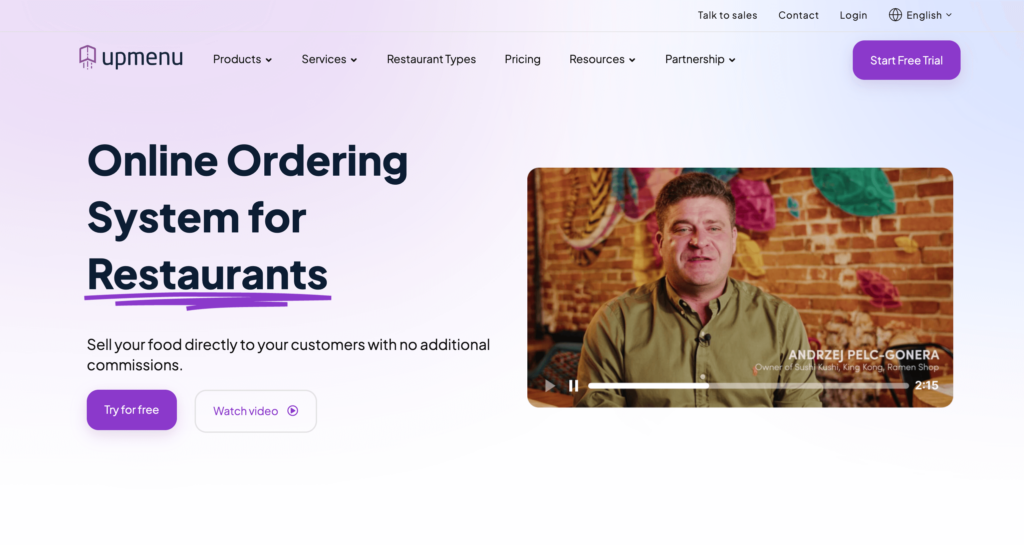
UpMenu goes well beyond what Oddmenu offers. It’s a commission-free ordering platform with a full marketing suite built in — loyalty programs, SMS campaigns, push notifications, and email marketing. If you want to build repeat business alongside your digital menu, UpMenu bundles tools that would otherwise require separate subscriptions.
The platform includes QR code menus, a branded website with 40+ templates, and even a branded mobile app for iOS and Android. A pizzeria case study reported 17% cost reduction versus delivery apps and 27% sales growth after switching. The trade-off is price: starting at $49/month, UpMenu costs 5x more than Oddmenu. For restaurants that will actually use the marketing tools, the ROI can justify the cost.
Mid-size restaurants with an existing customer base that want to run their own digital marketing — loyalty programs, SMS campaigns, repeat customer promotions — alongside commission-free online ordering. If marketing automation isn’t a priority, it may be more than you need.
7. Orderlina — Best for Full Scan-Order-Pay Experience
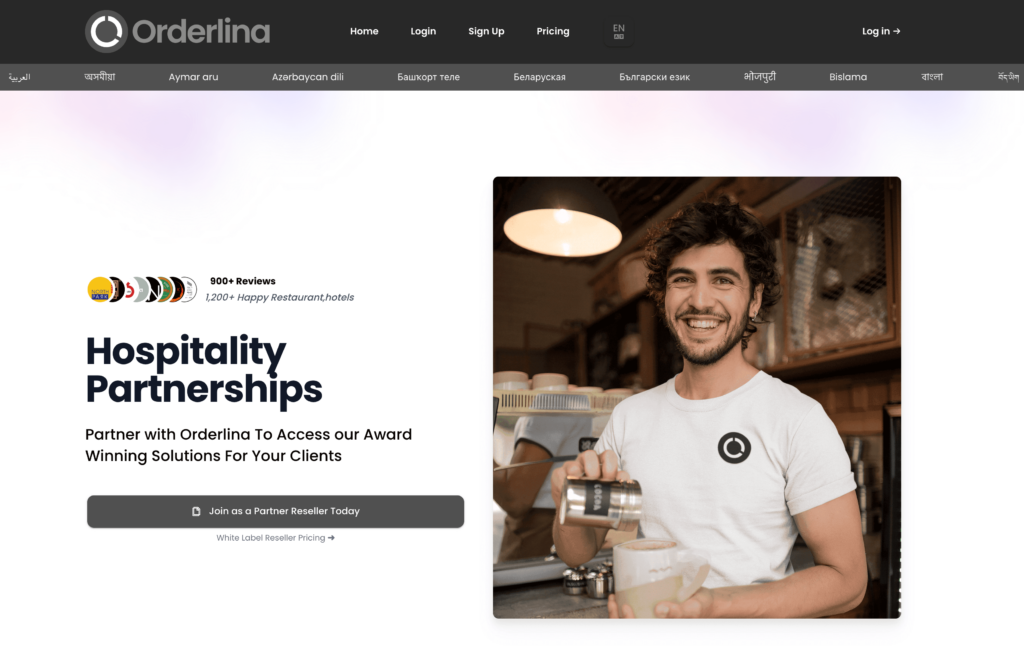
Orderlina focuses on one thing and does it well: the complete scan → order → pay workflow from a single QR code. Customers scan, browse your menu, place their order, and pay — all from their phone without downloading an app. The entire process is commission-free, even on the free tier.
What sets Orderlina apart from Oddmenu is the multi-channel order consolidation. Orders from your website, Google Maps, Facebook, and delivery platforms all come into one dashboard. It also includes a kitchen management app (Orderlina Manager) and staff-to-customer chat. With 4,500+ restaurants across 100+ countries, it’s a proven platform for dine-in QR ordering.
Features
Complete scan-order-pay from a single QR code
Commission-free payment processing
Multi-channel order consolidation (website, Google Maps, Facebook, delivery)
Branded flyer templates for QR code display
Orderlina Manager kitchen management app (iOS and Android)
Single-location restaurants that want a full scan-order-pay experience without commissions. The free tier is good for testing, and the paid plans work well for restaurants ready to consolidate orders from multiple channels into one system.
8. One2Menu — Best for Data-Driven Menu Optimization
One2Menu takes a different approach than most platforms on this list. Instead of just displaying your menu digitally, it helps you improve it with data. Its A/B testing feature lets you test different menu photos and item presentations to see what drives more orders — something no other QR menu platform offers.
The free plan includes all features with no feature gating, which is generous. It also syncs with Google My Business and Google Maps so your menu shows up in local search results. Compared to Oddmenu’s static menu display, One2Menu turns your digital menu into an active sales tool. The catch: it had a strategic shift in late 2025 that moved focus away from ordering, so check current capabilities before committing.
Menu updates sync across all channels (website, Facebook, Google)
Flat-rate delivery partnerships with DoorDash
Same-day cloud-based setup
Pros
Free plan includes all features — no feature gating
A/B testing on menus is unique in the market
Google My Business sync for local search visibility
Flat-rate delivery partnerships save 15–30% vs. marketplace commissions
Loyalty program built in at no extra cost
Zero commissions on orders
Cons
Strategic shift in late 2025 moved focus away from primary ordering
$99/month premium tier is expensive for small restaurants
Interface can be less intuitive than simpler alternatives
Menu optimization requires active engagement — not set-and-forget
Smaller user community than established competitors
No full website builder (embeddable menus only)
Pricing
Free:$0/month (all features, unlimited menu items)
Premium: $99/month (for restaurants over $3,000/month revenue, enhanced support)
Processing fees: 2.9% + $0.30 per transaction via Stripe
Best For
Data-driven restaurant owners who want to improve menu performance with A/B testing and local search optimization alongside ordering. If you want your menu to actively help you sell more, One2Menu’s approach is unique. Not the best fit if you just want a simple QR menu with ordering.
9. TableQR — Best for Fine Dining & International Hospitality
TableQR is built for restaurants and hotels where presentation and speed matter most. It claims some of the fastest loading times among QR menu platforms, with a mobile-first design optimized for 4G and 5G networks. For fine dining where a slow-loading menu breaks the guest experience, that matters.
The key differentiator from Oddmenu is global allergen compliance. TableQR supports allergen labeling that meets FDA, EU, SFDA, and UAE Food Code 2.0 standards — critical for hotels and restaurants serving international guests. It also offers multi-language menus with multi-currency display, scheduled menu switching by service time (breakfast, lunch, dinner), and table-specific QR codes across locations. The design is clean and professional, matching the expectations of upscale venues.
Features
Mobile-first design with fast loading on 4G/5G networks
Multi-language support with multi-currency presentation
Promotional campaigns for featured items and time-limited offers
Table-specific and location-specific QR codes
Custom branding: colors, fonts, logo, and theme templates
10+ payment gateway integrations
Scheduled menu switching by service time
Customer engagement analytics
Pros
Among the fastest loading QR menu platforms
Allergen compliance across multiple global regulatory frameworks
Clean, professional design ideal for fine dining and hotels
Free tier available for testing
Multi-language and multi-currency for international hospitality
10+ payment gateway options (more than most competitors)
Scheduled menu switching by service time
Cons
Specific pricing not fully transparent — requires contact
Pricing scales with number of locations
Basic analytics compared to data-focused competitors
Limited native POS integrations
Multi-language setup is manual per language
No website builder (menu CMS only)
Pricing
Free tier: Basic features available
Paid plans: Available through pricing portal (annual discounts offered)
Commissions: 0% on orders
Best For
Fine dining restaurants, hotels, and internationally-focused hospitality businesses that need fast-loading, well-designed menus with global allergen compliance. If presentation, speed, and regulatory compliance are your top priorities, TableQR delivers. Not the best fit for restaurants primarily looking for affordable ordering tools.
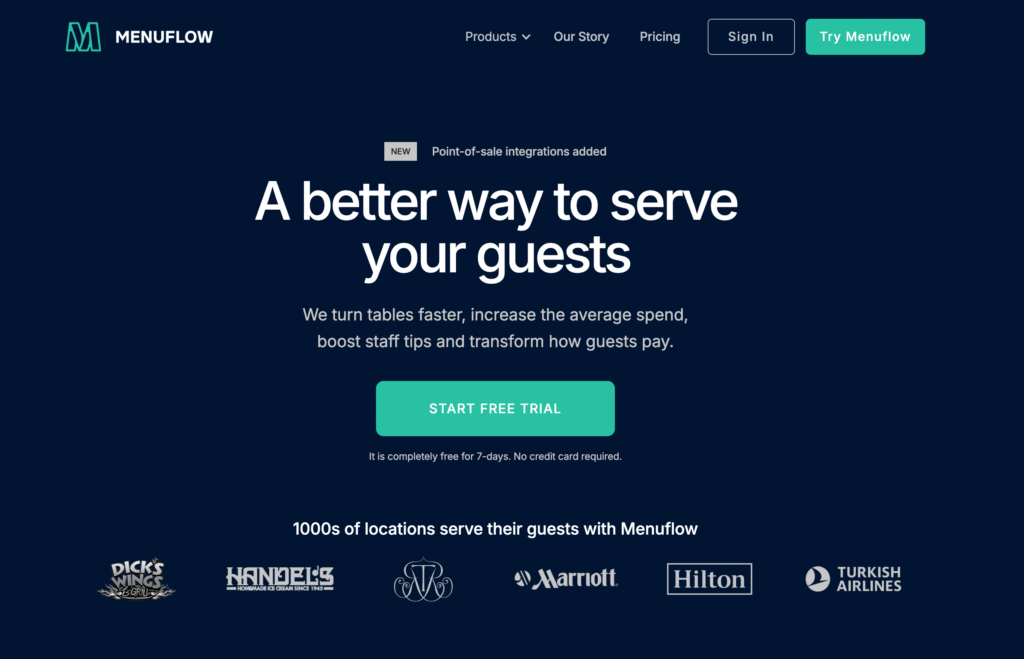
10. MenuFlow — Best for Enterprise Dine-In Ordering & Quick Payments
MenuFlow is designed for high-volume venues that already use enterprise POS systems. Its standout feature is Pay-and-Go — guests scan a QR code at the end of their meal and pay their bill in under 15 seconds without waiting for a server. The company claims this shaves about 15 minutes off table turns and increases tips by roughly 18%.
Unlike Oddmenu’s menu-only approach, MenuFlow connects directly to 17 POS systems including NCR Aloha, Toast, Lightspeed, and Micros Simphony. Orders placed via QR code route automatically into the existing kitchen workflow. The trade-off is a per-checkout fee ($0.12+) on top of the subscription, which adds up at high volume. For busy restaurants that need speed, though, faster table turns can more than offset the cost.
Features
Order and Pay: scan QR code, order, and pay from table
Pay-and-Go: scan to pay bill at end of meal (under 15 seconds)
Pay-and-Go feature for fast bill payment is unique
~15 minutes faster table turns (company claim)
Up to 20% increase in average check size (company claim)
17 POS integrations with enterprise systems
No app download required for guests
Unlimited QR codes with no scan limits
14-day free trial
Cons
Per-checkout fees ($0.12+) add up at high volume (500 orders/month = $60+ extra)
Stripe-only payment processing — no PayPal, Square, or local options
No website builder or SEO tools
POS integrations skew enterprise — less relevant for small independents
Pro plan at $55/month is expensive for what’s included
Essential plan limited to a single active menu
No loyalty program or marketing tools
No multi-language support documented
Pricing
Essential:$14/month per location (QR codes, single active menu, Order and Pay ready)
Pro: $55/month per location (unlimited active menus, menu scheduling, phone support)
Ordering fees: From $0.12 per checkout (on top of subscription)
Free trial: 14 days, no credit card required
Best For
High-volume dine-in restaurants, hotels, and hospitality venues that already use enterprise POS systems and want to add QR ordering with fast bill payment. The Pay-and-Go feature is strong for venues where table turn speed directly impacts revenue. Not ideal for small independents who want a simpler, more affordable digital presence.
Under $15/month: Menubly ($9.99/mo), Meniu Business ($9/mo), MenuFlow Essential ($14/mo)
$15–50/month: Menu Tiger Regular ($17/mo) or Advanced ($46/mo), UpMenu Starter ($49/mo), Orderlina ($49/mo)
$50+/month: MenuFlow Pro ($55/mo), Orderlina Pro ($99/mo), UpMenu Pro ($149/mo), Menu Tiger Premium ($119/mo)
By Business Type
Food trucks & small cafes: Menubly or Meniu — affordable, quick setup, no hardware needed
Single-location restaurants: Menubly, GloriaFood, or CloudWaitress — complete ordering at the lowest cost
Multi-location restaurants: Menu Tiger or UpMenu — centralized management across stores
Fine dining & hotels: TableQR or MenuFlow — professional presentation and fast service
Restaurants in Latin America: Meniu — WhatsApp ordering and regional pricing
By Primary Need
I just need a QR menu display (no ordering): TableQR or Meniu (free plan)
I need QR menu + online ordering: Menubly, GloriaFood, or CloudWaitress
I need QR menu + ordering + a website: Menubly — only platform at this price point with all three
I need QR menu + marketing tools: UpMenu
I need enterprise POS integration: MenuFlow
For most small to medium restaurants, Menubly hits the sweet spot. You get a QR code menu, commission-free ordering, and a website builder for $9.99/month — nearly the same price as Oddmenu’s menu-only service but with significantly more functionality.
Frequently Asked Questions
What is the best alternative to Oddmenu?
For most restaurants, Menubly is the best Oddmenu alternative. At $9.99/month, you get QR code menus, commission-free online ordering, and a built-in website builder — three things Oddmenu doesn’t include. It takes minutes to set up and works on any device.
Is Oddmenu free?
Oddmenu offers a free first month with no credit card required. After that, paid plans start at $9/month (annual) to $10/month (monthly) per establishment. There’s no permanent free plan. If you need a free QR menu platform, GloriaFood, Meniu, and One2Menu all offer free plans with no time limit.
Does Oddmenu support online ordering?
Oddmenu has an “order” feature that lets guests add items to a list, but it doesn’t process actual orders or accept payments. For real online ordering where customers can place and pay for orders through your QR code menu, look at Menubly, GloriaFood, CloudWaitress, or Orderlina — all of which include commission-free ordering.
What is the cheapest QR code menu platform with online ordering?
GloriaFood is the cheapest since its core ordering system is completely free. For a paid all-in-one solution, Menubly at $9.99/month is the most affordable platform that combines QR code menus, online ordering, and a website builder. Meniu also offers ordering at $9/month but only through WhatsApp.
Can I switch from Oddmenu to another platform easily?
Yes. Most QR code menu platforms let you set up your menu from scratch within minutes to hours. Menubly also offers a free menu conversion service — you can upload a PDF or photo of your existing menu, and their team will convert it into a digital menu for you. Your QR codes will need to be reprinted since they’ll point to a new URL, but that’s a one-time cost. Learn how to make a QR code menu for step-by-step instructions.
Do I need a separate website if I use a QR code menu platform?
Not if you choose a platform with a built-in website builder. Menubly, GloriaFood, and Menu Tiger all include website builders that create a simple restaurant page with your menu, location, hours, and ordering. If you use a menu-only platform like Oddmenu, TableQR, or Orderlina, you’ll need a separate website solution. Check our guide to the best restaurant website builders if you need one.
Which Oddmenu alternative supports the most languages?
Oddmenu leads with 40+ languages, and UpMenu matches this with 40+ language support across its templates. Menu Tiger supports 30+ languages through its Localize feature. TableQR offers multi-language with multi-currency display. Menubly supports multiple languages for menus. If serving international guests is critical, verify each platform supports your specific language needs before signing up.
Choosing the Right QR Code Menu Platform for Your Restaurant
Here’s a quick recap of the best Oddmenu alternatives by category:
Best affordable all-in-one: Menubly ($9.99/mo — QR menu + ordering + website)
Best free option: GloriaFood (free ordering, zero commissions)
Best for multi-location: Menu Tiger (centralized management across stores)
Best free plan with delivery: CloudWaitress (distance-based delivery fees)
Best for marketing: UpMenu (loyalty, SMS, email built in)
The truth is, many small restaurants don’t need a standalone QR menu display tool at $9–10/month. They need an affordable platform that combines digital menus, QR codes, online ordering, and a simple website — without paying for four separate services.
That’s exactly what Menubly does. For $9.99/month with zero commissions, you get a complete digital presence: an interactive contactless menu, direct ordering for dine-in, takeaway, and delivery, a restaurant website, and 100+ payment methods worldwide. Most restaurants go live within 30 minutes.
To provide the best experiences, we use technologies like cookies to store and/or access device information. Consenting to these technologies will allow us to process data such as browsing behavior or unique IDs on this site. Not consenting or withdrawing consent, may adversely affect certain features and functions.
Functional
Always active
The technical storage or access is strictly necessary for the legitimate purpose of enabling the use of a specific service explicitly requested by the subscriber or user, or for the sole purpose of carrying out the transmission of a communication over an electronic communications network.
Preferences
The technical storage or access is necessary for the legitimate purpose of storing preferences that are not requested by the subscriber or user.
Statistics
The technical storage or access that is used exclusively for statistical purposes.The technical storage or access that is used exclusively for anonymous statistical purposes. Without a subpoena, voluntary compliance on the part of your Internet Service Provider, or additional records from a third party, information stored or retrieved for this purpose alone cannot usually be used to identify you.
Marketing
The technical storage or access is required to create user profiles to send advertising, or to track the user on a website or across several websites for similar marketing purposes.